
Car Audio & Navigation Manuals
Manuals
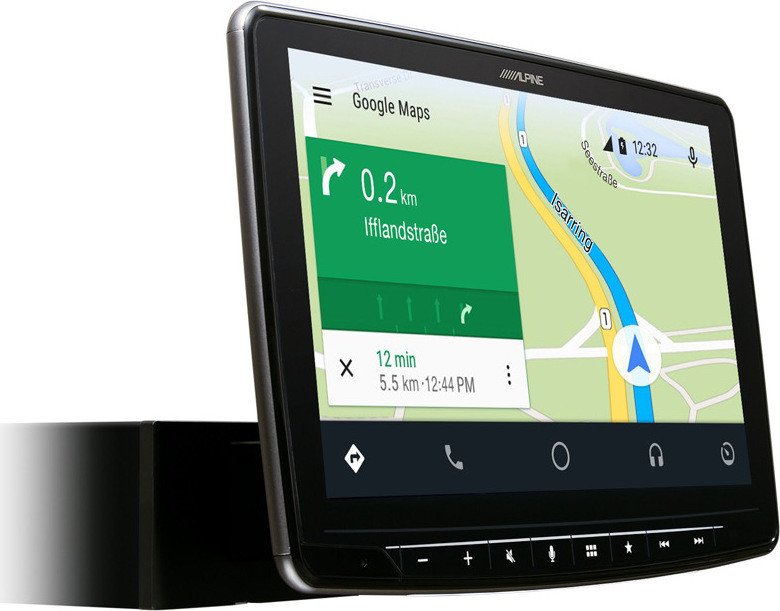

Car Audio & Navigation Manuals
Overview
Car audio and navigation manuals are comprehensive guides provided by manufacturers to help vehicle owners and technicians understand, install, operate, and troubleshoot in-car entertainment and navigation systems. These manuals cover a wide range of equipment, including head units, infotainment systems, speakers, amplifiers, subwoofers, GPS navigation modules, and integrated telematics. They serve as essential references to ensure correct installation, optimal performance, safety compliance, and long-term reliability of audio and navigation components.
Purpose and Audience
Primary Purposes
- Provide clear installation instructions to prevent damage and ensure safe electrical connections.
- Explain system features, user interface elements, and configuration options for end-users.
- Offer maintenance advice and troubleshooting procedures to diagnose common issues.
- Describe technical specifications, wiring diagrams, and compatibility information for installers and technicians.
Intended Audience
- Vehicle owners who want to learn how to operate and customize their in-car systems.
- Car audio enthusiasts and DIY installers seeking guidance on upgrades and integration.
- Professional installers and auto electricians needing wiring diagrams, mounting dimensions, and electrical ratings.
- Technicians and service centers performing repairs or diagnostics on audio/navigation units.
Typical Structure and Contents
Car audio and navigation manuals generally follow a standardized structure to make information easy to find and apply. Key sections often include:
1. Introduction and Safety Information
- General overview of the product and version details.
- Safety warnings about electrical hazards, airbag areas, and safe mounting locations.
- Regulatory compliance notices (FCC, CE, emissions) and disposal instructions.
2. Product Features and Controls
- Description of hardware components: head unit, display, knobs, buttons, microphones, antennas, and external interfaces.
- Explanation of software features: Bluetooth, Apple CarPlay, Android Auto, voice control, navigation maps, traffic updates, and multimedia playback.
- User interface walkthroughs for menus, screens, and input methods.
3. Installation Instructions
- Pre-installation checks: compatibility with vehicle make and model, required adapters, and mounting kits.
- Step-by-step mechanical installation: dash removal, bracket mounting, and securing the unit.
- Electrical installation: wiring harness connections, power and ground identification, speaker wiring, CAN-bus integration, steering wheel control interfaces, and antenna connections.
- GPS and external module placement recommendations for optimal signal reception.
- Advice on grounding, fusing, and avoiding interference with vehicle systems.
4. Wiring Diagrams and Pinouts
- Detailed pinout tables for connectors and harnesses.
- Wiring color codes and signal descriptions (constant/power, ignition/accessory, speaker channels, remote turn-on, amplifier outputs).
- Example diagrams for common setups, including amplifiers, subwoofers, external processors, and OEM integration harnesses.
5. Configuration and Setup
- Initial setup wizard steps such as language selection, time, date, and regional settings.
- Audio tuning instructions: equalizer presets, parametric EQ, crossover settings, time alignment, and level balancing.
- Navigation setup: map installation, setting home/work locations, configuring route preferences (fastest/shortest/eco), and traffic data sources.
- Connectivity setup: pairing Bluetooth devices, configuring Wi-Fi hotspots, software update procedures, and cloud services sign-in.
6. Operation and Use Cases
- Daily use scenarios: playing music from USB, Bluetooth, or streaming services; making hands-free calls; receiving voice directions.
- Advanced use: multi-zone audio, rear-seat entertainment control, parking camera integration, and smartphone mirroring.
- Tips for maximizing audio performance in different vehicle environments and reducing cabin noise interference.
7. Troubleshooting and Diagnostics
- Symptom-based troubleshooting flowcharts for common problems like no power, no sound, poor GPS signal, or paired device issues.
- Diagnostic mode instructions, error code lists, and factory reset procedures.
- Guidance on how to capture logs or perform basic firmware recovery if available.
8. Maintenance and Care
- Cleaning recommendations for screens and control surfaces.
- Guidelines for firmware updates, map database refreshes, and component replacement intervals.
- Environmental considerations such as temperature limits and moisture protection.
9. Technical Specifications
- Electrical specifications: operating voltage, current draw, fuse rating, speaker impedance ranges, and preamp output levels.
- Physical specifications: chassis dimensions, mounting depth, and weight.
- Performance specifications: frequency response, signal-to-noise ratio, total harmonic distortion, navigation map coverage, and receiver sensitivity.
10. Appendices and Support Resources
- Glossary of terms, index, and part number references.
- Manufacturer contact information, warranty terms, and authorized service center listings.
- Links or instructions for downloading additional maps, software updates, and user community resources.
Importance of Accurate Manuals
Accurate and well-structured manuals significantly reduce installation errors, prevent damage to vehicle electronics, and improve user satisfaction. They also protect manufacturers from liability by providing correct safety information and regulatory disclosures. For installers, precise wiring diagrams and CAN-bus integration notes are critical to maintain vehicle function and airbag systems. For end-users, clear instructions on connectivity, voice commands, and navigation ensure safer, distraction-reduced operation while driving.
Variations by Product Type
Different types of car audio and navigation systems require specific documentation approaches:
- Single-DIN/Double-DIN Head Units: manuals focus on mechanical mounting, harness adapters, and front-panel controls.
- Factory-Integrated Infotainment Systems: extensive integration notes for OEM connectors, CAN messages, and retained functions (climate control, steering wheel buttons).
- Portable Navigation Devices: emphasis on suction/cup mounts, map updates via PC, and battery charging.
- Aftermarket Navigation Modules and DSPs: advanced technical specs, signal routing diagrams, and tuning guides for professional installers.
Best Practices for Using Manuals
- Read safety and installation sections before attempting any physical installation.
- Follow wiring diagrams precisely and use recommended harnesses or adapters to avoid cutting factory wires when possible.
- Keep firmware and map data up-to-date by following manufacturer update procedures.
- Back up configuration settings where supported, especially before firmware upgrades or system resets.
- Consult authorized service centers for vehicle-specific integrations or when airbag/CAN systems are involved.
Digital vs. Printed Manuals
Many manufacturers now provide digital manuals (PDFs, interactive guides, or in-app help) that include searchable text, clickable diagrams, and video tutorials. Digital manuals make it easier to distribute updates and include supplemental resources such as firmware links and community FAQs. Printed manuals remain useful for quick reference in the workshop and as a physical copy during installation when devices like tablets are unavailable.
Legal and Warranty Considerations
Manuals typically include warranty terms and voidance conditions. Modifying vehicle wiring improperly, using unapproved adapters, or attempting repairs outside recommended procedures can void warranties. Manuals often detail what constitutes authorized service and the steps to claim warranty support.
Conclusion
Car audio and navigation manuals are indispensable tools for ensuring the safe, reliable, and optimal use of in-car entertainment and navigation systems. Whether you are a vehicle owner, a DIY enthusiast, or a professional installer, a thorough manual empowers you to install correctly, operate confidently, and troubleshoot efficiently. Keeping manuals up-to-date and following their guidance helps protect both the vehicle’s electronics and the occupants’ safety while maximizing the enjoyment and functionality of the audio and navigation systems.
Search for 166 Manuals online


Type-in Brand or Model