
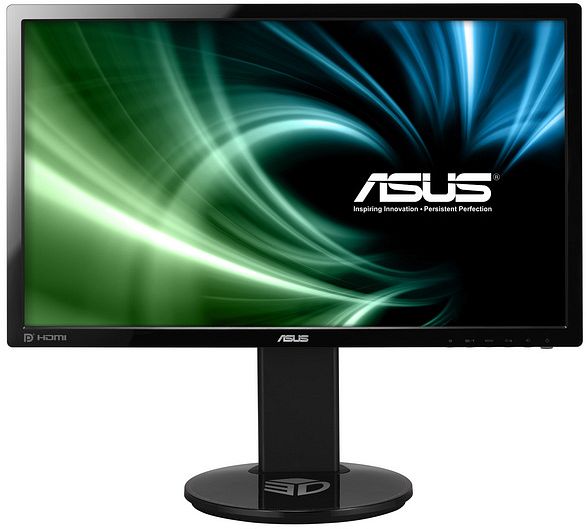
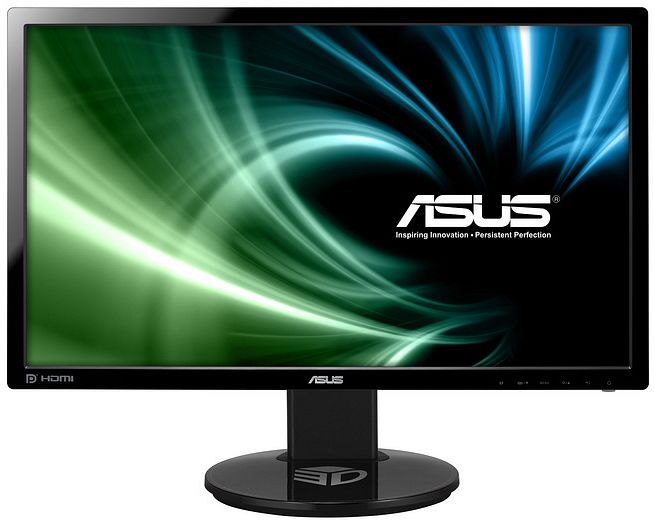
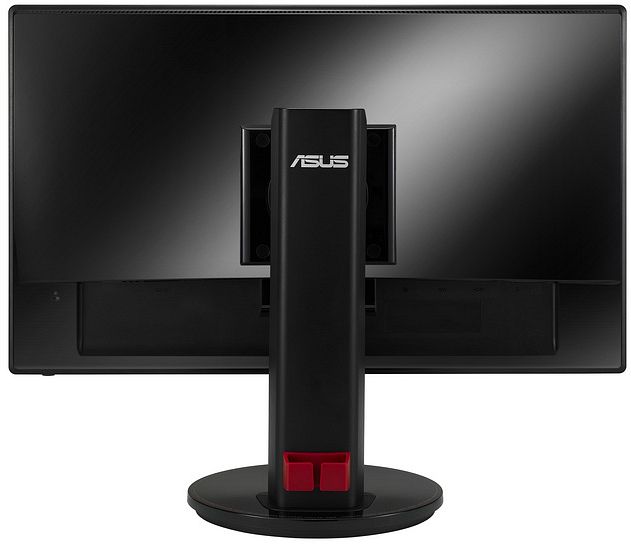
ASUS VG248QE, 24" Manual
PDF manual · 24 Pages
English



Ask a Question
Frequently Asked Questions
The VG248QE offers HDMI 1.4, DisplayPort 1.2, and Dual-Link DVI inputs, plus a 3.5 mm audio-in jack and a headphone jack. For highest refresh rates (e.g., 120–144 Hz) use Dual-Link DVI or DisplayPort.
Is this answer helpful?
Press the dedicated GamePlus hotkey, use the navigation buttons to choose between Aimpoint and Timer, then press MENU to confirm. Adjust position and toggle the feature on/off from the GamePlus submenu.
Is this answer helpful?
Yes. The VG248QE supports a VESA 100 x 100 mm mount. To detach the stand, lay the monitor face down, remove the four screws, and attach your VESA-compatible bracket.
Is this answer helpful?
Turn off and unplug the monitor, then wipe the screen with a lint-free, non-abrasive cloth. For stubborn stains use a cloth dampened with mild cleaner. Avoid cleaners containing alcohol or acetone and never spray cleaner directly onto the screen.
Is this answer helpful?
Initial flicker can occur from the backlight and may disappear after cycling power. Persistent flicker or afterimages can result from prolonged static images; turn off the monitor for a few hours to recover or contact service if problems persist.
Is this answer helpful?
Press the MENU button to open OSD, use the left/right buttons to navigate, press MENU to enter submenus, and use left/right to adjust values. Press the exit button repeatedly to save and close the OSD.
Is this answer helpful?
The stand supports tilt (+15° to -5°), swivel (+45° to -45°), 110 mm height adjustment, and 90° pivot for portrait orientation. Use these to optimize viewing comfort and desk ergonomics.
Is this answer helpful?
Advantages and Disadvantages
Advantages

- 1 ms response time and up to 144 Hz refresh via DVI/DisplayPort for smooth, low-latency gaming.
- Multiple inputs (HDMI 1.4, DisplayPort 1.2, Dual-Link DVI) for broad device compatibility.
- Ergonomic stand with tilt, swivel, height, and 90° pivot plus VESA 100 x 100 mm mount support.
- GamePlus toolkit (Aimpoint and Timer) and six video presets for quick gaming and viewing tweaks.
- Comprehensive OSD controls including user-adjustable RGB, Trace Free, Aspect Control, and ASCR.
Disadvantages

- TN panel limits viewing angles and color accuracy compared with IPS alternatives.
- Built-in 2 W speakers are modest; external audio may be needed for immersive sound.
- Certain advanced refresh/3D features require specific cables and GPU support.
- Some picture controls are locked in Standard mode and ASCR can alter perceived contrast.
- Initial screen artifacts (flicker/afterimage) may appear; requires proper setup and warm-up.
Product Description
ASUS VG248QE, 24" Manual — Product Overview
The ASUS VG248QE is a 24-inch (16:9) Full HD (1920 x 1080) gaming monitor built for fast-paced gameplay and versatile daily use. With a 1 ms response time and multiple refresh-rate options (including 144 Hz over DVI/DisplayPort), this display targets competitive gamers seeking minimal motion blur and responsive visuals. The panel uses a TN-based TFT LCD that delivers high brightness (350 cd/m²), an effective contrast ratio boosted by ASUS Smart Contrast Ratio (ASCR), and wide viewing specs tailored for desktop setups.
Key Features and Experience
Equipped with HDMI 1.4, DisplayPort 1.2, and Dual-Link DVI, the VG248QE supports a range of input sources and extended refresh-rate modes (up to 144 Hz at 1920x1080 via DVI/DP). The monitor includes dual 2 W stereo speakers, a 3.5 mm audio jack, and PC audio input. Ergonomic adjustments are generous: tilt, swivel, height adjustment, and 90° pivot for portrait mode. VESA 100 x 100 mm compatibility allows wall mounting or alternative stands.
Gamers get ASUS’s GamePlus features — an Aimpoint crosshair and an on-screen timer — plus six video preset modes (Scenery, Standard, Theater, Game, Night View, sRGB) and four color temperature presets. Image tuning controls include Brightness, Contrast, Saturation, Sharpness, Trace Free, Aspect Control, and color calibration (user-configurable RGB) for fine adjustments.
Safety, care, and regional compliance are emphasized: the manual outlines FCC/ICES regulatory information, handling and cleaning recommendations, ventilation guidance, and disposal guidelines. The package typically includes the monitor, base, power cord, Dual-Link DVI cable, audio cable, quick start guide, and warranty card.
Usage Notes
For optimal 3D and high-refresh functionality, use DisplayPort or Dual-Link DVI connections where appropriate. Follow safety and care guidance—unplug before cleaning, avoid liquid or abrasive cleaners, and do not block ventilation slots. The OSD menu provides intuitive navigation for presets, adjustments, and OSD language/timeout settings.
Final Thoughts
The ASUS VG248QE, 24" is a purpose-built monitor for gamers and users who prioritize fast response times and flexible connectivity. Its ergonomic features, on-screen gaming tools, and extended refresh-rate support make it a solid choice for competitive play and everyday productivity.
Notes:
- Best performance for high refresh rates requires DVI or DisplayPort connections.
- Use included cables and follow safety/ventilation instructions.
- ASCR may dynamically change contrast; some modes lock certain controls.
Search for 166 Manuals online


Type-in Brand or Model