
AVM FRITZ!Powerline 1220 / FRITZ!Powerline 1220E Manual
PDF manual · 38 Pages
English



Ask a Question
Frequently Asked Questions
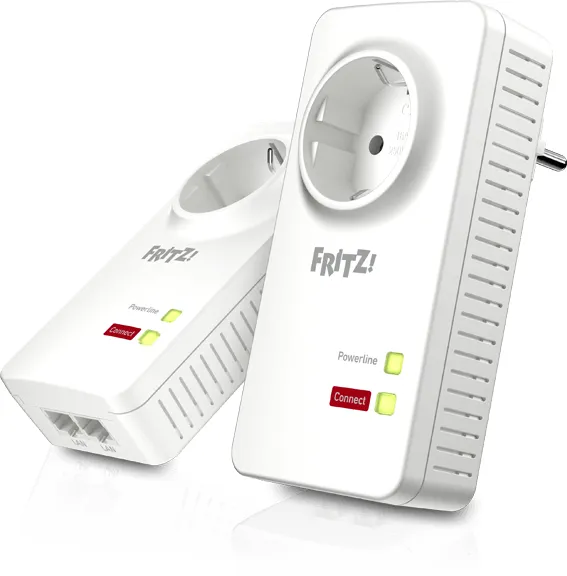
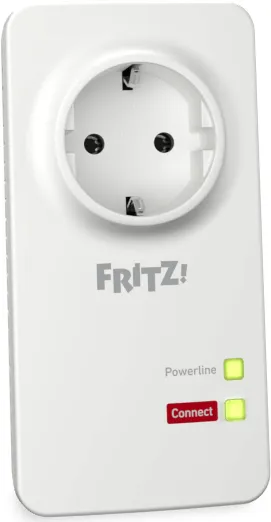
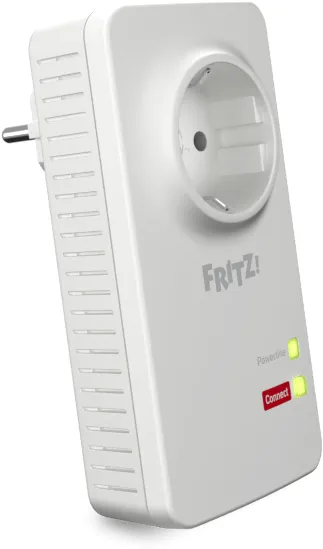
A gigabit powerline adapter (1220E) with 2x2 MIMO technology that transmits data over your home’s electrical wiring. The Set includes two pre-configured devices with encryption for immediate use.
Is this answer helpful?
Plug devices directly into wall outlets, avoid using power strips on the same outlet, minimize interference from large appliances, and use the FRITZ!Powerline software to optimize settings and firmware updates.
Is this answer helpful?
Yes. The Set variant ships with factory-configured encryption (AES-128-bit) to secure data exchange on the powerline network.
Is this answer helpful?
Yes. It integrates with FRITZ!Box and supports standard powerline networking alongside other compatible devices, enabling easy network expansion.
Is this answer helpful?
For the best gigabit performance, a 3-wire circuit (phase, neutral, and ground) is recommended due to MIMO. 2-wire circuits are supported but may not reach full potential.
Is this answer helpful?
Firmware updates are available through the AVM FRITZ!Powerline interface and on AVM’s download pages (en.avm.de).
Is this answer helpful?
Multiple Powerline devices can be securely joined using the Powerline Security feature, enabling scalable network expansion.
Is this answer helpful?
Advantages and Disadvantages
Advantages

- Easy plug-and-play setup with encrypted out-of-the-box (Set)
- Gigabit speeds with 2x2 MIMO on 3-wire circuits
- Two LAN ports for multiple wired devices
- AES-128-bit encryption for secure powerline networking
- Active management software for monitoring and updates
Disadvantages

- Performance can drop on older or noisy electrical wiring
- Maximum potential requires 3-wire circuits; 2-wire may limit speeds
- Physical size may affect placement near power outlets in tight spaces
Product Description
FRITZ!Powerline 1220E: A Practical Look at Gigabit Powerline Networking
Power up your home network with FRITZ!Powerline 1220E, a compact, high-speed powerline adapter from AVM. This blog-style overview highlights what the device offers, how it fits into a modern home network, and practical tips to maximize performance. The 1220E family includes a single-device model and a two-device Set, both designed to leverage your home’s electrical wiring for fast data transfer, easy setup, and secure encryption.
What it is and what it does
FRITZ!Powerline 1220E enables data transmission over your household’s electrical wiring at gigabit speeds. It is designed for indoor use, with a simple setup that involves plugging the devices into outlets and connecting to your FRITZ!Box, computer, or other network devices using white LAN cables. The Set variant ships with two devices and factory-configured encryption, ready for immediate use. The single device can be integrated into existing powerline networks with just a few steps.
Key features include:
- Gigabit powerline performance with 2x2 MIMO technology for improved data rates
- Two LAN ports on the device for direct connections to computers, TVs, Blu-ray players, or game consoles
- AES-128 bit encryption for secure data exchange across the powerline network
- HomePlug AV2 standard compatibility and IEEE P1901 alignment for broad device interoperability
- A user-friendly AVM FRITZ!Powerline software to manage and monitor the network
Performance and optimizations
Achieving the best data rates depends on several factors, such as circuit wiring and interference sources. The guide recommends plugging devices directly into wall outlets, avoiding multi-outlet strips on the same outlet when possible, and ensuring the Powerline path doesn’t cross circuit breakers, dimmers, or heavy electrical equipment like drills or vacuum cleaners. The system supports 1200 Mbit/s gross rates in ideal conditions and works in three-wire (L, N, PE) circuits for optimal gigabit performance via MIMO. In two-wire setups, full potential may not be reached, but the network still works well.
Practical tips for setup and maintenance
- Plug devices directly into wall outlets for best results
- Use the Set to get an out-of-the-box encrypted network immediately
- Use the Powerline Security or Security buttons to add devices securely to an existing network
- Monitor and adjust via the FRITZ!Powerline software to view connections and update firmware
- You can disable LEDs if you want a quieter device in living spaces
Notes and considerations
- FRITZ!Powerline 1220E is designed for indoor use and should be kept dry and well-ventilated
- Do not open the device; avoid repairs yourself
- Dispose of the device according to local electronic waste guidelines
Bottom line
FRITZ!Powerline 1220E offers a straightforward, secure way to extend your home network using your existing wiring, delivering strong gigabit performance where it matters most, with easy setup and management through AVM software.
Notes for readers: For more detailed specifications and multilingual installation guidance, consult AVM’s manuals and support pages as referenced in the product materials.
Pros and Cons
- Pros: Easy setup, gigabit speeds with MIMO, AES-128 encryption, two LAN ports, sets come pre-configured and encrypted
- Cons: Performance can degrade on older or noisy wiring, full gigabit potential requires three-wire circuits, efficacy can vary by home wiring
Most Important Results
- Setup and encryption ready out of the box (Set) or with minimal steps (Single) – up to 2 device pairing within minutes
- Gigabit-class data rates with MIMO on 3-wire circuits; still usable on 2-wire circuits with reduced peak potential
- Centralized management via AVM FRITZ!Powerline software for monitoring, updates, and device status
FAQ
- What is FRITZ!Powerline 1220E? A gigabit powerline adapter (1220E) and Set variant offering secure data transmission over your home’s electrical wiring.
- How do I maximize the data rate? Use direct wall outlets, avoid daisy-chaining through multiple devices, and limit interference from other appliances; use the software to optimize and update.
- Is encryption included? Yes, AES-128-bit encryption is standard, with out-of-the-box secure configuration in Set packages.
- Can I use it with any router? It integrates with FRITZ!Box and supports standard powerline networking alongside other compatible devices.
- Do I need 3-wire circuits for gigabit speed? 3-wire (L, N, PE) supports the best rates; two-wire circuits are supported but may not reach peak speeds.
- How many devices can be added securely? The system supports multiple powerline devices joined securely via the Powerline Security feature.
- Where can I find firmware updates? Through the AVM FRITZ!Powerline interface and AVM’s download pages.
Search for 166 Manuals online


Type-in Brand or Model