
Cisco Aironet 3702i Controller-based AP (universal domain) Manual
PDF manual · 42 Pages
English


Ask a Question
Frequently Asked Questions
Priming sets the AP’s regulatory domain and country configuration, defining allowed channels and transmit power for the region. It ensures the AP complies with local radio and telecommunications regulations before enabling full functionality.
Is this answer helpful?
Use the Cisco AirProvision smartphone app (iOS, Android, or Windows Phone). Connect the phone to the AP’s provisioning SSID, authenticate with Cisco CCO/admin credentials, and use Configure or Audit. The AP will reboot and apply the appropriate regulatory domain.
Is this answer helpful?
Automatic priming uses Cisco NDP and works only for lightweight controller-managed universal APs. At least one AP in the RF neighborhood must already be manually primed; the primed AP securely broadcasts regulatory settings to nearby unprimed universal APs.
Is this answer helpful?
Resetting restores the AP to the universal default regulatory state (‘-UX’), effectively unpriming it. You must re-prime the AP (manual or automatic where applicable) before full regional operation.
Is this answer helpful?
AirProvision supports Apple iPhones with iOS 7.0+, Android 4.0+, and Windows Phone 8.0+. Devices that are rooted or jailbroken are not supported. The phone should have internet access and preferably GPS.
Is this answer helpful?
No. Autonomous-mode APs must be primed manually via Cisco AirProvision; automatic priming via NDP applies only to lightweight APs managed by a WLC.
Is this answer helpful?
In AirProvision the Configure and Audit buttons will be disabled and the AP shows ‘Primed’ with 2.4/5 GHz regulatory domains. On a WLC, the AP’s Country field and Universal Prime Status will reflect Web App or NDP priming. LED indicators also confirm status.
Is this answer helpful?
Advantages and Disadvantages
Advantages

- Universal regulatory support lets one 3702i SKU be deployed across multiple countries, reducing inventory complexity.
- Supports secure manual priming via Cisco AirProvision using smartphone GPS and cellular data for accurate country selection.
- Automatic priming via Cisco NDP speeds multi-AP deployments once at least one AP is manually primed in the RF neighborhood.
- Controller-based management integrates with WLCs for centralized configuration, monitoring, and scale.
- Clear LED indicators and priming status make troubleshooting and verification straightforward.
Disadvantages

- Manual priming requires smartphone connectivity to the AP’s SSID and access to the AP’s management interface.
- Automatic priming works only for lightweight controller-managed APs, not autonomous-mode APs.
- Resetting the AP reverts regulatory settings to ‘-UX’, requiring re-priming for redeployment in a new country.
- AirProvision runs only on supported smartphone OS versions; rooted/jailbroken devices are blocked.
- Initial setup on WLC requires creating separate WLAN and AP group for safe manual priming, adding configuration steps.
Product Description
Cisco Aironet 3702i Controller-based AP (universal domain) Manual
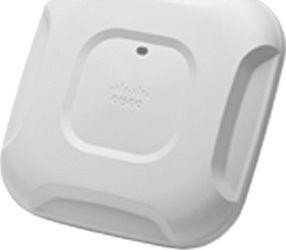
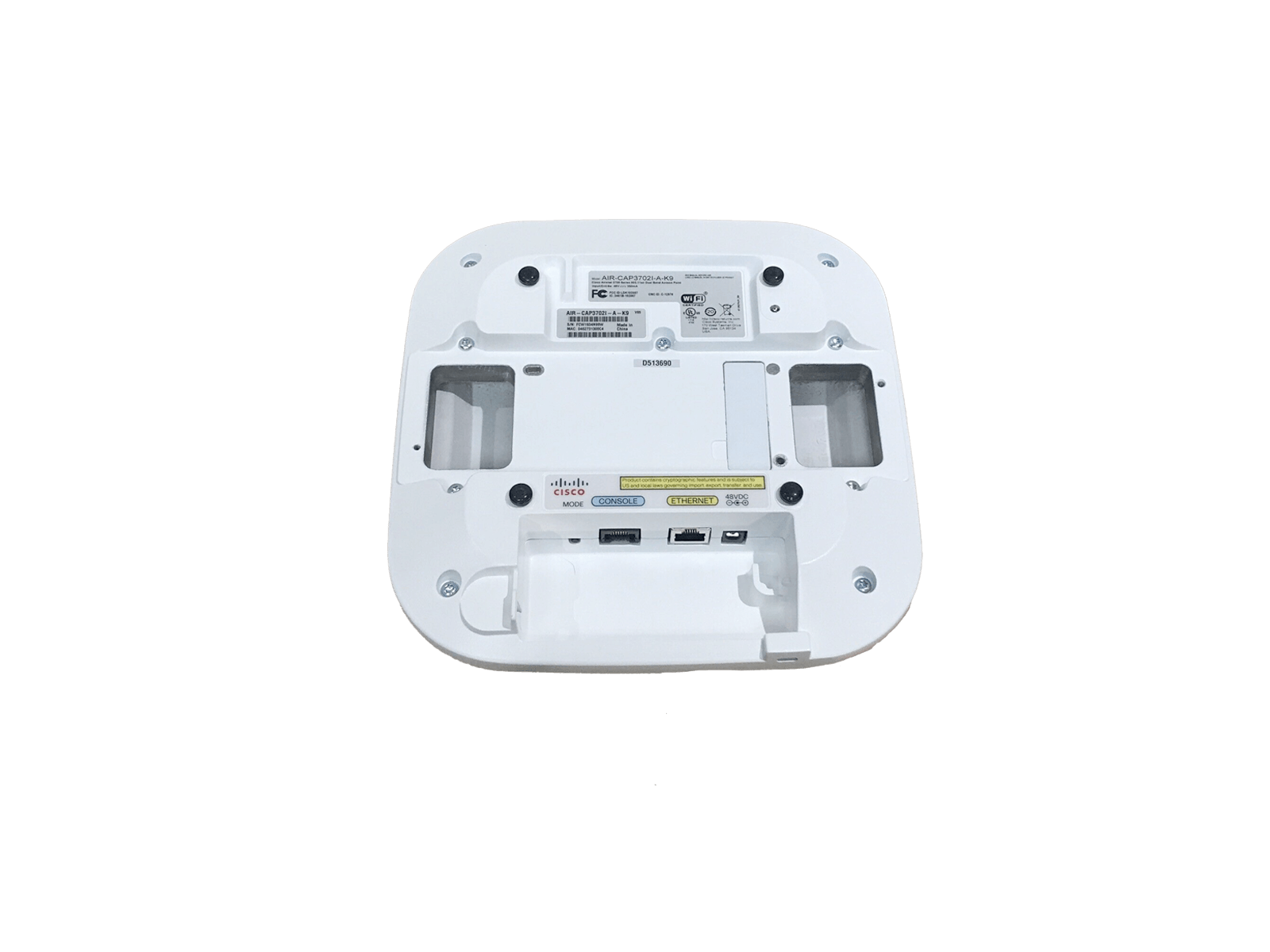
The Cisco Aironet 3702i Controller-based AP (universal domain) is a high-performance enterprise access point designed for flexible global deployment. As a universal AP, the 3702i can adapt its regulatory domain and country settings based on location, allowing a single hardware SKU to meet multiple regional radio and power rules. This capability simplifies inventory, procurement, and international rollouts while ensuring regulatory compliance across diverse deployments.
Priming is the essential step to configure the AP’s regulatory domain and allowed channels. The 3702i supports two priming methods: manual priming using the Cisco AirProvision smartphone app and automatic priming via Cisco Neighbor Discovery Protocol (NDP). Manual priming uses a smartphone’s GPS and mobile network data to determine location, then securely provisions the AP. Automatic priming lets an already-primed AP securely broadcast validated regulatory settings to nearby universal APs within the same RF neighborhood, accelerating multi-AP installations once at least one AP is primed manually.
For controller-based deployments the 3702i operates as a lightweight AP managed by a Cisco Wireless LAN Controller (WLC). Preparing a WLC for manual priming involves creating an isolated WLAN and AP group so the AirProvision client can connect directly to the unprimed AP. Autonomous mode APs must be primed manually; lightweight APs can use automatic priming but fall back to manual if NDP propagation is unavailable.
The AirProvision workflow is straightforward: ensure the smartphone has network and location access, connect to the AP’s provisioning SSID, authenticate with Cisco CCO credentials, and then Configure or Audit the AP. Successful priming causes the AP to reboot and come online with appropriate 2.4 GHz and 5 GHz regulatory settings. LED behaviors indicate AP state—cycling red/green/off when awaiting priming, blinking colors during priming, green/teal on successful provisioning, and chirping red if primed to the wrong domain.
Resetting or unpriming a 3702i restores the universal default (-UX), requiring re-priming before full operation in the new country. Supported smartphone platforms for AirProvision include iOS, Android, and Windows Phone (with specific OS version requirements). The 3702i benefits from controller features like centralized management, but administrators must follow priming workflows and WLC configuration steps to ensure secure, compliant deployments.
Notes:
- Manual priming requires the smartphone and AP to be on the same WLAN/subnet and able to reach the AP’s management address.
- Automatic priming only works for lightweight APs and requires an adjacent primed universal AP.
- Resetting the AP (software or hardware) returns regulatory settings to ‘-UX’ and unprimes the device.
Search for 166 Manuals online


Type-in Brand or Model