
CyberPower Manuals
Manuals
Categories

CyberPower Manuals
Overview
CyberPower manuals are comprehensive user guides provided by CyberPower Systems, a leading manufacturer of uninterruptible power supplies (UPS), surge protectors, power distribution units (PDUs), and related power protection and management products. These manuals serve as essential resources for end users, installers, and IT professionals, offering detailed instructions on product setup, operation, maintenance, troubleshooting, safety, and specifications. Well-structured and user-focused, CyberPower manuals aim to ensure reliable installation, optimal performance, and safe handling of power equipment across residential, commercial, and industrial environments.
Purpose and Audience
Purpose
The primary purpose of CyberPower manuals is to offer clear, actionable guidance that helps users:
- Install and commission devices correctly
- Understand operational features and interface elements
- Configure settings for specific use cases
- Maintain and extend the lifespan of equipment
- Diagnose and resolve common issues without unnecessary downtime
- Follow safety protocols and regulatory compliance requirements
Audience
CyberPower manuals are written for a diverse audience that includes:
- Home users seeking backup power and surge protection solutions
- Small and medium-sized business owners managing server rooms and network closets
- IT administrators responsible for power management and graceful shutdown procedures
- Electricians and technicians performing installations and routine maintenance
- Facilities managers overseeing critical infrastructure and uptime requirements
The language and structure of the manuals balance technical accuracy with accessibility, often including step-by-step instructions, diagrams, tables, and quick-start sections to assist readers with varying technical expertise.
Typical Contents
CyberPower manuals generally follow a consistent format to make information easy to find. Common sections include:
1. Safety Information
This section outlines general safety precautions, warnings, and cautions. Topics frequently covered are electrical shock prevention, handling battery hazards, proper ventilation, safe mounting practices, and environmental considerations such as temperature and humidity limits. Safety icons and signal words (e.g., Danger, Warning, Caution) are used to emphasize severity.
2. Product Overview
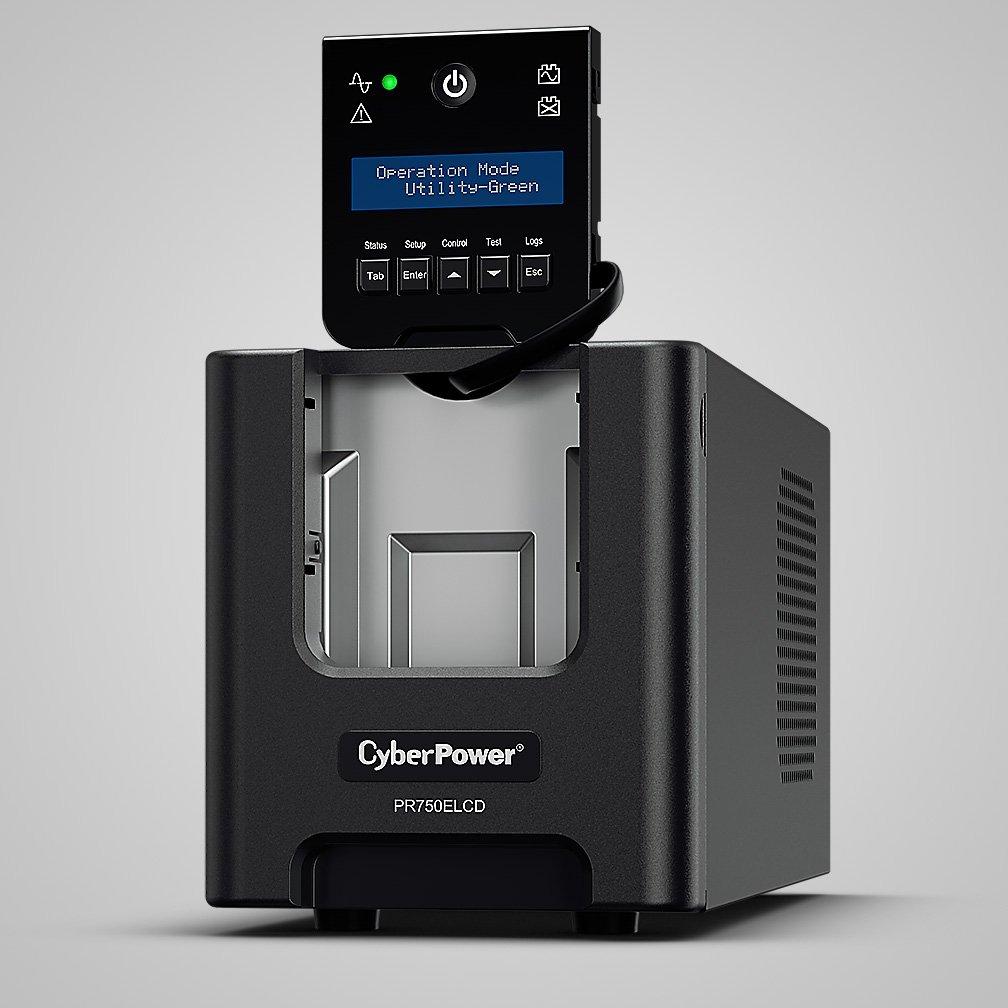
Provides a description of the model, its intended use, and a list of included components. Illustrations or photos identify front and rear panel features, such as input/output connectors, control buttons, LED indicators, LCD displays, communication ports (USB, serial, SNMP), battery compartments, and circuit breakers.
3. Specifications
Detailed technical specifications give users the exact performance and capability parameters. Typical entries include:
- Input voltage range and frequency
- Output power capacity (VA and watts)
- Efficiency and power factor
- Transfer time (for standby/PFC models) or waveform type (sine wave, simulated sine wave)
- Battery type, quantity, runtime ratings, and recharge time
- Environmental specs (operating/storage temperature, humidity ranges)
- Physical dimensions and weight
- Certifications and compliance (UL, CE, RoHS, etc.)
4. Installation Instructions
Step-by-step installation guidance covers both physical setup and electrical connections. For rack-mounted and tower units, manuals explain mounting hardware usage, orientation, clearance requirements, and securing methods. Guidance for connecting critical loads, surge-only loads, and data line protection (e.g., RJ-45, coax) is commonly included. For larger deployments, recommended wiring practices and grounding instructions help ensure safety and compliance with electrical codes.
5. Operation
This section walks users through powering on/off procedures, interpreting status LEDs and LCD messages, switching between operating modes (e.g., normal, bypass, battery), and using front-panel controls. It often includes scenarios for typical operation, such as startup sequences, battery mode activation during outages, and alerts for overload or low battery conditions.
6. Configuration and Software
For intelligent UPS units, manuals explain available configuration options, monitoring software, and network management tools. Instructions may cover:
- Installing manufacturer-supplied software (PowerPanel, PowerPanel Personal/Business, or PowerPanel Plus)
- Establishing communication via USB, RS-232, or SNMP cards
- Configuring shutdown settings for servers and workstations
- Scheduling automatic self-tests and firmware updates
- Setting thresholds for alarms and notifications
This section is particularly valuable for IT staff who need to integrate UPS management into broader infrastructure monitoring systems.
7. Battery Care and Replacement
Battery maintenance is crucial for UPS reliability. Manuals provide guidelines on battery testing, estimating runtime, and performing safe battery replacement. Typical content includes:
- Recommended maintenance intervals and self-test procedures
- Signs of battery degradation and end-of-life indicators
- Step-by-step battery replacement instructions with necessary safety precautions
- Proper disposal and recycling procedures in accordance with local regulations
8. Troubleshooting
A troubleshooting section helps users quickly diagnose and remedy common issues. Entries often include symptom, probable cause, and corrective action—for example, what to do when the unit will not start, beeps continually, displays error codes, or fails to supply power during an outage. Contact information for technical support and RMA procedures may be included for unresolved problems.
9. Appendices and Resources
Appendices can include wiring diagrams, RS-232/USB pinouts, communications protocol details, accessory lists, replacement part numbers, and conformity statements. Manuals also direct users to online resources, firmware downloads, and extended warranty registration links.
Format and Accessibility
CyberPower often provides manuals in PDF format for easy distribution and printing. Many manuals include:
- Table of contents and an index for quick navigation
- Clear diagrams, illustrations, and annotated photographs
- Multilingual sections or separate manuals for different languages
- Quick-start guides or fold-out sheets for essential steps
- Large, legible fonts and color-coded indicators for clarity
Online product pages typically host these PDF manuals alongside spec sheets, datasheets, and frequently asked questions. Search functions on CyberPower’s website and product numbering conventions help users find the correct manual quickly.
Best Practices When Using CyberPower Manuals
- Read safety and installation sections before attempting setup or maintenance.
- Verify model and revision numbers to ensure instructions match your unit.
- Keep firmware and monitoring software up to date for best performance and security.
- Schedule periodic battery tests and replace batteries at recommended intervals.
- Record installation details and configuration settings for future troubleshooting.
- Follow local regulations for electrical work and battery disposal; consult a qualified electrician for complex installations.
Common Use Cases
CyberPower manuals support a range of use cases:
- Home office protection: quick setup of tower UPS units and connecting PCs and networking equipment for short-term battery backup and surge protection.
- Small business server rooms: rack-mount installation, SNMP integration, and coordinated shutdown procedures.
- Retail and POS systems: ensuring point-of-sale terminals and network devices remain functional during brief outages.
- Data centers and telecom closets: PDUs and high-capacity UPS units requiring detailed power planning and monitoring.
- Industrial applications: guidance on environmental conditions, vibration considerations, and maintenance cycles.
Importance of Keeping Manuals Updated
As product firmware, features, and compliance requirements evolve, updated manuals provide corrected procedures, enhanced safety warnings, and new capabilities. CyberPower periodically revises documentation to reflect hardware revisions, firmware updates, and regulatory changes. Always download the latest manual from the official CyberPower website or contact support for the most current version.
Conclusion
CyberPower manuals are indispensable tools for anyone who owns, installs, or manages CyberPower power protection equipment. They combine technical specifications, clear installation and operation instructions, maintenance and safety guidance, troubleshooting steps, and resources for software integration. Proper use of these manuals helps maximize equipment reliability, extend battery life, and ensure safe, compliant operation across a wide range of environments and applications.
Search for 166 Manuals online


Type-in Brand or Model