
D-Link DWR-921 Manual
PDF manual · 56 Pages
English



Ask a Question
Frequently Asked Questions
Insert a compatible (U)SIM, connect power and Ethernet if needed, then open a web browser to the router’s default IP (192.168.0.1). Log in with username 'admin' and no password, and follow the setup wizard to choose Internet type, SSID and security settings.
Is this answer helpful?
Yes. The DWR-921 supports WAN failover which lets it switch to the 3G/4G connection if the primary Ethernet WAN is unavailable. Configure the failover type and remote keep‑alive host (for example, a public DNS) in the Failover settings and enable the secondary WAN option.
Is this answer helpful?
Use WPA2 with AES cipher (WPA2‑PSK) for the best balance of security and compatibility. WEP is outdated and insecure. You can also use WPS push‑button for easy device setup, though disabling WPS‑PIN improves security.
Is this answer helpful?
It supports Dynamic IP (DHCP), Static IP, PPPoE, PPTP, L2TP, and cellular 4G/3G connections via the SIM slot. Choose the correct type in the Internet settings or use the wizard and consult your ISP for required parameters like APN, username or static addresses.
Is this answer helpful?
Press and hold the rear reset button (use a paperclip) for ten seconds while the router is powered on. The router will reboot and return to factory default settings (default IP 192.168.0.1 and admin user with blank password).
Is this answer helpful?
Upgrade firmware only from a trusted source and using a wired connection. During the upgrade do not power off the router or refresh the browser. Enabling unofficial firmware is unsupported and may void warranty or damage the device.
Is this answer helpful?
Place the router centrally and high, avoid obstructions and sources of RF interference (microwaves, cordless phones), use detachable antennas and adjust transmit power or channel settings. For multi‑story homes consider repeaters or additional access points.
Is this answer helpful?
Advantages and Disadvantages
Advantages

- Supports 4G LTE and 3G with a standard SIM slot for mobile broadband flexibility.
- WAN failover lets the router switch to cellular automatically if wired WAN fails.
- Comprehensive network controls: NAT/SPI firewall, QoS, DMZ, port forwarding, filters.
- Easy setup via web UI and wizard, plus WPS support for quick device pairing.
- IPv6 support and advanced features like SNMP, UPnP, DHCP-PD, and scheduling.
Disadvantages

- Performance limited to 802.11n speeds; no modern Wi‑Fi 5/6 support for higher throughput.
- Some advanced wireless settings can negatively affect performance if misconfigured.
- Firmware upgrades require a wired connection and carry risk if unofficial firmware used.
- Regional hardware variations limit supported LTE bands depending on version.
- SMS and USSD features depend on carrier support and may incur charges when roaming.
Product Description
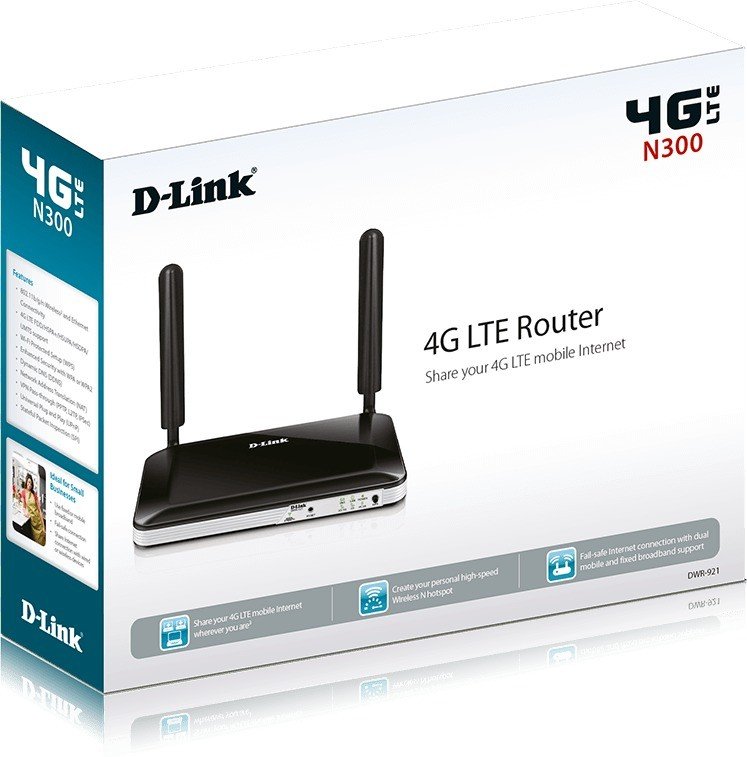
D-Link DWR-921 — Reliable 4G LTE Router for Home and Small Office
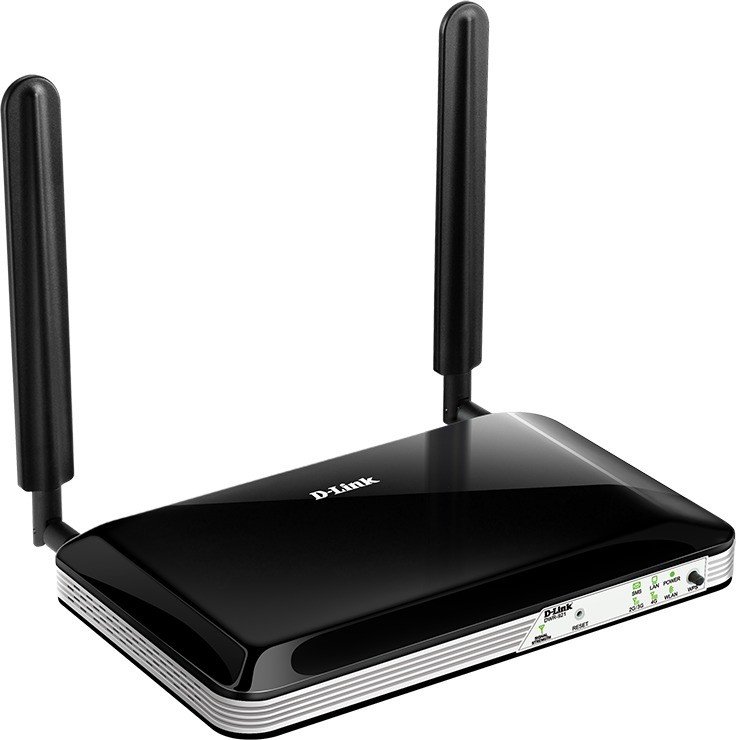
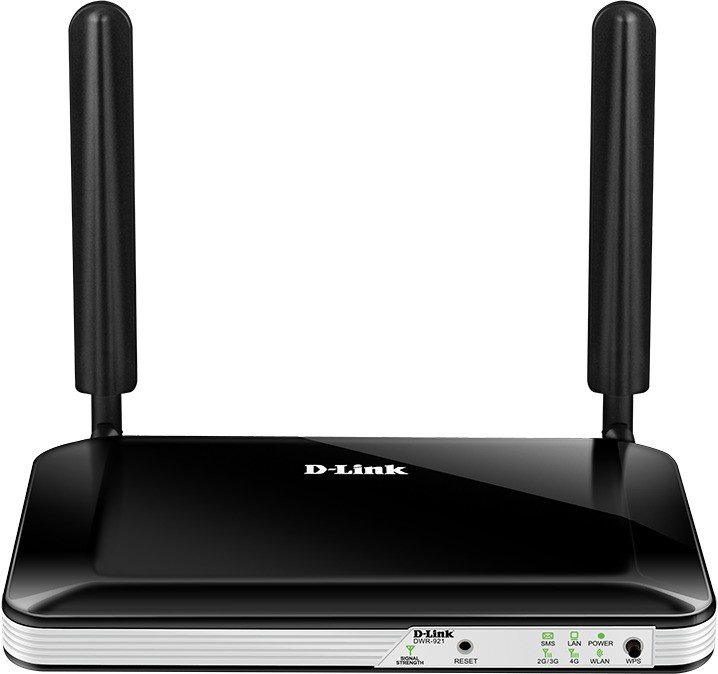
The D-Link DWR-921 is a versatile 4G LTE router designed to keep homes and small offices connected where fixed broadband may be unavailable or unreliable. With a standard SIM slot for 3G/4G networks and four Ethernet LAN ports, it shares mobile broadband across wired and wireless devices. The router supports 802.11n Wi‑Fi for fast local networking, WPA/WPA2 security, and detachable 3G/4G antennas to help improve reception in challenging environments.
Setting up the DWR-921 is straightforward: insert a compatible (U)SIM, connect power and optional WAN or LAN cables, and follow the web-based configuration at the router’s default IP. A setup wizard walks users through selecting the appropriate Internet connection type—Dynamic IP (DHCP), Static IP, PPPoE, PPTP, L2TP, or 4G/3G—plus SSID and wireless security. It supports WAN failover so the router can automatically switch to cellular data if the primary Ethernet WAN goes down, ensuring continuous connectivity.
Administrators get granular controls for network management: DHCP address pools and fixed mappings, NAT and SPI firewall options, DMZ, virtual server (port forwarding), URL filtering, inbound/outbound packet filtering, QoS prioritization, and MAC address filtering. Advanced features include IPv6 support with options for static, SLAAC, DHCPv6 and PPPoE over IPv6, SNMP monitoring, UPnP, and firmware upgrade utilities. Time settings, schedules, auto-reconnect and connection reset tools help maintain uptime and match operational needs.
Wireless features cover SSID broadcast control, channel and width selection, WMM for multimedia QoS, and advanced settings like beacon interval, RTS/fragmentation thresholds, short guard interval, and HT coexistence. WPS support (push-button or PIN) simplifies adding devices while WPA2 and AES provide recommended encryption for network security.
Hardware indicators and controls are practical and user-friendly: LEDs for power, LAN, WLAN, SMS, 2G/3G and 4G status, signal strength, a WPS button and a reset button. The router also offers SMS messaging and USSD commands via the SIM card, useful for managing mobile accounts. Documentation and built-in troubleshooting tips cover common issues like access to the web UI, password resets, MTU tuning for problematic sites, and wireless setup across multiple Windows versions.
Overall, the DWR-921 is aimed at users who need dependable mobile broadband sharing, flexible WAN options, and ample administrative controls in a compact package. It delivers a solid combination of LTE connectivity, essential security features, and configurable networking options for a variety of deployment scenarios.
Notes
- Supports multiple cellular bands; actual bands depend on regional hardware version.
- Detachable antennas improve reception but placement and building materials will affect wireless range.
- Use wired connection for firmware upgrades and follow safety/regulatory guidelines.
Search for 166 Manuals online


Type-in Brand or Model