
Fujitsu Manuals
Manuals
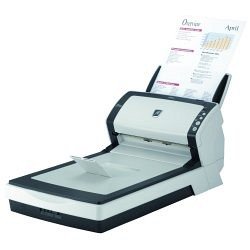
Fujitsu Manuals: Comprehensive Guide for Users and Technicians
Overview
Fujitsu manuals are authoritative documents produced by Fujitsu and its subsidiaries to guide users, administrators, and technicians in the proper use, maintenance, troubleshooting, and repair of Fujitsu products. These manuals cover a wide range of product categories including laptops, desktops, servers, storage systems, printers, scanners, networking equipment, air conditioners, and industrial systems. They are written to address different audiences — end users seeking setup and basic operation instructions, IT professionals responsible for deployment and maintenance, and service technicians needing detailed repair procedures and parts information.
Types of Fujitsu Manuals
User Manuals
User manuals (or user guides) provide step-by-step instructions for unboxing, initial setup, basic operation, system features, software utilities, safety information, and warranty details. They typically include quick start sections, diagrams of product components, and essential troubleshooting tips for common issues.
Service Manuals
Service manuals are targeted at certified technicians and include in-depth diagnostic procedures, disassembly and reassembly instructions, parts lists, schematics, and firmware update procedures. These manuals often provide torque specifications, connector pinouts, and detailed circuit descriptions necessary for repairs and component replacements.
Installation Guides
Installation guides focus on proper installation procedures for hardware and software. For servers and networking equipment, these guides discuss rack mounting, cabling diagrams, airflow considerations, and power requirements. For consumer devices, they include instructions for peripheral connections and software setups.
Maintenance Manuals
Maintenance manuals outline routine maintenance tasks to keep equipment operating optimally. They cover cleaning procedures, preventive checks, recommended maintenance schedules, replacement intervals for consumable parts, and instructions for updating firmware and drivers.
Technical Reference Manuals
Technical reference manuals contain advanced technical data and are often used by engineers. They include detailed specifications, signal timing information, protocol implementations, electrical characteristics, and interface specifications.
Safety and Regulatory Manuals
These manuals detail safety instructions, regulatory compliance information, environmental considerations, and disposal instructions. They ensure users and organizations adhere to local and international safety standards and environmental regulations.
Key Contents and Structure
Front Matter
Most Fujitsu manuals begin with a front matter section containing the document title, model numbers, publication date, revision history, and contact information for Fujitsu support. This section helps users ensure they are referencing the correct manual version for their specific product and firmware release.
Product Overview
A concise description of the product, its intended use, key features, and included accessories is usually provided early in the manual. This section may include diagrams or photographs to familiarize users with the product’s components and ports.
Setup and Installation
This section guides users through initial setup steps such as unboxing, hardware assembly, connecting cables, configuring BIOS or firmware settings, and installing operating systems and drivers. For enterprise hardware, it includes rack installation, cable management, and redundancy configuration.
Operation and Configuration
Detailed operation instructions and configuration steps are provided here. This may include OS-level settings, vendor-specific utilities (e.g., power management, diagnostic tools), network configuration, and security best practices. Screenshots and command examples are common in this section.
Diagnostics and Troubleshooting
Fujitsu manuals feature diagnostic procedures to identify and resolve common issues. Troubleshooting flowcharts, error code lists, LED status explanations, and recommended corrective actions help users and technicians quickly isolate faults.
Repair and Replacement Procedures
For service-level manuals, this section offers guided repair workflows, step-by-step removal and replacement instructions for modules such as hard drives, memory, power supplies, and motherboards, along with exploded views and part numbers.
Appendices and Glossary
Appendices often include technical specifications, configuration examples, command reference tables, firmware update logs, and regulatory declarations. A glossary clarifies technical terms and acronyms used throughout the manual.
Accessibility and Formats
Fujitsu manuals are distributed in multiple formats to ensure accessibility. Common formats include downloadable PDF files from Fujitsu’s official support site, online knowledge base articles, HTML pages, and sometimes printed booklets included with the product. PDFs often include bookmarks, searchable text, and hyperlinks for easier navigation. Where applicable, manuals may also be available in multiple languages to serve a global customer base.
How to Find the Right Fujitsu Manual
Identify Model and Serial Number
Before searching, identify the exact model number and serial number of your Fujitsu product. Manuals are often model-specific, and using the correct identifiers ensures compatibility with hardware revisions and firmware versions.
Use Fujitsu Support Portal
The Fujitsu support portal is the primary source for authentic manuals. Enter your model number or use the product navigation menus to locate manuals, drivers, firmware updates, and knowledge base articles. Many support pages offer a downloads section where manuals are listed by document type and revision date.
Third-Party Repositories and Communities
While Fujitsu’s official site is preferred, many community forums, archival sites, and third-party repositories host copies of older or discontinued manuals. Exercise caution and verify document authenticity when using third-party sources.
Best Practices for Using Fujitsu Manuals
Verify Document Version
Always check the publication date and revision number to ensure you are using the manual that corresponds to your hardware and firmware versions.
Follow Safety Warnings
Adhere strictly to safety precautions listed in the manual, especially when servicing power supplies, battery systems, or systems under warranty. Many procedures require proper ESD (electrostatic discharge) precautions and certified technicians for repairs.
Back Up Configurations
Before performing firmware updates, re-imaging, or major configuration changes, back up critical data and configuration files. Manuals often include recommended backup procedures.
Use Official Firmware and Drivers
Download firmware and driver updates only from official Fujitsu support pages or trusted vendor channels to avoid compatibility issues and security risks.
Common Sections for Popular Fujitsu Products
Laptops and Notebooks
User guides for Fujitsu laptops emphasize battery care, power settings, keyboard shortcuts, recovery partition usage, and how to reinstall or restore the operating system. Service manuals provide instructions for memory upgrades, SSD replacements, and keyboard or palmrest removal.
Servers and Storage
Server manuals cover hardware architecture, CPU and memory installation, RAID configuration, firmware and BIOS management, hot-swap procedures, and preventive maintenance. Storage system manuals detail array configuration, expansion procedures, performance tuning, and backup strategies.
Printers and Scanners
Manuals for imaging devices include paper handling instructions, print head alignment, cleaning procedures, consumable replacement (toner, drum), firmware updates, and network setup.
Networking Equipment
Documentation for switches, routers, and access points includes port configurations, VLAN and routing setup, security hardening, SNMP configuration, and CLI command references.
HVAC and Industrial Systems
For Fujitsu’s climate control and industrial offerings, manuals explain installation clearances, refrigerant handling, electrical wiring diagrams, control logic, and maintenance schedules.
Troubleshooting Tips Extracted from Manuals
- Check LEDs and error indicators first; they often provide immediate clues to subsystem faults.
- Reproduce the issue with minimal configuration to isolate software vs hardware causes.
- Consult error code tables and event logs for precise fault descriptions and recommended actions.
- Use manufacturer diagnostic utilities before replacing components to avoid unnecessary part swaps.
- Document any configuration changes and maintain a change log during troubleshooting.
Legal and Warranty Considerations
Fujitsu manuals include warranty terms and disclaimers. Service performed by unauthorized providers can void warranties; follow Fujitsu’s guidance about authorized service centers. Manuals also contain regulatory compliance statements (FCC, CE, RoHS) and guidance on proper disposal or recycling of electronic components.
Keeping Manuals Updated
Manufacturers release manual revisions when significant hardware changes, firmware updates, or discovered issues require amended instructions. Subscribe to Fujitsu support notifications or monitor product pages for updated documentation and errata notices.
Conclusion
Fujitsu manuals are essential resources that deliver clear, authoritative instructions across the product lifecycle — from unboxing and setup to advanced maintenance and repair. They are structured to serve diverse users: consumers seeking straightforward operation, IT staff performing deployments, and technicians conducting repairs. For best results, always use the manual that matches your product model and revision, follow safety guidance, and obtain firmware or software updates from official Fujitsu channels. Proper use of these manuals helps ensure reliability, longevity, and safe operation of Fujitsu hardware and systems.
Search for 166 Manuals online


Type-in Brand or Model