
Fujitsu fi-6240 Manual
PDF manual · 226 Pages
English



Ask a Question
Frequently Asked Questions
The fi-6240 scans duplex documents via the ADF and single sheets, books, ID cards, and larger or delicate originals on the flatbed. It supports long-page scanning, ID-card scanning within ISO7810 ID-1 dimensions, and various paper thicknesses within specified limits.
Is this answer helpful?
The scanner supports FUJITSU TWAIN32 and FUJITSU ISIS drivers and ships with ScandAll PRO, which can invoke either driver. ScandAll PRO provides scan settings, batch profiles, file-format options (TIFF, JPEG, PDF, PDF/A), and links to email, FTP, or SharePoint.
Is this answer helpful?
It includes multifeed detection settings (overlap/length), multifeed recovery options, and an auto-cancel timer. Paper protection and pre-pick settings help prevent jams; the operator panel displays error codes and LED indicators for troubleshooting.
Is this answer helpful?
Yes. ScandAll PRO can save scans as PDF or PDF/A with compression options. For advanced PDF workflows or OCR, use Adobe Acrobat or other software; note Acrobat may override some scanner-driver settings, so configure compression and edge-shadow options accordingly.
Is this answer helpful?
Routine cleaning of the ADF and flatbed is recommended, along with periodic replacement of consumables such as the pick roller and brake roller per the specified replacement cycles. Transport locks, warning labels, and safe handling practices should be observed to avoid damage.
Is this answer helpful?
Select ADF Duplex (or Duplex in the driver/ScandAll PRO settings) to perform double-sided scanning. Configure color mode, resolution, and other driver options before scanning; ScandAll PRO displays results and can save multi-page output files.
Is this answer helpful?
Install the scanner on a stable, level surface away from dust, steam, oil, and direct sunlight. Use specified AC and interface cables, ground the unit, avoid blocking ventilation ports, and do not open internal components. Unplug and contact authorized service if smoke, strange odors, or damage occur.
Is this answer helpful?
Advantages and Disadvantages
Advantages

- Duplex ADF plus integrated flatbed for versatile document types and sizes
- Robust drivers (TWAIN32/ISIS) and ScandAll PRO with batch profiles and flexible output formats
- Advanced image processing: dropout color, hole-punch removal, skew correction, multifeed detection
- Pre-pick and paper protection features reduce jams; replaceable consumables simplify maintenance
- Energy-efficient design with ENERGY STAR recognition and clear operator-panel status indicators
Disadvantages

- Requires careful setup of drivers and ScandAll PRO to access full feature set
- Flatbed and transport lock add weight and complexity for portable needs
- Certain advanced workflows (long-page, multi-image) may restrict other features or need specific settings
- Some functions (imprinter, options) need separate hardware or configuration
- Maintenance and consumable replacement are required for sustained high-volume use
Product Description
Fujitsu fi-6240 — Powerful Duplex Color Scanner
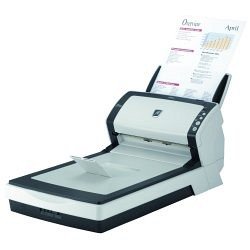
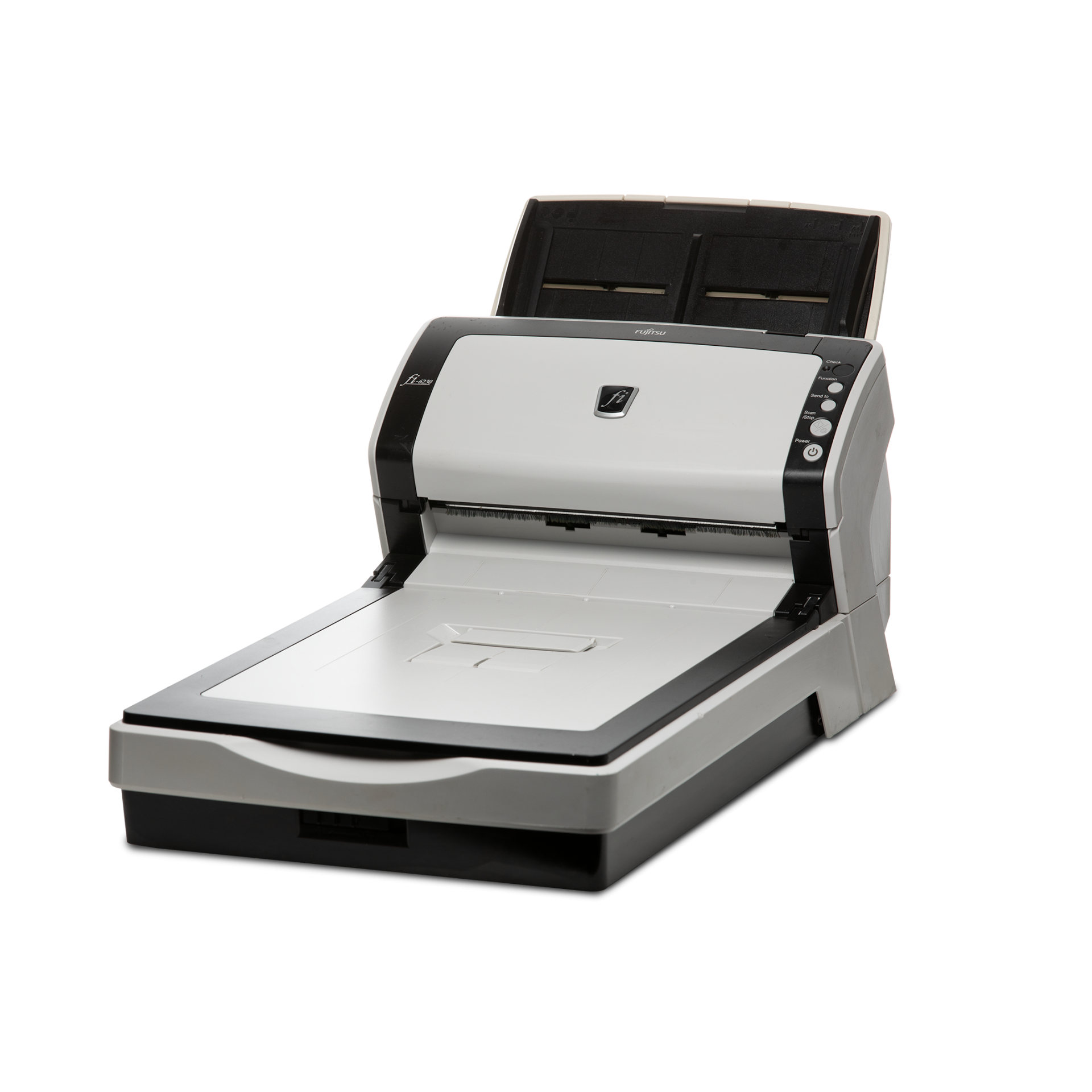
The Fujitsu fi-6240 is a robust duplex color document scanner built for busy offices that need reliable, high-speed document capture. Designed as a companion to Fujitsu’s fi-6140 family, the fi-6240 combines an automatic document feeder (ADF) with an integrated flatbed for flexible handling of both stacks of paper and single-sheet or delicate originals. With duplex scanning, adjustable side guides, and a transport lock for safe movement, it’s engineered to handle professional workloads while protecting documents.
Key capabilities and workflow
The fi-6240 supports duplex ADF scanning and a flatbed surface for books, ID cards, and oversized or fragile media. It offers long-page scanning, automatic page-size detection, skew correction, multifeed detection and recovery, and options to skip blank pages or remove punch-hole artifacts. Built-in driver support includes FUJITSU TWAIN32 and ISIS drivers and ScandAll PRO software for intuitive capture, batch profiles, and flexible output (TIFF, JPEG, PDF, PDF/A). Users can create profiles for repeated tasks, set compression and color modes, and choose multi-image output when required.
Resolution and image processing options let operators choose binary, grayscale, or full color (24-bit), with customizable resolution up to typical high dpi ranges and gamma/brightness/contrast controls. Advanced image filters include dropout color (to exclude red/green/blue for form scanning), edge/shadow adjustments, hole-punch removal, and overscan. An optional imprinter can stamp text, dates, or counters onto originals during scanning.
Reliability and maintenance
The fi-6240 emphasizes dependable feeding with pre-pick and paper protection settings, replaceable pick and brake rollers, and clear guidance for cleaning the ADF and flatbed. Error/status indicators on the operator panel display initialization and alarm codes; many recoverable errors are resettable from the panel. Regulatory compliance and ENERGY STAR recognition reflect attention to safety and energy efficiency.
Typical uses
This model is well suited for departments digitizing invoices, contracts, ID cards, multi-size mailings, brochures, and book pages. Its batch scanning and profile system make it efficient for high-volume capture while flatbed capability preserves delicate originals.
Notes
- Supports both ADF duplex scanning and flatbed scanning for varied media types.
- Use specified power and interface cables and follow grounding and safety guidance.
- Replace consumables (pick/brake rollers) per recommended cycles to maintain performance.
- ScandAll PRO integrates TWAIN/ISIS drivers and enables batch profiles, output rules, and direct linking (email, FTP, SharePoint).
Search for 166 Manuals online


Type-in Brand or Model