
Lenovo ThinkCentre M75t Tower Manual
PDF manual · 98 Pages
English



Ask a Question
Frequently Asked Questions
The M75t Tower supports up to 128 GB of DDR4 UDIMM memory across four slots, allowing dual- or quad-module configurations for expanded performance and multitasking.
Is this answer helpful?
Update UEFI BIOS via Lenovo Vantage or by downloading the BIOS update package from the Lenovo support site. Follow the vendor instructions, ensure AC power is connected, and create backups. If a recovery is needed, use the BIOS recovery jumper or recovery media following the manual's procedure.
Is this answer helpful?
The tower supports M.2 SSDs and 2.5"/3.5" SATA drives. CRU instructions in the manual guide removal and replacement: power down, disconnect power, open the cover, unplug cables, remove mounting screws or trays, and install the new drive following anti-static and safety guidance.
Is this answer helpful?
Security features include UEFI BIOS passwords (power-on, supervisor, hard-disk), Smart USB Protection (Disabled/Read Only/No Access), cover-presence detection, E-lock and Kensington-style lock slots, and optional Computrace firmware-based asset tracking.
Is this answer helpful?
Use Windows' Create a recovery drive tool (recommended at least 16 GB USB). Ensure AC power connected, back up the USB contents (creation erases it), then follow on-screen prompts to make a recovery USB for reinstall and repair tasks.
Is this answer helpful?
Yes; typical configurations include front USB-C (USB 3.2 Gen1), USB 3.2 Gen1/Gen2 Type-A ports, audio connectors, rear DisplayPort and HDMI outputs, multiple USB 2.0 ports, and an Ethernet port—adequate for most peripherals and displays.
Is this answer helpful?
Turn off the computer, disconnect power and all cables, wait for components to cool, follow the manual’s anti-static and safety instructions, and use recommended tools. Record settings and back up important data before replacing drives or BIOS-sensitive components.
Is this answer helpful?
Advantages and Disadvantages
Advantages

- High expandability: multiple PCIe slots, M.2 slot, and 3.5/2.5 drive bays for flexible upgrades.
- Serviceability: many Customer Replaceable Units (CRUs) and clear replacement procedures.
- Strong security options: UEFI BIOS passwords, E-lock, Smart USB Protection, and cover-presence switch.
- Good performance headroom: supports up to 128 GB DDR4 memory and discrete GPU options.
- Comprehensive support ecosystem: Vantage app, Lenovo support site, and recovery USB creation.
Disadvantages

- Wi‑Fi/Bluetooth are optional on some models, requiring selection or aftermarket modules.
- Some advanced BIOS and hardware features require familiarity to configure safely.
- Power supply options vary; higher-end configs may need the larger wattage supplies.
- Optical drive, card reader, and heat-sink features are model-dependent, not universal.
- BIOS recovery and CRU replacement occasionally require special tools and care.
Product Description
Lenovo ThinkCentre M75t Tower Manual — Overview and Practical Guide
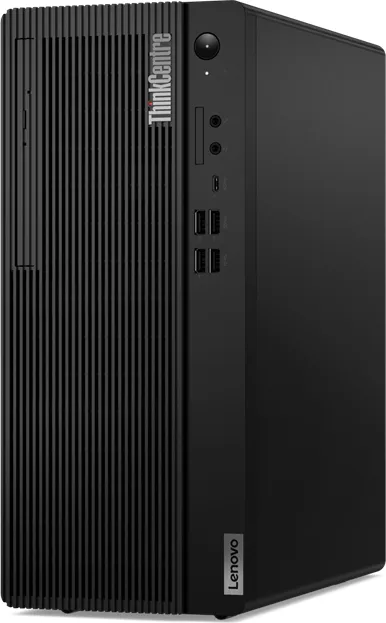
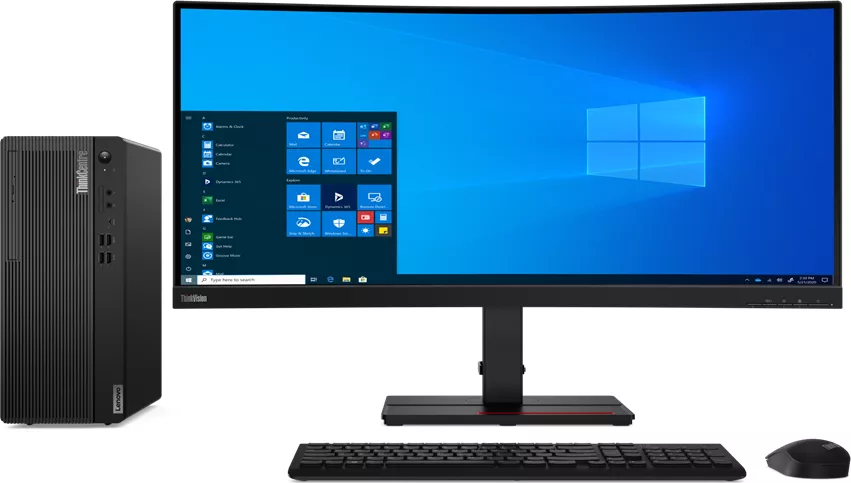
The Lenovo ThinkCentre M75t Tower is a compact, business-focused desktop designed for reliability, expandability, and everyday productivity. Built around modern AMD processors and flexible storage and memory options, the M75t Tower balances performance for office workflows, multimedia, and light content creation. Its tower form factor provides accessible internal layout, multiple expansion slots, and straightforward Customer Replaceable Units (CRUs), making upgrades and maintenance fast and user-friendly.
Key product highlights
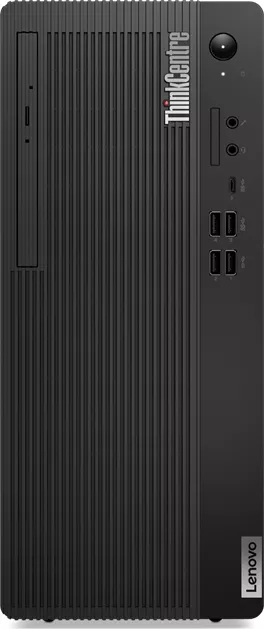
The ThinkCentre M75t Tower ships with integrated and optional discrete graphics outputs (DisplayPort and HDMI), USB-C and USB-A ports across Gen1/Gen2 speeds, and a range of power-supply choices to match configurations. It supports up to 128 GB DDR4 memory across four UDIMM slots and offers multiple storage options including 2.5- and 3.5-inch drives plus M.2 NVMe SSDs. Network connectivity includes Gigabit Ethernet and optional Wi‑Fi and Bluetooth modules. The tower includes practical front and rear I/O, internal speaker, audio connectors, and security features such as Kensington-style and E-lock support.
Setup and daily use
Initial setup follows Windows 10 conventions: create or sign into a Microsoft or local Windows account, configure Windows settings, and use built-in tools like Lenovo Vantage for driver, BIOS, and firmware updates. The system supports easy external display connections, multimedia playback, optical drives on selected models, and media-card read/write where fitted. Power plans and intelligent cooling modes help balance acoustics and performance; smart power-on and automatic power-on options offer flexible wake/start behavior.
Maintenance, security, and repairability
The M75t offers strong serviceability: many parts are CRUs (computer cover, front bezel, drives, memory, M.2 SSDs, PCIe cards, fans, and more). The manual provides step-by-step CRU replacement and safety guidance. Security features include UEFI BIOS password types (power-on, supervisor, hard-disk), Smart USB Protection modes (Disabled, Read Only, No Access), cover-presence detection, E-lock, and Computrace support on select models. BIOS/UEFI configuration covers secure boot, startup sequence, performance modes, and BIOS update/recovery procedures.
Troubleshooting and recovery
Comprehensive troubleshooting guides cover startup, audio, network, storage, and peripheral issues. Diagnostic tools and Lenovo support resources are referenced, plus instructions to create and use recovery USB media and to perform Windows recovery, system reset, and driver updates. The documentation emphasizes safety steps before servicing, guidance for clearing CMOS and recovering from failed BIOS updates, and disposal/recycling practices.
Final notes
The Lenovo ThinkCentre M75t Tower is aimed at businesses and power users who value serviceability and consistent performance. It’s a practical, upgrade-friendly tower with a feature set that covers networking, security, and manageability for modern workplace needs.
Notes
- Supports up to 128 GB DDR4 RAM and multiple storage configurations (M.2 NVMe, 2.5"/3.5" drives).
- BIOS features include secure boot, configurable startup sequence, smart power-on, and intelligent cooling modes.
- Many components are CRUs; follow safety guidance before servicing.
Search for 166 Manuals online


Type-in Brand or Model