
MakerBot Replicator+ Manual
PDF manual · 46 Pages
English



Ask a Question
Frequently Asked Questions
Power on the printer and follow the Setup Assistant on the control panel. Use MakerBot Mobile to pair your device, configure Wi‑Fi, run guided plate leveling and Z‑axis homing, load filament, and print the example test object.
Is this answer helpful?
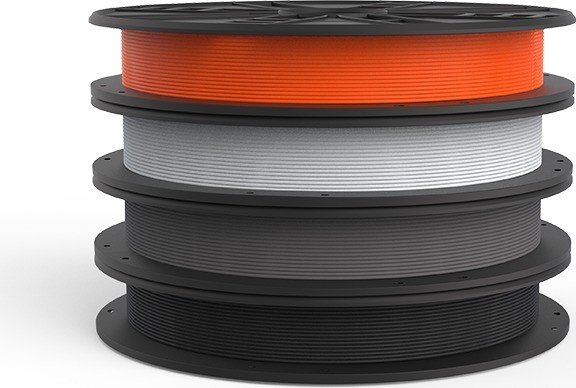
The Replicator+ uses 1.75 mm MakerBot PLA filament and a 0.4 mm nozzle. For consistent results, use MakerBot‑approved PLA spools, store them sealed with desiccant, and unwind the spool counterclockwise when installing.
Is this answer helpful?
Connect via Wi‑Fi by running Guided Setup and pairing with MakerBot Mobile, via Ethernet by adding a network printer in MakerBot Print, or via USB cable directly to your computer. Authenticate connections by pressing the control panel dial when prompted.
Is this answer helpful?
Recalibrate Z‑axis homing (Settings > Calibration > Calibrate Z‑Offset). If adhesion issues persist, run assisted build plate leveling, ensure a clean extruder nozzle and Grip Surface, and consider using a raft or adjusting first‑layer height and extrusion settings in MakerBot Print.
Is this answer helpful?
Select Filament > Load Filament and wait for the Smart Extruder+ to heat. Cut a clean filament tip, feed it into the loading tube until the motor pulls it in and plastic extrudes. For unloading, select Unload Filament, wait for heating, then remove the filament when the printer indicates it is ready.
Is this answer helpful?
Run Z‑axis homing whenever attaching a new Smart Extruder+, perform build plate leveling if adhesion issues arise, replace damaged Grip Surfaces, keep the nozzle and build plate clean, and store unused spools sealed with desiccant to prevent moisture.
Is this answer helpful?
Use the Control Panel > Settings to check and install firmware updates. For troubleshooting beyond the manual, visit MakerBot support at support.makerbot.com or open a support case with logs and diagnostics exported from the printer.
Is this answer helpful?
Advantages and Disadvantages
Advantages

- User-friendly guided setup with MakerBot Mobile and clear control panel for quick first prints.
- Reliable Smart Extruder+ system with preheat and filament error detection for smoother prints.
- MakerBot Print offers robust slicing, CAD import (Windows), and detailed print preview tools.
- Onboard camera and network connectivity (Wi‑Fi/Ethernet/USB) enable remote monitoring and control.
- Compact but practical build volume with good layer resolution (100–300 microns) for varied projects.
Disadvantages

- Smart Extruder+ is the only supported extruder; older extruders are incompatible.
- Internal storage limited (~2 GB); large projects may require external transfer via USB.
- Grip surface can wear or crack over time and requires replacement for consistent adhesion.
- USB drives must be FAT32 and .makerbot files required for direct printing from USB.
- Filament choice limited by recommendation to use approved MakerBot PLA for best results.
Product Description
MakerBot Replicator+ Manual — Getting Started and Mastering Your 3D Printer
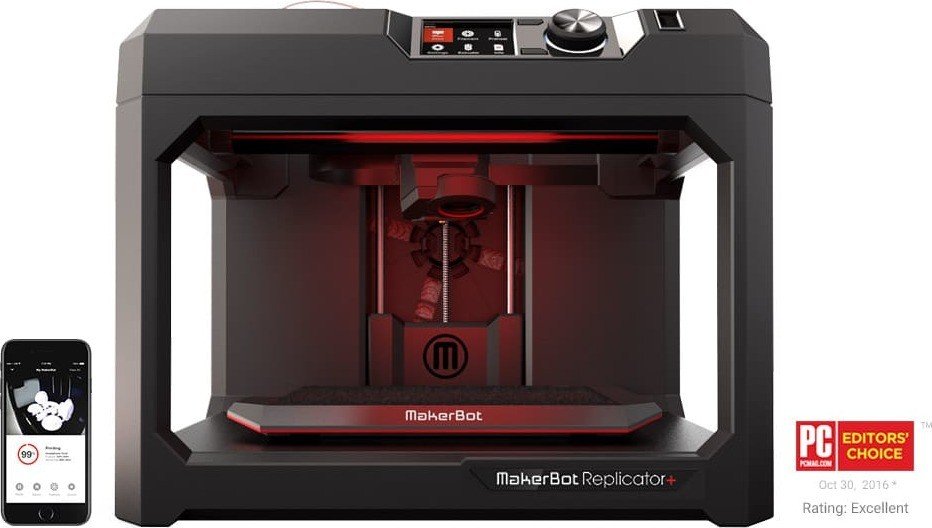
The MakerBot Replicator+ is a reliable desktop FDM 3D printer designed for educators, designers, and makers who need consistent, high-quality PLA prints with straightforward setup and workflow. Running with the Smart Extruder+ and driven by MakerBot Print software, the Replicator+ focuses on ease of use: guided first-run setup, integrated Wi‑Fi/Ethernet/USB connectivity, and a clear control panel with a rotary/push dial and color LCD. The printer produces parts from 1.75 mm MakerBot PLA filament using a 0.4 mm nozzle and supports layer resolutions from 100–300 microns, balancing surface quality and print speed.
Getting started is simple: unpack carefully, attach the Smart Extruder+, install a filament spool in the drawer, and power on to run the Setup Assistant. The guided setup pairs the printer with MakerBot Mobile and configures Wi‑Fi, names the printer, and walks you through plate leveling, Z‑axis homing, and a test print. MakerBot Print handles slicing, model arrangement, scaling, support generation, and export to .makerbot files. It also supports many CAD and model formats (STL, OBJ, plus native CAD imports on Windows), previewing layer-by-layer toolpaths and allowing you to fine-tune print settings such as layer height, infill, shells, rafts, and supports.
The Replicator+ includes helpful features like an onboard camera for remote monitoring via MakerBot Mobile, filament error detection, preheat functions, internal 2 GB storage, and diagnostic logging for support. Routine maintenance covers Z‑axis homing whenever a new Smart Extruder+ is attached, periodic build plate leveling, and replacing the Grip Surface when damaged. The control panel provides direct access to print files on USB or internal storage, preheat, filament load/unload, calibration, firmware updates, and system diagnostics.
Safety and compliance are emphasized: allow the Smart Extruder+ to cool before handling, never reach into the printer during operation, ensure good ventilation for PLA odors, supervise children under 12, and avoid unauthorized hardware modifications. The manual includes troubleshooting tips for common issues—filament loading/unloading, adhesion problems, jam recovery, and USB file visibility—plus contact information for MakerBot support and sales.
Notes:
- Designed for reliable PLA printing with a 29.5 x 19.5 x 16 cm build volume.
- Best results achieved using MakerBot PLA filament and MakerBot Print profiles.
- Keep spools sealed with desiccant when not in use to prevent moisture absorption.
Search for 166 Manuals online


Type-in Brand or Model