
Onkyo TX-SR393 schwarz Manual
PDF manual · 94 Pages
English



Ask a Question
Frequently Asked Questions
Yes. The TX-SR393 supports Dolby Atmos playback when connected to Atmos-compatible source material and configured with appropriate speakers (height speakers or Dolby-enabled speakers). Some Atmos playback modes and extensions depend on firmware version.
Is this answer helpful?
Download the firmware from Onkyo’s website, copy the unzipped files to a FAT16/FAT32 USB drive (≥128 MB), insert it into the POWER OUT USB port, then use Setup → 6.Miscellaneous → Firmware Update → Update via USB. Do not disconnect power or remove devices during the ~30 minute update.
Is this answer helpful?
Yes. Press the BLUETOOTH button to enter pairing mode, select the Onkyo device from your phone (PIN 0000 if requested), and play audio. The receiver stores up to eight paired devices and offers roughly a 15 m reception range, though latency may be noticeable.
Is this answer helpful?
The receiver supports many configurations including 2.1, 3.1, 5.1, 2.1.2, 3.1.2 and variants with height or Dolby-enabled speakers. Use the Speaker Setup during initial setup to select channels, subwoofer usage, height speaker type, and impedance.
Is this answer helpful?
Connect the receiver’s HDMI OUT to your TV’s ARC-compatible HDMI input. During Initial Setup choose ARC Setup=Yes or enable Audio Return Channel under Setup → 5.Hardware → HDMI. Ensure your TV’s ARC/CEC settings are enabled for audio return and remote control functions.
Is this answer helpful?
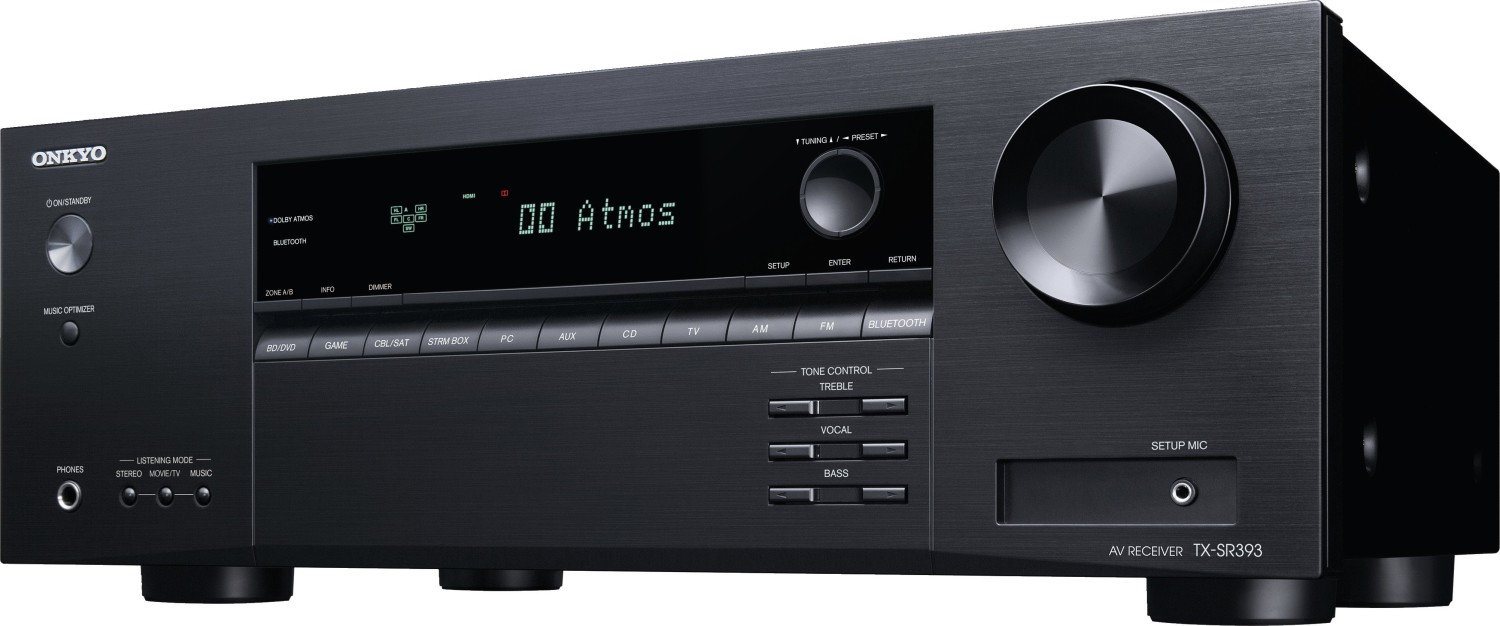
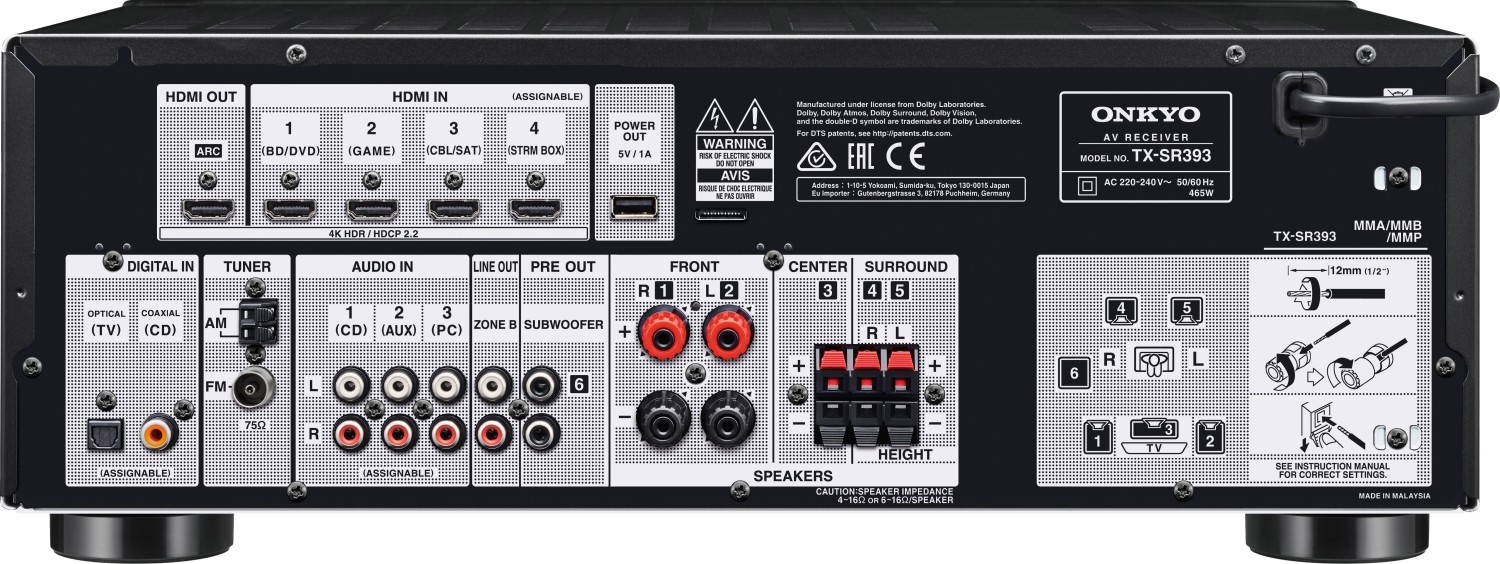
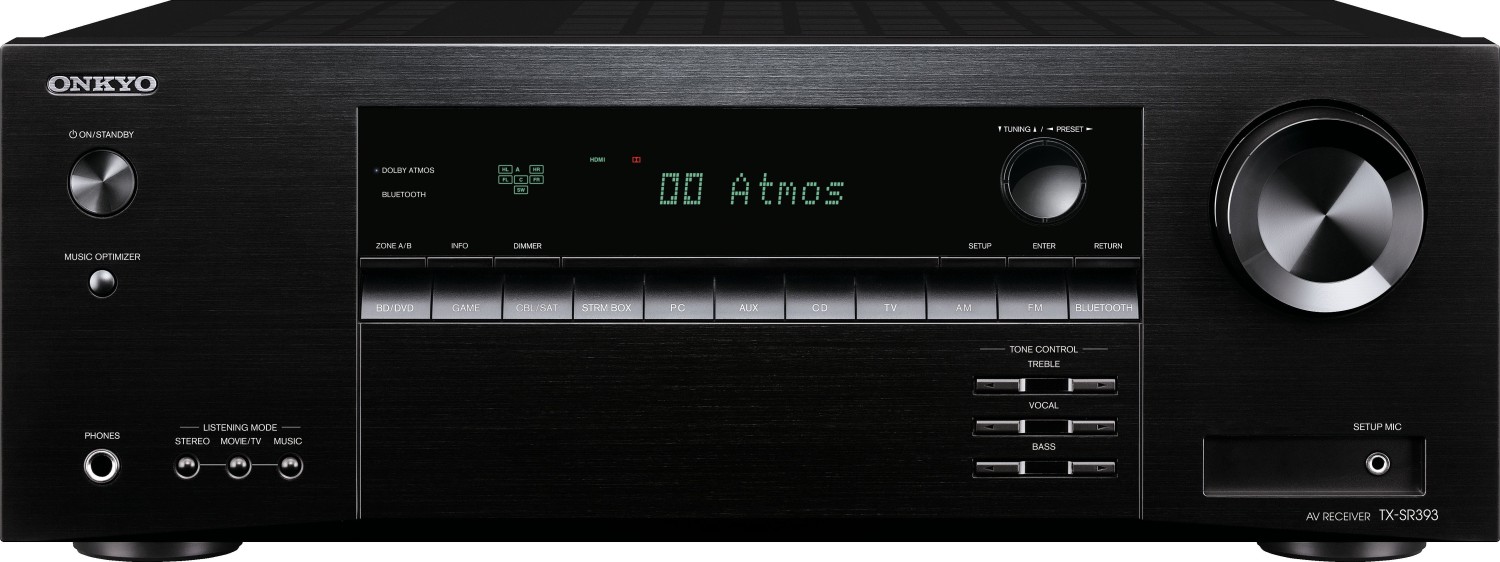
Back-panel connections include multiple HDMI INs and HDMI OUT, POWER OUT USB port (5 V/1 A), digital optical/coax inputs, analog audio inputs, AM/FM tuner terminals, ZONE B line out, two SUBWOOFER PRE OUTs, and speaker terminals. Front panel includes a headphones jack and SETUP MIC input.
Is this answer helpful?
The internal tuner supports AM/FM reception and allows up to 40 preset stations. It offers automatic and manual tuning modes, RDS text display (in supported regions), and regional frequency step settings accessible in the setup menu.
Is this answer helpful?
Advantages and Disadvantages
Advantages

- Supports Dolby Atmos and DTS:X with flexible speaker configurations (up to 3.1.2 / 5.1).
- Comprehensive setup menu with speaker calibration, crossover, distance and level controls.
- Multiple HDMI inputs, ARC support, digital/analog inputs, and two subwoofer pre-outs.
- Bluetooth streaming and POWER OUT USB port for powering streaming devices.
- Firmware update via USB to add features and maintain compatibility.
Disadvantages

- No built-in Wi‑Fi or streaming services—relies on external streaming devices for network audio.
- Limited to USB firmware updates; process takes ~30 minutes and requires care to avoid errors.
- Display cannot be fully switched off—only dimmable in three steps.
- Some advanced modes depend on firmware version or specific speaker setups to be available.
- Zone B offers 2‑channel output only; multi-room flexibility is limited compared to networked systems.
Product Description
Onkyo TX-SR393 schwarz — Powerful, Flexible AV Receiver
The Onkyo TX-SR393 schwarz is a versatile AV receiver designed to bring cinematic sound and flexible connectivity to home theaters. With support for Dolby and DTS formats, multiple HDMI inputs, Bluetooth streaming, and comprehensive speaker configuration options, this unit is built for users who want immersive audio without complexity. The receiver provides a clear front panel layout and an intuitive remote, plus setup tools like a measurement microphone and guided initial setup to get your system sounding right fast.
Key features and experience
This model supports Dolby Atmos and DTS:X playback (with compatible source material), multi-channel PCM, DSD, and a wide range of codec-specific playback modes. It offers multiple HDMI inputs and outputs, optical/coaxial digital audio inputs, analog inputs, and two subwoofer pre-outs for flexible system design. The POWER OUT USB port can supply 5V/1A to streaming devices. ARC support simplifies TV integration, and Zone B outputs let you feed a second room simultaneously.
The receiver’s setup menu is thorough: speaker configuration (from 2.1 to 3.1.2/5.1 options), crossover and distance calibration, level calibration, and numerous audio-adjust options like treble, bass, vocal boost, and listening modes. It includes practical features like Bluetooth pairing for phone streaming, AM/FM tuner with RDS, sleep timer, and a dimmable display. The supplied measurement microphone assists with initial speaker calibration during the guided startup assistant.
Build and usability
The front panel exposes essential controls—power, volume, input selectors, tone controls, and listening mode toggles—while the remote replicates those controls with added quick-menu and navigation convenience. A clear on-screen setup menu helps assign HDMI and digital inputs, enable ARC and CEC functions, and perform firmware updates via USB to add features or improvements. Error codes and update procedures are documented to guide troubleshooting and safe firmware application.
Who it’s for
This receiver suits home theater enthusiasts who want robust surround processing and a pragmatic feature set at an accessible price point. It’s ideal for users building 5.1 or Atmos-capable systems who value flexible routing, detailed setup options, and firmware upgradability.
Notes
- Supports speaker impedance 4–16 ohms; configure "Speaker Impedance" in setup when mixing impedances.
- Firmware updates are done via USB; follow instructions and avoid disconnecting devices during the process.
- ARC and HDMI CEC require compatible TV and player settings; some functions must be enabled in the Setup menu.
Search for 166 Manuals online


Type-in Brand or Model