
Plustek Manuals
Manuals
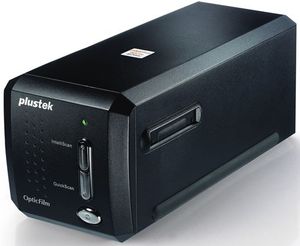
Plustek Manuals: Comprehensive Guide and Resource Overview
Introduction
Plustek Manuals are the official user guides, reference documents, and technical instructions provided for Plustek scanners and imaging devices. These manuals serve as essential resources for new owners, IT administrators, and power users, delivering step-by-step setup instructions, operational guidance, troubleshooting tips, maintenance procedures, and advanced configuration options. Whether you’re unboxing a Plustek document scanner for the first time or integrating multiple units into a networked workflow, the manuals help ensure reliable performance and optimal image quality.
Purpose and Audience
Plustek Manuals are written for a range of audiences: home users seeking simple scanning tasks, small-business operators needing dependable document management, and enterprise IT teams implementing high-volume capture solutions. The documentation balances clear, beginner-friendly instructions with in-depth technical details suitable for technicians and systems integrators. Core goals include accelerating initial setup, reducing errors during operation, maximizing device longevity, and enabling users to leverage bundled software and advanced features.
Types of Manuals Provided
Plustek typically provides several categories of manuals for each device model. Each category addresses different user needs and operating contexts.
- User Manual: Covers basic setup, operation, and common workflows. Often includes quick-start guides and day-to-day usage tips.
- Installation Guide: Focuses on unboxing, physical installation, driver and software installation, and connecting the scanner to PC or network environments.
- Service Manual: Meant for service technicians; includes hardware breakdowns, part numbers, disassembly instructions, and routine maintenance procedures.
- Administrator Guide: Targets IT professionals with guidance on network configuration, centralized deployment, firmware updates, and security considerations.
- Software/Driver Guide: Explains bundled scanning utilities, OCR software, image enhancement tools, and details on configuring drivers on Windows and macOS.
- Release Notes: Documents firmware or driver updates, bug fixes, known issues, and compatibility notes for new software versions.
Key Sections and Common Contents
Plustek Manuals generally follow a consistent structure that helps users find information quickly.
Getting Started
This section includes package contents, recommended system requirements, safety information, and a visual tour of the scanner’s exterior and control panel. It often provides a quick-start workflow to scan a document, save an image, and perform an OCR operation, allowing users to produce usable results within minutes of setup.
Installation and Setup
Detailed steps guide users through connecting cables, installing drivers, and launching bundled applications. For network-capable models, instructions include wired and wireless setup, IP address assignment, and using the scanner’s web interface when available. Screenshots and diagrams clarify each step.
Operation and Controls
This part explains button functions, LED indicators, and the scanner’s front panel or touchscreen (if present). It describes scan modes, resolution settings, color options, duplex scanning, and batch processing features. Practical examples—such as scanning a stack of invoices or OCR’ing a book chapter—illustrate how to configure settings for different outcomes.
Software and Workflow Integration
Plustek devices are typically bundled with scanning software, OCR engines, and utility applications. Manuals describe how to use these tools to create searchable PDFs, export to popular formats (TIFF, JPEG, PNG), and integrate scans with document management systems or cloud services. Tips for optimizing OCR accuracy—such as choosing the right resolution and preprocessing options—are commonly included.
Maintenance and Troubleshooting
Routine maintenance tips help extend the life of the scanner: cleaning rollers, replacing consumables, and aligning sensors. Troubleshooting sections list common problems (paper jams, skewed images, connectivity issues) with step-by-step solutions and diagnostic tips. Error codes are often explained alongside corrective actions.
Technical Specifications and Compliance
Technical tables present model-specific specs: optical resolution, scanning speed (pages per minute), interface types (USB, Ethernet), supported media sizes, and power consumption. Regulatory compliance and safety standards are usually documented here, including disposal instructions and environmental operating ranges.
Benefits of Using Official Plustek Manuals
- Accuracy: Official manuals reflect manufacturer-validated procedures and are updated to match firmware and hardware revisions.
- Safety: Proper handling and safety precautions reduce the risk of injury or damage to the device.
- Performance Optimization: Manufacturer-recommended settings and maintenance practices help maintain image quality and throughput.
- Warranty Preservation: Following official guidance helps ensure warranty terms are respected and avoids voiding coverage through improper repairs.
How to Access Plustek Manuals
Plustek Manuals are typically available through multiple channels:
- Official Website: The most up-to-date manuals are available on Plustek’s support/download pages, searchable by model number.
- Product Packaging: A printed quick-start guide or CD/DVD may be included in the box for some regions and models.
- Authorized Distributors and Resellers: Many resellers maintain product pages with downloadable manuals and supplemental guides.
- Support Tickets: Technical support teams can provide model-specific documents or clarifications when needed.
When searching online, the product model number and “manual” or “user guide” keywords quickly locate correct documents. Verify publication dates or version numbers to ensure compatibility with your firmware and bundled software releases.
Best Practices When Using Manuals
- Read Safety and Installation Sections First: This prevents installation errors and hardware damage.
- Follow Firmware and Driver Recommendations: Use the versions specified in the manual or newer releases from official channels to ensure compatibility and security.
- Keep a Local Copy: Download and archive PDF manuals for offline access, especially in environments with restricted internet access.
- Cross-Reference Software Guides: If using third-party capture software, consult both Plustek and third-party documentation to align settings.
Troubleshooting Workflow Using the Manual
A disciplined approach to troubleshooting makes resolving issues faster:
- Identify the symptom (e.g., streaks on scans, paper feed errors).
- Check the manual’s troubleshooting section for matching symptoms and suggested remedies.
- Follow cleaning and calibration steps, verifying results at each stage.
- If issue persists, consult error codes or log files as described in the manual.
- Contact Plustek support with model and firmware details, referencing manual steps already taken.
Updating and Version Control
Manually check release notes and firmware update instructions to determine whether updates are necessary. Manuals frequently include step-by-step firmware update instructions and rollback procedures when supported. Always back up critical settings or profiles before applying major updates.
Localization and Language Support
Plustek Manuals are often provided in multiple languages. Choose the language matching your region and organizational needs. Technical terms may vary between translations, so when in doubt consult the English edition or contact support for clarification.
Advanced Topics Covered in Some Manuals
- Network Scanning and Integration: Configuring scanners for shared use in office environments, using SMB, FTP, or web services to transfer scanned files.
- Custom Profiles and Scripting: Creating customized scan profiles or automating workflows with bundled utilities or third-party SDKs.
- Calibration and Color Management: Procedures for color calibration, ICC profile usage, and ensuring consistent color across devices.
- High-Volume Maintenance: Preventive maintenance schedules, consumables lifecycle, and recommendations for minimizing downtime in production environments.
Conclusion
Plustek Manuals are comprehensive resources designed to help users get the most from their scanners. From initial unboxing to advanced network deployment and routine maintenance, the manuals provide essential instructions to ensure reliable operation, high image quality, and long-term device health. For best results, always use the manual version that matches your exact model and firmware, and combine official guidance with regular device upkeep and software updates.
Search for 166 Manuals online


Type-in Brand or Model