
Sharp HT-SB110 Manual
PDF manual · 52 Pages
English



Ask a Question
Frequently Asked Questions
Use an HDMI 1.4+ cable from the soundbar’s HDMI (ARC) socket to your TV’s HDMI (ARC) socket. Enable HDMI-CEC and ARC in your TV settings. Select HDMI ARC mode on the soundbar; you should then be able to control volume with your TV remote.
Is this answer helpful?
The soundbar uses Bluetooth 4.2 and supports A2DP for audio and AVRCP for basic remote commands. To pair, select Bluetooth mode on the soundbar, enable search on your device, choose "HT-SB110" from the list and enter PIN 0000 if prompted. The blue LED indicates pairing status.
Is this answer helpful?
Confirm the TV or source outputs PCM audio and that ARC/CEC is enabled on the TV. Some TVs don’t pass digital audio; if so, connect the source directly or set the TV audio output to PCM or fixed/standard to allow proper playback.
Is this answer helpful?
Yes — wall brackets and mounting screws are included. Installation should be performed by qualified personnel. Verify the wall can support the load, use appropriate anchors, leave a 5 mm gap for hanging, and avoid overtightening screws.
Is this answer helpful?
Ensure the unit is connected to AC 220–240V, 50Hz. Keep ventilation clear (≥5 cm), avoid exposure to moisture, and do not open the enclosure. Replace damaged power cords only via manufacturer or authorized service to avoid hazards.
Is this answer helpful?
No. The USB socket is for service only and is not designed to charge smartphones, tablets, or for media playback.
Is this answer helpful?
Check battery polarity and replace the CR2025 battery if needed, reduce the distance to the unit, ensure no obstacles block the IR path, and confirm the correct source is selected before pressing playback buttons.
Is this answer helpful?
Advantages and Disadvantages
Advantages

- Simple setup with HDMI ARC, optical and AUX inputs for flexible connections.
- Bluetooth 4.2 with A2DP/AVRCP for wireless music streaming and basic remote control.
- Compact, lightweight design (800×62×62 mm, ~1.3 kg) with included wall-mounting hardware.
- Preset EQ modes (Movie, Music, News) to quickly tailor sound for different content.
- Energy-saving auto-standby after 15 minutes without input signal.
Disadvantages

- Limited total output (2 x 15 W RMS) may lack deep bass for large rooms.
- No dedicated subwoofer output — bass extension is modest.
- USB port is service-only and cannot charge devices.
- Basic feature set — no advanced codecs or multi-room capabilities.
- Requires TV support for ARC/CEC to control volume via TV remote.
Product Description
Sharp HT-SB110 — Compact Soundbar for Clear TV Audio
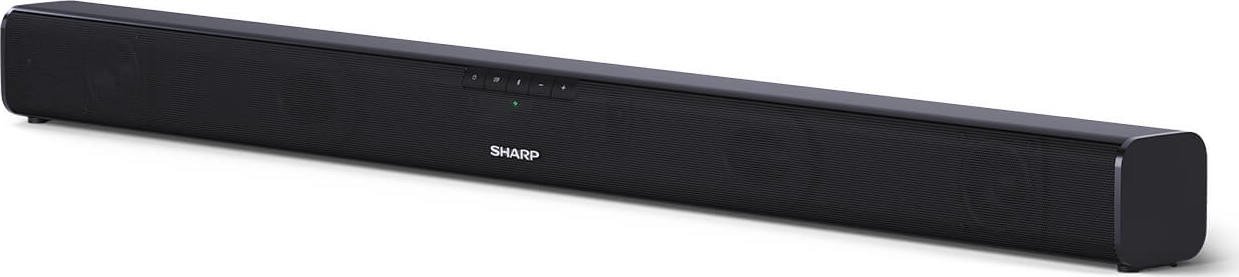
The Sharp HT-SB110 is an entry-level 2.0 soundbar designed to improve TV audio with simple setup and essential connectivity. With a compact form factor and wall-mountable design, it’s aimed at users who want better dialogue clarity, fuller sound for movies and music, and easy wireless streaming via Bluetooth. Powering two 15 W RMS drivers, the HT-SB110 delivers balanced output across a 60 Hz–20 kHz range suitable for typical living rooms and bedrooms.
Key features and user experience
Setting up the HT-SB110 is straightforward: connect to TV via HDMI ARC for single-cable audio return and volume control from your TV remote, use the optical input for digital audio, or connect older devices through AUX. Bluetooth 4.2 enables wireless playback from phones and tablets, with AVRCP support allowing basic remote control of playback. The unit includes a remote control (CR2025 battery), preset EQ modes (Movie, Music, News) for quick sound tailoring, and an automatic standby feature that powers the unit off after 15 minutes without signal to save energy.
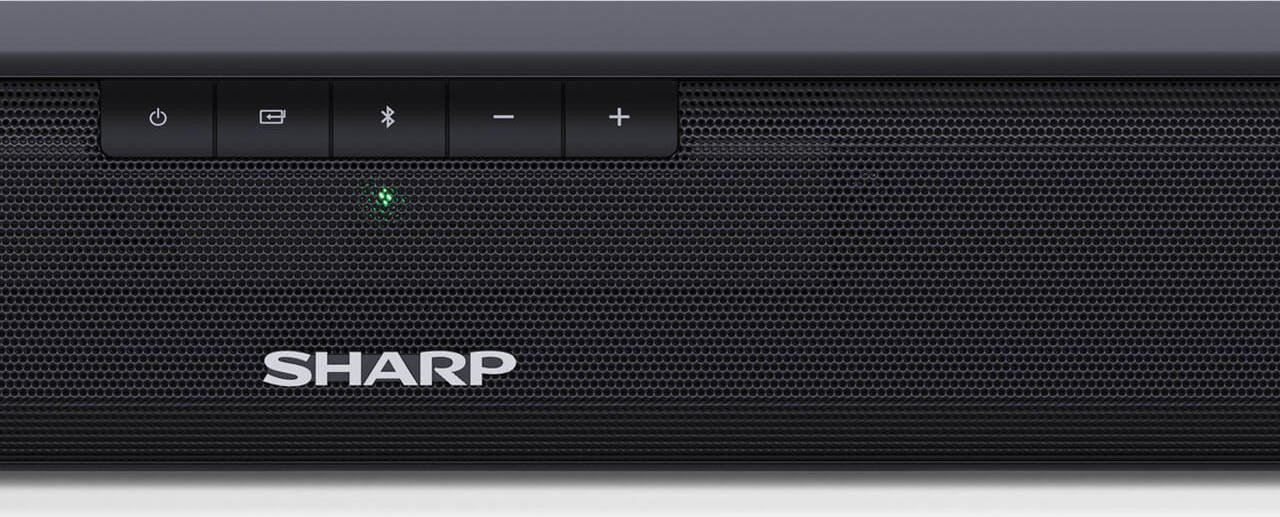
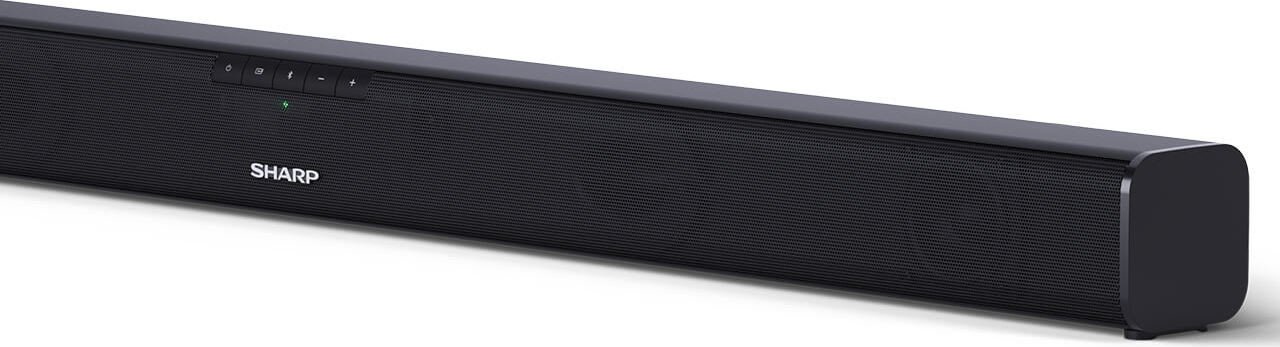
Physically the soundbar measures around 800 x 62 x 62 mm and weighs about 1.3 kg, making it easy to place in front of a TV or mount on the wall using the supplied brackets and screws. Installation notes emphasize mounting safety, proper ventilation (leave at least 5 cm clearance), and following local electrical standards (220–240V, 50Hz). LEDs indicate active modes (AUX, Optical, Bluetooth, HDMI ARC) and standby.
Practical details
The HT-SB110’s I/O includes HDMI ARC, Optical, AUX, a service-only USB port, and an AC socket. The manual highlights troubleshooting tips (no sound, buzzing, remote issues), pairing steps for Bluetooth devices (search for "HT-SB110" and use PIN 0000 if prompted), and guidance for ensuring TV ARC/CEC settings and PCM output when needed. Safety instructions and battery handling guidance are comprehensive, and the product carries CE compliance notes for European regulations.
Who it’s for
This soundbar suits users seeking a budget-friendly, compact audio upgrade for everyday TV viewing, streaming music casually over Bluetooth, or improving dialogue without the complexity or footprint of a full home-theatre system. Its simple controls and presets make it accessible for non-technical users.
Notes
- HDMI cables should be version 1.4 or higher for ARC.
- Keep at least 5 cm of clearance around the unit for ventilation.
- Use only recommended batteries (CR2025 for the remote); remove them if the remote is unused for over a month.
- The USB port is for service only and does not charge devices.
Search for 166 Manuals online


Type-in Brand or Model