
TP-Link Archer C50 Manual
PDF manual · 135 Pages
English



Ask a Question
Frequently Asked Questions
Connect to the router network and visit http://tplinkwifi.net in a browser. If prompted, create or enter the admin password. Ensure your device is set to obtain an IP automatically and use the router’s default LAN IP if needed (commonly 192.168.0.1).
Is this answer helpful?
Use WPA2‑Personal with AES encryption for the best balance of compatibility and security. Avoid WEP and disable open networks. If enterprise authentication is needed, configure WPA/WPA2‑Enterprise with a Radius server.
Is this answer helpful?
Log into the web UI, go to Guest Network, enable the guest SSID on the desired band, set security (WPA/WPA2 recommended) and optional bandwidth limits or isolation to prevent guest access to your main LAN.
Is this answer helpful?
Go to Network > MAC Clone in the router interface and either enter the WAN MAC provided by your ISP or use the Clone MAC Address button to copy the managing PC’s MAC. Save and reconnect the WAN if necessary.
Is this answer helpful?
Download the latest firmware for Archer C50 from TP‑Link’s Download Center, then log in to tplinkwifi.net and go to System Tools > Firmware Upgrade. Choose the file and click Upgrade; do not power off the router during the process.
Is this answer helpful?
Yes. Under DHCP > Address Reservation, add the device’s MAC address and the IP you want it to always receive, enable the entry, and save. The router will then assign that reserved IP to the device via DHCP.
Is this answer helpful?
Try repositioning the router centrally and away from interference sources, adjust channel and channel width in Wireless settings, enable 5GHz for high‑bandwidth clients, and consider transmit power or advanced wireless settings. Firmware updates and client compatibility also affect performance.
Is this answer helpful?
Advantages and Disadvantages
Advantages

- Dual-band AC1200 offers separate 2.4GHz and 5GHz radios for balanced performance.
- User-friendly setup via tplinkwifi.net web UI and Tether mobile app.
- Comprehensive features: DHCP, DDNS, IPv6, NAT forwarding, bandwidth control, and parental controls.
- Security options include SPI firewall, DoS protection, ALG, and VPN passthrough.
- WPS and guest network support for easy device access without exposing the main LAN.
Disadvantages

- AC1200 is mid-range; may not meet heavy multi‑user gigabit demands.
- Advanced tuning options can be complex for non‑technical users and risk misconfiguration.
- WPS unsupported on some client types (e.g., iOS) and can present security concerns if enabled.
- No built-in USB port for file or printer sharing (limits NAS capability).
- Performance and coverage vary greatly with environment and client device limitations.
Product Description
TP-Link Archer C50 — Fast, Affordable Dual-Band Router
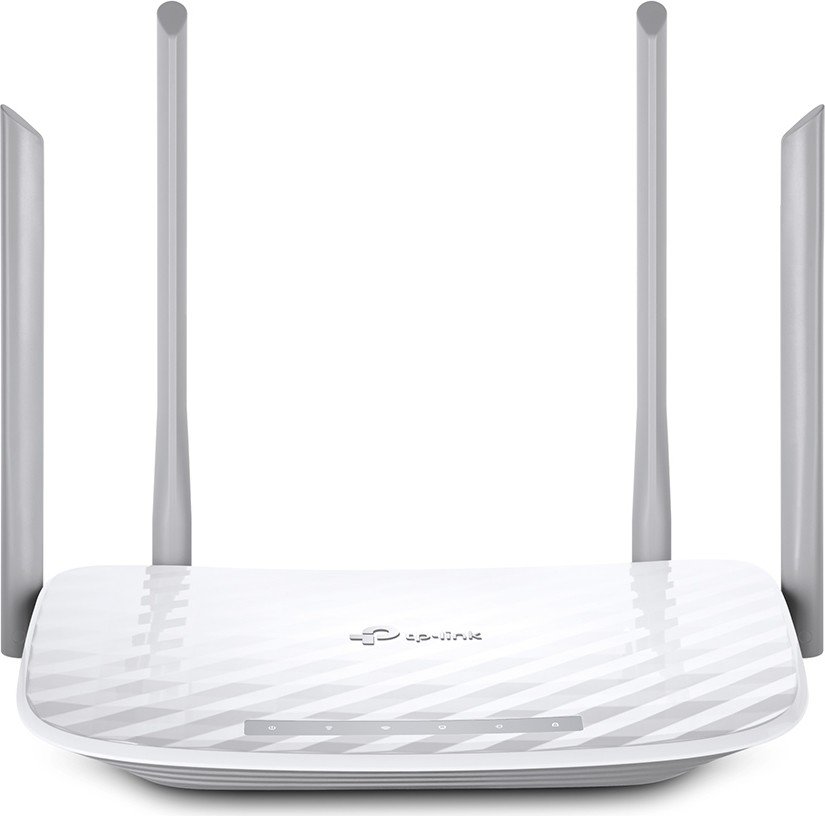
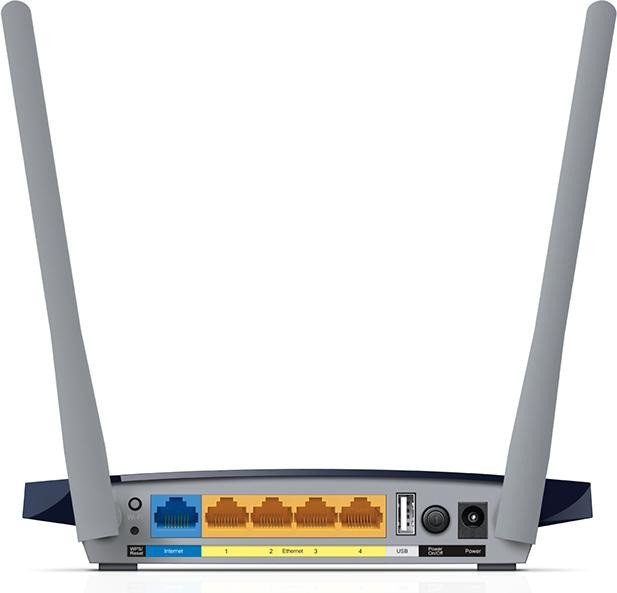
The TP-Link Archer C50 is an AC1200 dual-band Wi‑Fi router designed for small office and home networks that need reliable wireless coverage and basic advanced features. With simultaneous 2.4GHz and 5GHz radios, four Ethernet LAN ports, a WAN port, and external antennas, the Archer C50 balances everyday performance with straightforward setup and management.
Equipped to handle common home demands like streaming, online gaming, and multiple device connections, the Archer C50 provides combined wireless speeds up to around 1200 Mbps (300 Mbps on 2.4GHz and 867 Mbps on 5GHz). Its antenna design and transmit-power options help extend signal reach across apartments or small houses, while guest network support keeps visitors isolated from your main devices.
Setting up the Archer C50 is accessible for non‑technical users: the web management interface (accessible at tplinkwifi.net) and the Tether mobile app guide you through Quick Setup, login, and creating secure Wi‑Fi credentials. WPS simplifies adding compatible devices, and the router supports common ISP connection modes (Dynamic IP, Static IP, PPPoE, L2TP, PPTP and regional variants).
For users who want more control, the Archer C50 includes a comprehensive feature set: DHCP server and address reservation, IPv6 support, Dynamic DNS (DDNS), NAT forwarding (Virtual Server, Port Triggering, DMZ, UPnP), bandwidth control rules, static routing, and IP/MAC binding for ARP protection. Wireless settings let you choose channels, channel width, security modes (WPA/WPA2, WEP), MAC filtering, schedules, and advanced options like Short GI and WMM.
Security and parental controls are built-in: firewall and SPI filtering, DoS/flood protections, application ALG modules, VPN passthrough, and granular parental/access controls that can restrict sites, times, and device access. System tools include firmware upgrade, backup/restore, diagnostic ping/traceroute, LED scheduling, time settings, and factory reset options.
Overall, the Archer C50 is aimed at users seeking an affordable, feature-rich router for everyday home networking with an easy setup, decent wireless performance, and useful management controls.
Notes
- Speeds are theoretical (IEEE 802.11 standards); real throughput depends on environment, interference, and client capabilities.
- Use WPA2/AES for best security; avoid WEP where possible. Keep firmware up to date via TP‑Link support downloads.
- For specific ISP requirements (MAC registration, special MTU, IPTV/IGMP), refer to the network settings during setup.
Search for 166 Manuals online


Type-in Brand or Model