
TP-Link TL-MR6400 V3 Manual
PDF manual · 96 Pages
English



Ask a Question
Frequently Asked Questions
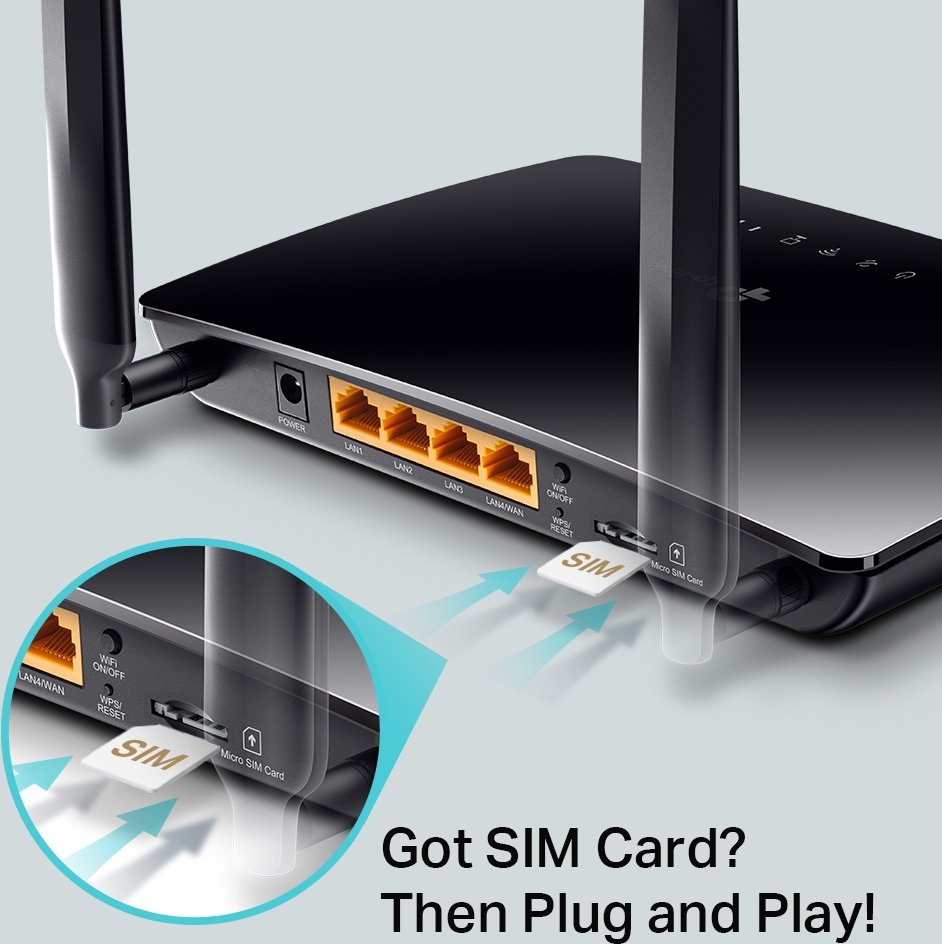
Insert an active micro SIM, connect the power adapter and turn on the router. Connect a PC via Ethernet or Wi‑Fi, open a browser to http://tplinkmodem.net or 192.168.1.1, set an admin password and follow the Quick Setup wizard to configure your ISP parameters and wireless settings.
Is this answer helpful?
Yes. Switch to Wireless Router Mode in Advanced > Operation Mode and connect the modem to the LAN4/WAN port. The router can also use 3G/4G as a backup when your primary wired connection fails.
Is this answer helpful?
Enable Data Limit in Advanced > Network > Data Settings, set total or monthly allowance and usage alert thresholds. You can configure SMS alerts and have the router disconnect from the internet when allowances are exceeded.
Is this answer helpful?
The router includes an IPv4 SPI firewall, DoS protection with configurable levels, service filtering, access control (blacklist/whitelist), and IP & MAC binding to prevent ARP spoofing. Keep default protections enabled and update firmware regularly.
Is this answer helpful?
Log in to http://tplinkmodem.net, go to Advanced > Guest Network, enable the 2.4GHz guest SSID, set WPA/WPA2 Personal security and a password, then save. Customize isolation and access options as needed.
Is this answer helpful?
Yes. It supports IPSec VPN for LAN-to-LAN tunnels, OpenVPN for client-server access (export config for clients), and PPTP for basic VPN clients. Configure VPN settings under Advanced > VPN and ensure matching parameters on both ends.
Is this answer helpful?
Press and hold the WPS/RESET button on the rear panel until the Power LED flashes to restore factory defaults. This erases current settings, so you’ll need to reconfigure the router and set a new admin password.
Is this answer helpful?
Advantages and Disadvantages
Advantages

- Easy Quick Setup wizard for fast mobile broadband configuration and built-in ISP profiles.
- Supports 4G LTE with micro SIM, external antennas and Ethernet ports for wired and wireless devices.
- Comprehensive security: SPI firewall, DoS protection, access control, IP & MAC binding.
- Advanced features: VPN (IPSec/OpenVPN/PPTP), DDNS, NAT forwarding (virtual server, DMZ, UPnP).
- Data monitoring and SMS support for managing metered or prepaid mobile plans.
Disadvantages

- Limited to 300 Mbps Wi‑Fi N — no dual-band or 802.11ac/ax support for higher wireless throughput.
- Feature set and interface may vary by hardware revision and firmware; check compatibility.
- UPnP and DMZ can expose devices to security risks if enabled without caution.
- Maximum VPN and advanced connection counts are limited compared to higher-end routers.
- Firmware upgrades recommended via wired connection; wireless upgrades are discouraged.
Product Description
TP-Link TL-MR6400 V3 — Reliable 4G LTE Router for Home and Small Office
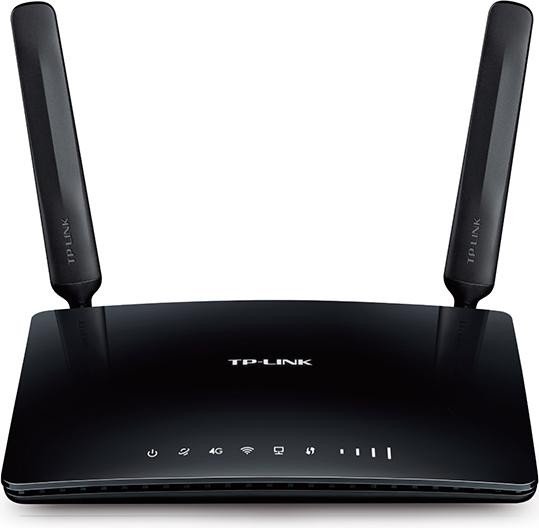
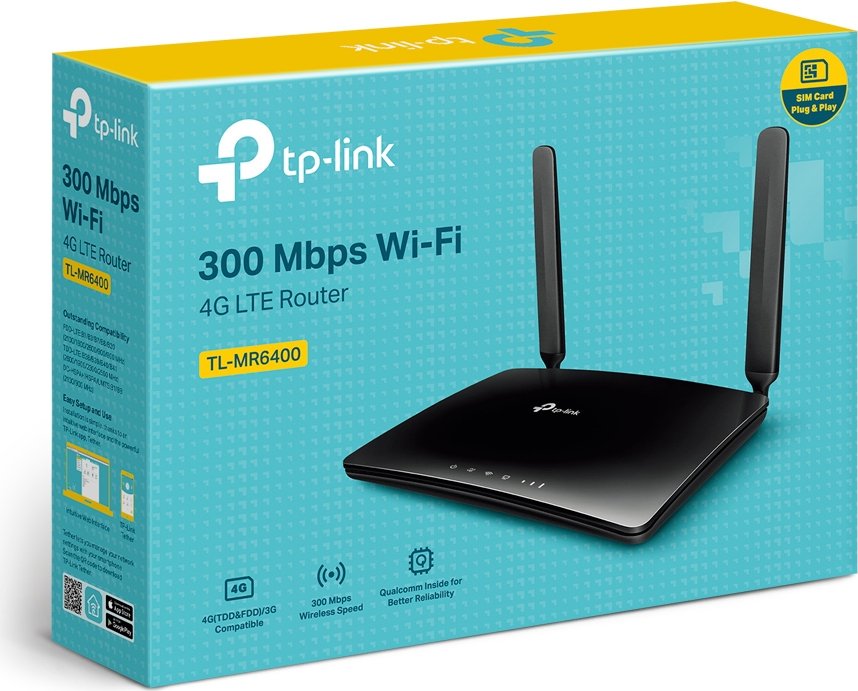
The TP-Link TL-MR6400 V3 is a compact, user-friendly 4G LTE router designed to share mobile broadband with multiple wired and wireless devices. Supporting up to 300 Mbps Wi‑Fi N speeds, a micro SIM slot, four Ethernet ports (one configurable as WAN), and external antennas, the TL-MR6400 V3 delivers flexible connectivity where fixed-line internet is unavailable or as a backup for existing networks. Its straightforward setup and a web-based interface make initial configuration fast: insert the SIM, power on, then use the Quick Setup wizard to enter ISP details or choose a preloaded profile. The router supports both 3G/4G Router Mode and Wireless Router Mode, allowing use as a standalone mobile gateway or as a conventional router connected to a modem.
Beyond basic connectivity, the TL-MR6400 V3 provides practical network controls for home and small-business users. Built-in QoS helps prioritize bandwidth for devices and applications during heavy load, while Guest Network capability isolates visitors’ traffic for privacy and security. Parental Controls let you schedule access and restrict specific websites or keywords, and robust security features include SPI firewall, DoS protection, MAC/IP binding to prevent ARP spoofing, access control (blacklist/whitelist), and service filtering for fine-grained blocking.
For advanced users, the router supports NAT forwarding features—virtual servers, port triggering, DMZ, and UPnP—so you can host services, improve gaming connectivity, or open ports as needed. VPN support includes IPSec, OpenVPN, and PPTP for secure remote access to a home or office network. Network administration is comprehensive: dynamic DNS, static routing, system logs, SNMP and CWMP for remote management, firmware upgrade tools (online and local), backup/restore of config, and time-based controls such as wireless scheduling.
The TL-MR6400 V3 also integrates SMS functions to view, send, and manage carrier messages via the web interface, and data monitoring tools to set monthly limits and usage alerts—handy for prepaid or metered plans. LED indicators on the front panel provide quick status for power, internet, Wi‑Fi, LAN, and signal strength; the back panel houses power, LAN/WAN ports, WPS/reset, Wi‑Fi toggle, SIM slot and antennas.
Overall, the TL-MR6400 V3 is a capable, no-nonsense LTE router for users who need reliable mobile internet distribution with solid security and management features.
Notes
- Default access: http://tplinkmodem.net or http://192.168.1.1; set a strong admin password on first login.
- SIM must be active and compatible (LTE/WCDMA); unlock SIM if PIN-locked before Quick Setup.
- Keep firmware updated via the web interface; back up settings before upgrading.
Search for 166 Manuals online


Type-in Brand or Model