
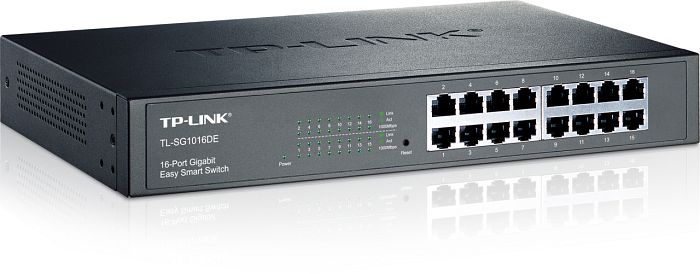
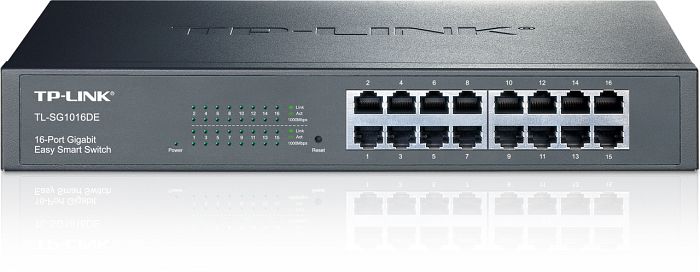
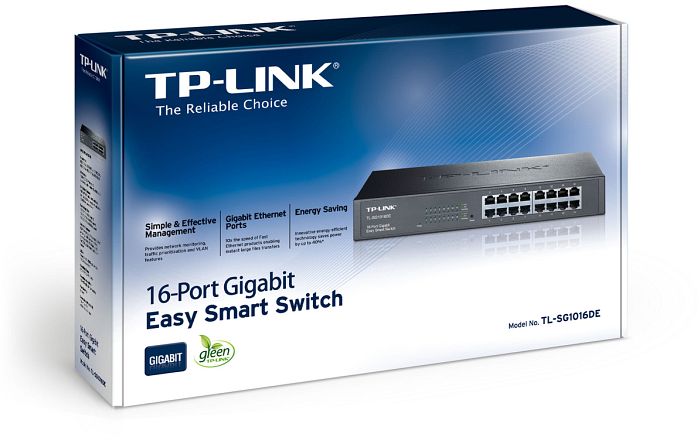
TP-Link TL-SG1016DE Desktop Gigabit Easy Smart Switch, 16x RJ-45 Manual
PDF manual · 51 Pages
English



Ask a Question
Frequently Asked Questions
The default management IP is 192.168.0.1. Default credentials are username: admin and password: admin. Ensure your PC is on the same subnet (192.168.0.x) to access the web interface.
Is this answer helpful?
Yes. It supports MTU VLAN, port-based VLAN and 802.1Q tag-based VLANs with configurable PVIDs. VLAN1 is the default and cannot be removed; VLAN IDs and membership are set via the web UI.
Is this answer helpful?
Yes. The switch supports Link Aggregation (LAG) to combine multiple ports into a single high-bandwidth trunk; member ports must share identical speed/duplex/flow control and VLAN settings.
Is this answer helpful?
Use built-in monitoring: port statistics for packet/error counters, cable test to detect open/short/crosstalk and estimate fault distance, and port mirroring to capture traffic for analysis.
Is this answer helpful?
No. The TL-SG1016DE model does not provide PoE. TP-Link offers PoE-capable variants (e.g., TL-SG1016PE) that supply power on specific ports with system power limits.
Is this answer helpful?
After changing settings in the web UI click Apply to make them active. Use Save Config (or Backup) to persist settings so they remain after reboot; back up before firmware upgrades or resets.
Is this answer helpful?
The switch supports port-based, 802.1p and DSCP-based QoS, mapping traffic to four priority queues with WRR scheduling. Use QoS to prioritize latency-sensitive traffic like VoIP and video to reduce jitter and packet loss.
Is this answer helpful?
Advantages and Disadvantages
Advantages

- 16 gigabit RJ-45 ports provide full-duplex 1Gbps connectivity for SMB edge deployments.
- Comprehensive smart features (VLAN, QoS, LAG, IGMP snooping) enable effective traffic segmentation and prioritization.
- Monitoring tools include port statistics, port mirroring and cable test with distance diagnostics for fast troubleshooting.
- Energy-efficient design and clear LED indicators simplify deployment and reduce operational cost.
- Web-based management with backup/restore and firmware upgrade capabilities for easy administration.
Disadvantages

- Not a full managed switch—advanced L3 routing and enterprise features are absent.
- Firmware-dependent feature set; some functions vary by model and firmware version.
- Default credentials should be changed to avoid security risks; initial setup requires local subnet IP configuration.
- No built-in advanced authentication/AAA; only basic user account management is supported.
- PoE is not supported on the TL-SG1016DE model (PoE available on other variants only).
Product Description
TP-Link TL-SG1016DE Desktop Gigabit Easy Smart Switch, 16x RJ-45 Manual
The TP-Link TL-SG1016DE is a 16-port Desktop Gigabit Easy Smart Switch designed for small and medium business networks that need more control than an unmanaged switch but without the complexity of full enterprise gear. It offers sixteen RJ-45 gigabit ports, an intuitive web management interface, and a range of handy features—VLAN, QoS, LAG, IGMP snooping, port mirroring and monitoring tools—that make traffic segmentation, prioritization and diagnostics straightforward.
Built with practicality in mind, the TL-SG1016DE provides energy-efficient operation and a familiar desktop form factor with clear LED indicators for link/activity and speed. The rear panel includes a grounded AC power socket and grounding terminal for enhanced reliability and lightning protection. Administrators can log in via the default IP (192.168.0.1) and the admin/admin credentials to configure system settings, backup/restore configurations, upgrade firmware and manage user accounts.
On the switching side, flexible port settings let you control speed, duplex and flow control per port, while Link Aggregation (LAG) combines multiple ports into higher-bandwidth trunks. VLAN support includes MTU VLAN, port-based VLAN and 802.1Q tag-based VLANs with PVID configuration, enabling clean network segmentation and reduced broadcast domains. IGMP snooping helps manage multicast traffic and limits unnecessary multicast flooding.
Quality of Service (QoS) options support port-based, 802.1p and DSCP prioritization with four priority queues and weighted round robin scheduling, so latency-sensitive services like VoIP and video remain smooth. Bandwidth control and storm control let you cap ingress/egress rates and suppress broadcast/multicast/unicast storms. Monitoring features include per-port statistics, port mirroring for packet capture, cable testing with distance diagnostics and loop prevention to automatically block detected loops.
Administration is made safer with reset and firmware upgrade tools, plus options to save and restore configuration files. The manual emphasizes best practices—back up configs before upgrades, avoid powering off during firmware updates, and keep IPs within the same subnet when changing the switch address. Overall, the TL-SG1016DE balances performance, manageability and cost for SMB deployments that need reliable gigabit switching and basic smart features.
Notes
- Default login: http://192.168.0.1, user/admin and password/admin.
- Backup your configuration before firmware upgrades or resets.
- Port-based and 802.1Q VLANs coexist; VLAN1 is default and cannot be removed.
- LAG member ports must share identical port settings and VLAN/PVID rules.
- Some features vary by model and firmware; consult firmware/download center for updates.
Search for 166 Manuals online


Type-in Brand or Model