
TP-Link TL-SG105 Desktop Gigabit Switch, 5x RJ-45 Manual
PDF manual · 2 Pages
English



Ask a Question
Frequently Asked Questions
Each RJ-45 port auto-negotiates to the highest common speed with connected devices, supporting 10 Mbps, 100 Mbps, or 1000 Mbps. This allows for flexible connections to a mix of older and newer devices while maintaining full-duplex operation where available.
Is this answer helpful?
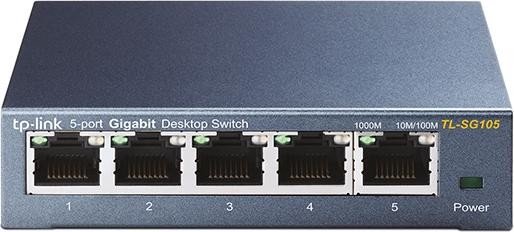
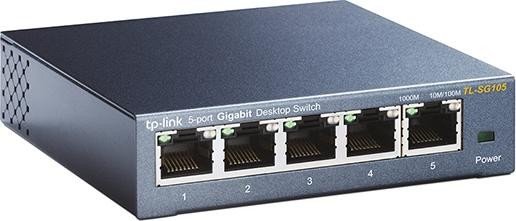
Yes. The 10/100/1000 Mbps LEDs illuminate to indicate a link and activity: the 1000M LED lights for gigabit connections, while the 10M/100M LED reflects fast Ethernet activity. Power LED confirms the switch is powered on.
Is this answer helpful?
The TL-SG105 is a 5-port desktop switch designed for small setups. For larger networks, consider a higher-port model or a stackable solution, as this model does not provide built-in stacking capability.
Is this answer helpful?
Place the switch on a stable surface, ensure proper ventilation, and use appropriately rated Ethernet cables within 100 meters. Power it with a suitable adapter and maintain proper cable management to avoid interference or overheating.
Is this answer helpful?
Yes. The TL-SG105 complies with applicable FCC, CE, and other regional safety standards, and includes safety notices and environmental guidance consistent with standard networking hardware.
Is this answer helpful?
Advantages and Disadvantages
Advantages

- Compact 5-port desktop design fits on a desk or shelf
- Supports 10/100/1000 Mbps with auto-negotiation on each port
- Store-and-forward switching for reliable data transfer
- Advanced features include IGMP Snooping and QoS for traffic management
- LED indicators clearly show power and port activity
Disadvantages

- No stacking capability or fanless cooling details are specified
- Limited number of ports for larger networks
- Advanced features may require basic network knowledge to optimize
Product Description
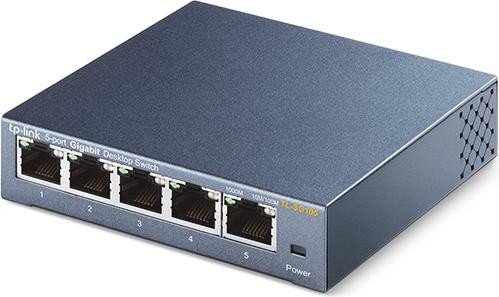
TP-Link TL-SG105 Desktop Gigabit Switch offers a compact 5-port solution for small networks, delivering reliable 10/100/1000 Mbps Ethernet connectivity with auto-negotiation on all ports. This budget-friendly switch is designed for desk setups and small offices, providing efficient data transfer, simple plug-and-play deployment, and essential features to streamline network performance for everyday tasks.
Search for 166 Manuals online


Type-in Brand or Model