
Digitus DN-953 Desktop Gigabit Switch, 10x RJ-45, 60W PoE+ Manual
PDF manual · 11 Pages
English



Ask a Question
Frequently Asked Questions
The switch supports IEEE 802.3af and IEEE 802.3at PoE standards, delivering up to 30W per PoE port with a 60W total PoE budget. Plan connected powered devices to avoid exceeding the aggregate power limit.
Is this answer helpful?
CCTV mode isolates ports 1–8 so they cannot communicate with each other while allowing uplink access to ports 9 and 10. This prevents broadcast storms, improves security, and supports extended PoE reach up to 250 meters for cameras.
Is this answer helpful?
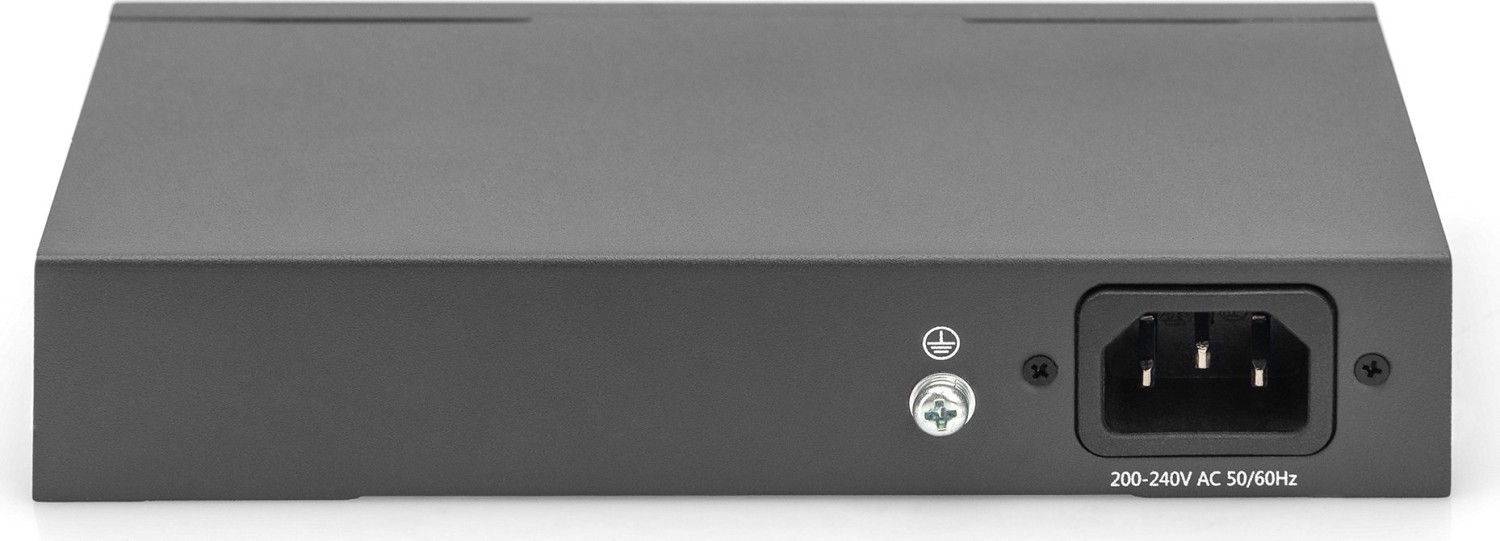
Yes, the switch supports wall mounting using M4 screws. It accepts 100–240V AC at 50/60Hz. Verify voltage before powering on and ground the device for enhanced lightning protection.
Is this answer helpful?
Expect a 20Gbps switching capacity, up to 14.88 Mpps forwarding rate, 2Mbit packet buffer, 9216-byte jumbo frame support and a 2K MAC table—suitable for small office, retail, and surveillance environments.
Is this answer helpful?
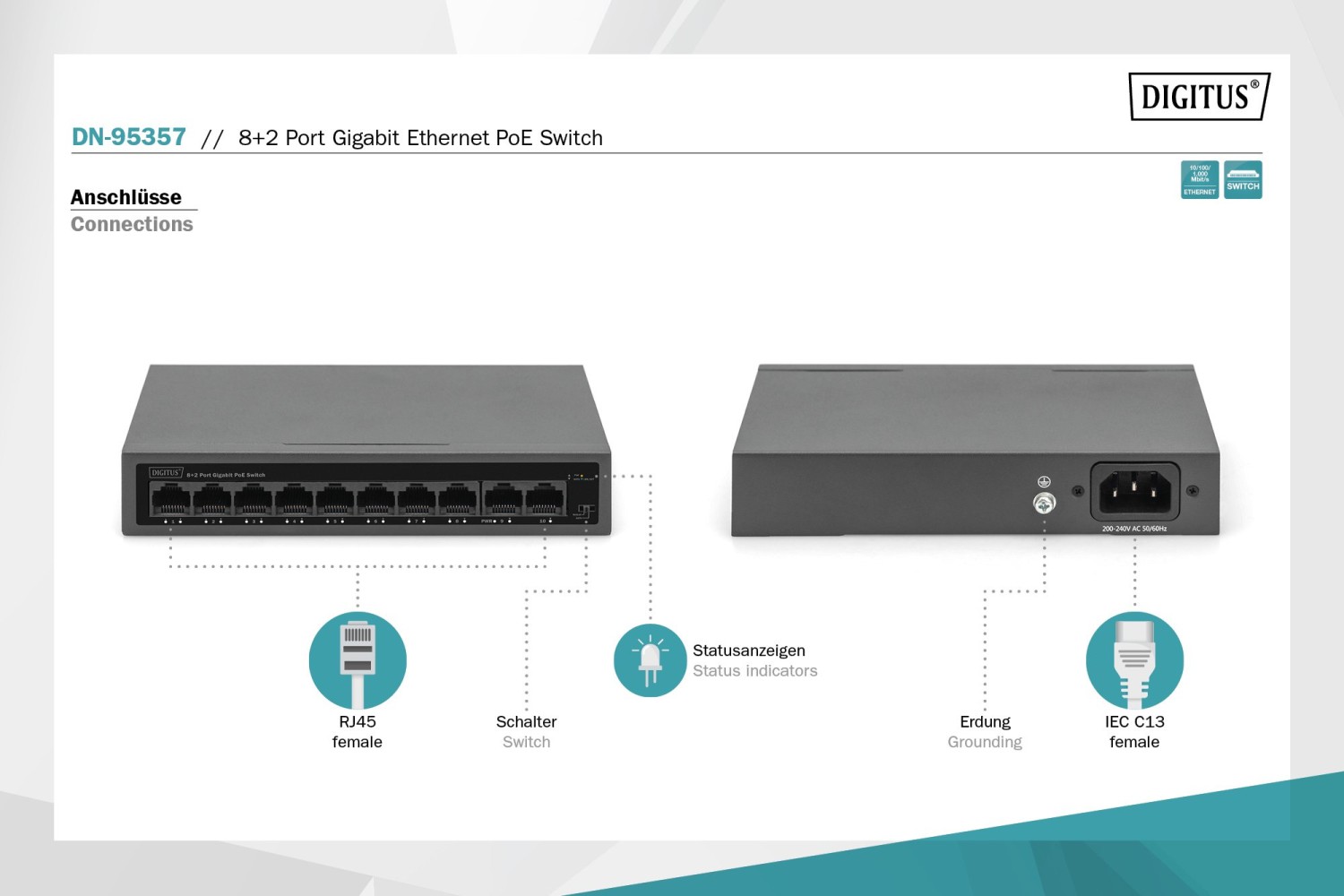
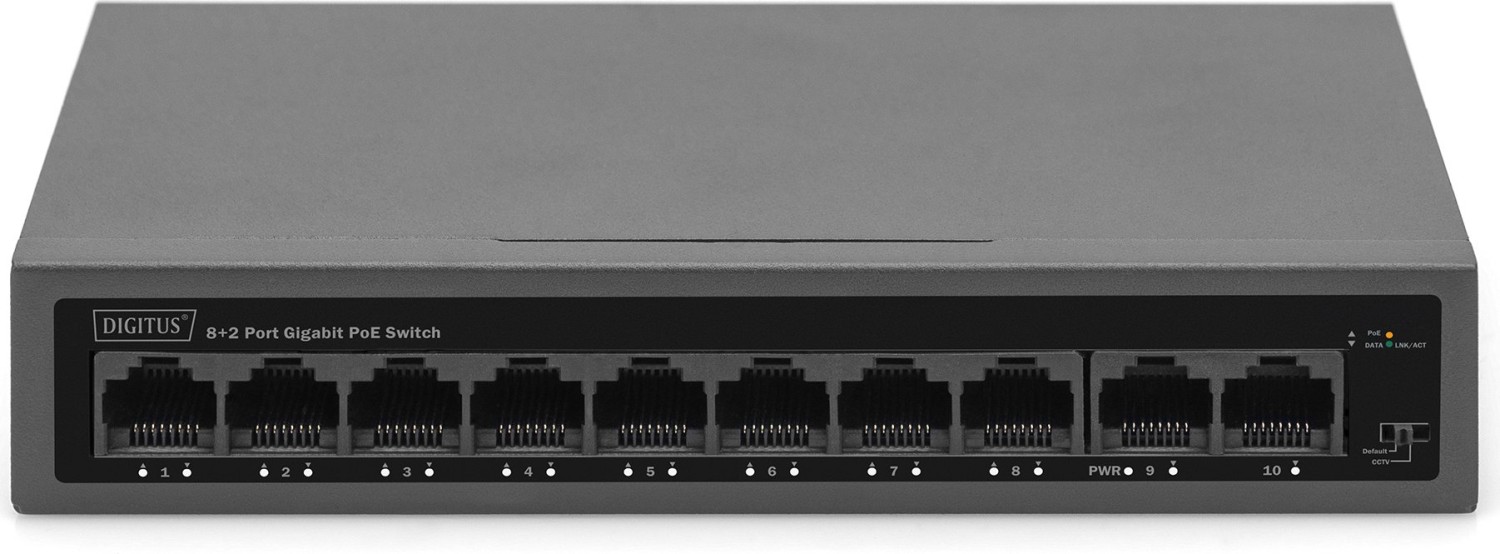
PWR (green) shows power status; LNK/ACT (green) indicates link and activity (steady for link, blinking for traffic); PoE (orange) indicates PoE connection or abnormal power conditions when blinking.
Is this answer helpful?
Yes. In CCTV mode the DN-953 supports extended PoE reach up to 250 meters for cameras, enabling installs where AC power is unavailable, though cable quality and environment affect achievable distance.
Is this answer helpful?
Operate between 0–40°C with 10–90% non-condensing humidity. Store between -40–70°C. Ensure proper ventilation, avoid moisture, and do not block vents or place on unstable surfaces.
Is this answer helpful?
Advantages and Disadvantages
Advantages

- 8 PoE+ ports with 60W aggregate budget, up to 30W per port for cameras and APs.
- CCTV mode isolates ports and supports up to 250m PoE extension for remote devices.
- 20Gbps switching capacity with 2Mbit buffer and 9216-byte jumbo frame support.
- Energy-efficient IEEE 802.3az support plus surge and ESD protection for reliability.
- Compact desktop/wall-mount design with simple LEDs and DIP switch for easy setup.
Disadvantages

- 2K MAC address table may be limiting for very large or dynamic networks.
- 60W total PoE budget can’t power multiple high-draw devices at full 30W simultaneously.
- No advanced L2/L3 management features for complex enterprise networks.
- Desktop form factor could face cooling constraints in cramped or hot environments.
- CCTV isolation requires planning for mixed traffic and uplink connectivity.
Product Description
Digitus DN-953 Desktop Gigabit Switch, 10x RJ-45, 60W PoE+ Manual
The Digitus DN-953 is a compact desktop Gigabit switch designed for small office, retail, and surveillance deployments. Featuring ten 10/100/1000 Mbps RJ-45 ports with PoE on ports 1–8 and a total PoE budget of 60W, the DN-953 supplies up to 30W per port (IEEE 802.3af/at compatible). Its small footprint (168 x 93 x 32 mm) and robust metal housing make it suitable for both desktop and wall-mounted installations. The switch accepts 100–240V AC input and includes surge protection, wide operating temperatures, and energy-saving features via IEEE 802.3az support.
Key product highlights
The DN-953 supports line-rate forwarding with a 20 Gbps switching capacity and a 2Mbit packet buffer, handling jumbo frames up to 9216 bytes and maintaining a MAC address table for up to 2K entries. Designed with surveillance in mind, the switch offers a CCTV mode that isolates PoE ports 1–8 from each other while allowing uplink connectivity to ports 9 and 10 — preventing broadcast storms and enabling extended PoE reach up to 250 meters for long-distance camera placement. LEDs for PWR, LNK/ACT and PoE status provide quick visual diagnostics, and a DIP switch toggles between default and CCTV modes without requiring a reboot.
Practical benefits and use cases
For installers and IT managers, the DN-953 simplifies deployment of IP cameras, access points, and VoIP endpoints where local power outlets are limited. Mode selection helps contain network storms and improves fault isolation. The PD-ALIVE feature enhances compatibility with powered devices, while the built-in surge and electrostatic protections help protect connected gear in harsh environments. The switch’s energy-efficient Ethernet support reduces power consumption during low-usage periods.
Installation and safety notes
Mounting options include desktop placement with rubber feet or wall mounting using M4 screws. The device requires adequate ventilation and should be kept away from moisture. Follow standard precautions: disconnect power before cleaning, verify input voltage (100–240V AC, 50/60Hz) before powering on, and avoid opening the chassis. Grounding via the AC earth or a dedicated ground terminal is recommended for enhanced lightning protection.
Pros and Cons
Pros:
- Compact 10-port Gigabit design with 8 PoE+ ports and 60W total PoE budget.
- CCTV mode with up to 250m PoE extension for remote camera placement.
- Energy-efficient (IEEE 802.3az) and built-in surge/ESD protection for reliability.
- Simple LED indicators and DIP switch for easy troubleshooting and mode selection.
- Store-and-forward switching with 20Gbps bandwidth and jumbo frame support.
Cons:
- Limited MAC table (2K) may constrain very large deployments.
- 60W total PoE budget restricts full 30W delivery to multiple high-power PDs.
- Desktop form factor may limit cooling in high-density installations.
- Basic management (no advanced L2/L3 features) for complex networks.
- CCTV mode isolates ports which may require careful planning for mixed traffic.
Most important results
- Efficient PoE distribution: 8 PoE ports with 60W total budget, up to 30W per port.
- Surveillance-ready: CCTV mode enables port isolation and 250m PoE reach.
- Performance: 20Gbps switching capacity and 2Mbit packet buffer for stable throughput.
- Protection: Surge and ESD safeguards plus grounding options improve device longevity.
- Energy saving: Supports IEEE 802.3az to reduce power consumption during low activity.
FAQ
Q: What PoE standards does the DN-953 support? A: The DN-953 supports IEEE 802.3af and 802.3at PoE standards, delivering up to 30W per port and a total PoE budget of 60W. Use higher-power PDs sparingly to avoid exceeding the aggregate budget.
Q: How does CCTV mode work and when should I use it? A: CCTV mode isolates ports 1–8 from each other while allowing uplink to ports 9 and 10, preventing broadcast storms and improving security. It’s ideal for camera deployments where devices should not communicate with each other directly.
Q: Can the switch be wall-mounted and what are the power requirements? A: Yes, the DN-953 can be wall-mounted using M4 screws. Power input is 100–240V AC, 50/60Hz; ensure correct voltage before powering on and ground the unit for better protection.
Q: What performance specs matter for small networks? A: Key specs include 20Gbps switching capacity, 14.88 Mpps forwarding rate, 2Mbit packet buffer, 9216-byte jumbo frame support, and a 2K MAC address table—suitable for small office and surveillance setups.
Q: Is the DN-953 suitable for outdoor cameras placed far from power outlets? A: Yes, with CCTV mode the DN-953 can extend PoE-powered camera reach up to 250 meters over Ethernet cable, enabling deployments where AC power is unavailable.
Q: How are LEDs and indicators used for troubleshooting? A: PWR (green) shows power status, LNK/ACT (green) indicates link/activity and speed, and PoE (orange) shows PoE presence or port power anomalies. Blink patterns signal traffic or errors.
Q: Are there environmental limits I should heed? A: Operate between 0–40°C with 10–90% non-condensing humidity. Storage ranges are wider; observe ventilation and avoid damp or unstable locations to prevent damage.
Search for 166 Manuals online


Type-in Brand or Model