
Digitus Professional HDMI KVM Extender über IP Set Manual
PDF manual · 6 Pages
English



Ask a Question
Frequently Asked Questions
Transmission depends on cable type: CAT5 up to 80m, CAT5e up to 100m, and CAT6 up to 120m. Supported video resolution is up to 1920×1080 at 60Hz (1080p@60Hz).
Is this answer helpful?
Check that TX and RX are not reversed, confirm the HDMI source outputs a correct signal, and try replacing the HDMI cable connected to the transmitter.
Is this answer helpful?
Install the provided Windows USB driver from the CD if peripherals don’t initialize automatically, verify USB cables are connected securely, then reset the transmitter or receiver.
Is this answer helpful?
Multi-point connections via a switch are supported, but it’s recommended to operate KVM control on one receiver at a time to prevent input conflicts between consoles.
Is this answer helpful?
Each unit uses DC 5V, 1A power supplies included with the kit. Use only the supplied adapters and replace if damaged to avoid malfunction or safety risks.
Is this answer helpful?
The extender supports HDMI 1.3 with HDCP 1.2 and IEEE 802.3 Ethernet at 10/100/1000Mbps. It is compatible with UTP/STP CAT5/5e/6 cables wired per IEEE-568B.
Is this answer helpful?
Press the device reset button first. Ensure the network cable follows IEEE-568B wiring, check HDMI cable connections, and confirm source resolution is within supported ranges.
Is this answer helpful?
Advantages and Disadvantages
Advantages

- Extends HDMI and USB KVM over CAT5/5e/6 up to 120m (CAT6) at 1080p@60Hz.
- Supports over-IP connections via network switches for flexible multi-point setups.
- Aluminum housing and LED indicators provide durability and easy status monitoring.
- Low power consumption (<3.5W) with compact metal enclosures for reliable operation.
- Includes TX/RX, power supplies, USB cable, and Windows USB driver for quick setup.
Disadvantages

- Maximum resolution limited to 1080p@60Hz; not suitable for higher-resolution displays.
- USB driver only provided for Windows; other OS may require manual driver solutions.
- KVM control should be active on a single receiver in multi-point mode to avoid conflicts.
- Video latency (~70 ms) can be noticeable for fast-response applications like gaming.
- As a Class A device, it may cause radio interference in home environments.
Product Description
Digitus Professional HDMI KVM Extender über IP Set Manual
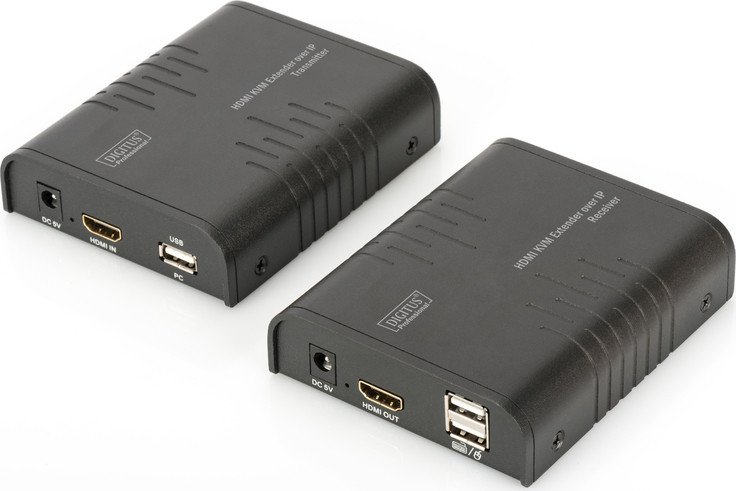
The Digitus Professional HDMI KVM Extender über IP Set is a compact, rugged solution designed to extend HDMI video and KVM control over standard Ethernet cabling. Composed of a transmitter (TX) and receiver (RX), this kit enables reliable remote access to a PC’s HDMI output and USB peripherals—ideal for control rooms, security stations, industrial sites, banks, and enterprise environments where consoles must be placed away from source equipment. Supporting resolutions up to 1080p@60Hz, it transmits video and audio over CAT5/5e/6 cables up to 120 meters (CAT6), or via network switches for multi-point deployment.
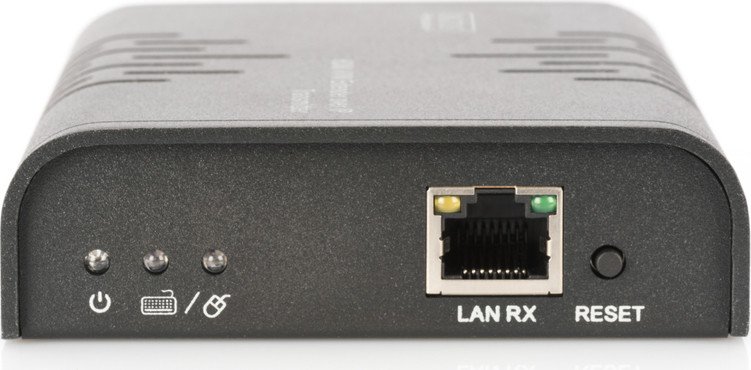
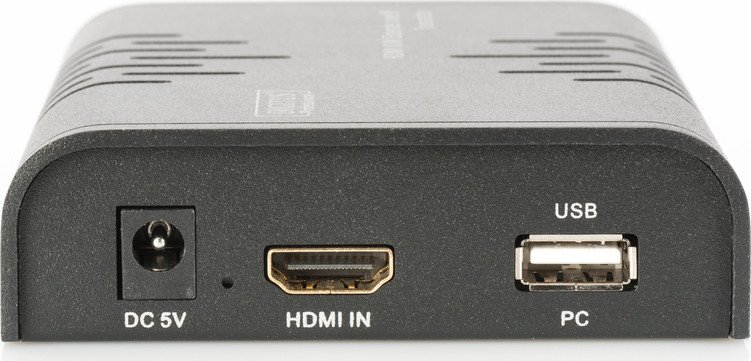
Durable aluminum housings and clear LED indicators make installation and monitoring straightforward. The units support HDMI 1.3 and HDCP 1.2, provide RJ-45 connectivity, and include USB pass-through for keyboard and mouse control. A driver is available for Windows if USB peripherals do not initialize automatically. The kit ships with both TX and RX units, power supplies, a USB cable, and a CD containing the Windows USB driver for ease of setup.
Installation is simple: follow IEEE-568B wiring for CAT cables, connect HDMI and USB ports appropriately, and power both units with the supplied DC 5V adapters. For longer or switched networks, use CAT6 for up to 120m reach and be mindful that KVM control in multi-receiver configurations should typically be active on only one receiver at a time. The extender offers practical troubleshooting cues—LEDs for power and USB status, a reset button, and common diagnostic checks for LAN activity, HDMI cable integrity, and source resolution settings.
This product balances affordable infrastructure use with stable video and remote control capabilities. Its low latency and compatibility with standard monitors and HD televisions make it suitable for diverse deployment scenarios where space, security, or accessibility concerns separate user consoles from computing hardware.
Notes:
- Use the supplied DC 5V power adapters only; do not use damaged units.
- For USB keyboard/mouse issues, install the Windows USB driver from the CD.
- In multi-point mode via switches, enable KVM on one receiver at a time to avoid control conflicts.
Search for 166 Manuals online


Type-in Brand or Model