
Native Instruments Traktor X1 MK3 Manual
PDF manual · 18 Pages
English



Ask a Question
Frequently Asked Questions
Yes. The X1 MK3 is designed to work with Traktor Pro 3. After registering the hardware via Native Access you can install and update Traktor Pro. The controller will be recognized automatically once connected.
Is this answer helpful?
Pattern Player control is available only to Traktor Pro Plus subscribers. Once an FX unit is configured as the Pattern Player, the X1 MK3 displays kit and sample information and lets you control play, volume, pitch, decay, ducking, and pattern selection.
Is this answer helpful?
Set the FX unit to single effect or effect group using SHIFT + button 1. Hold SHIFT and use the lower FX buttons as up/down to cycle effects or to select slots in an effect group; release SHIFT when the desired effect appears.
Is this answer helpful?
Two preference pages (Color and Main) let you assign button/LED colors, remap number buttons, change encoder secondary functions (browse/loop behaviors), alter nudge actions, choose display readouts, and restore defaults.
Is this answer helpful?
If a hardware knob’s position differs from the software parameter after loading an effect, the FX display shows up/down arrows indicating which direction to turn the knob before it picks up and controls the new parameter.
Is this answer helpful?
The X1 MK3 includes a rear powered USB hub. To reliably power and use connected USB devices with full LED brightness you must connect the supplied external power supply to the controller.
Is this answer helpful?
Yes. Enter Mixer mode via the Mode Select button to control Traktor Pro’s three-band EQ, cue, and channel volume from the FX section. The displays show which control was last adjusted and provide visual meter and deck activity.
Is this answer helpful?
Advantages and Disadvantages
Advantages

- Compact, modular layout offering mirrored left/right control for two decks or FX units.
- Five OLED displays provide clear parameter and deck feedback for fast performance decisions.
- Deep FX control: single effects, effect groups, and Pattern Player support (Pro Plus).
- Highly customizable via Traktor Pro preferences: colors, mappings, and encoder behaviors.
- Built-in powered USB hub adds connectivity and brightens LEDs when external power is used.
Disadvantages

- Pattern Player features require an extra Traktor Pro Plus subscription.
- Some advanced behaviors require learning SHIFT-modified controls and mappings.
- Knobs may need physical turning to pick up software parameter values after effect changes.
- Powered USB hub needs external power for reliable operation with multiple devices.
- Limited standalone audio I/O — designed primarily as a control surface for Traktor Pro.
Product Description
Native Instruments Traktor X1 MK3 — Compact, Powerful DJ Control
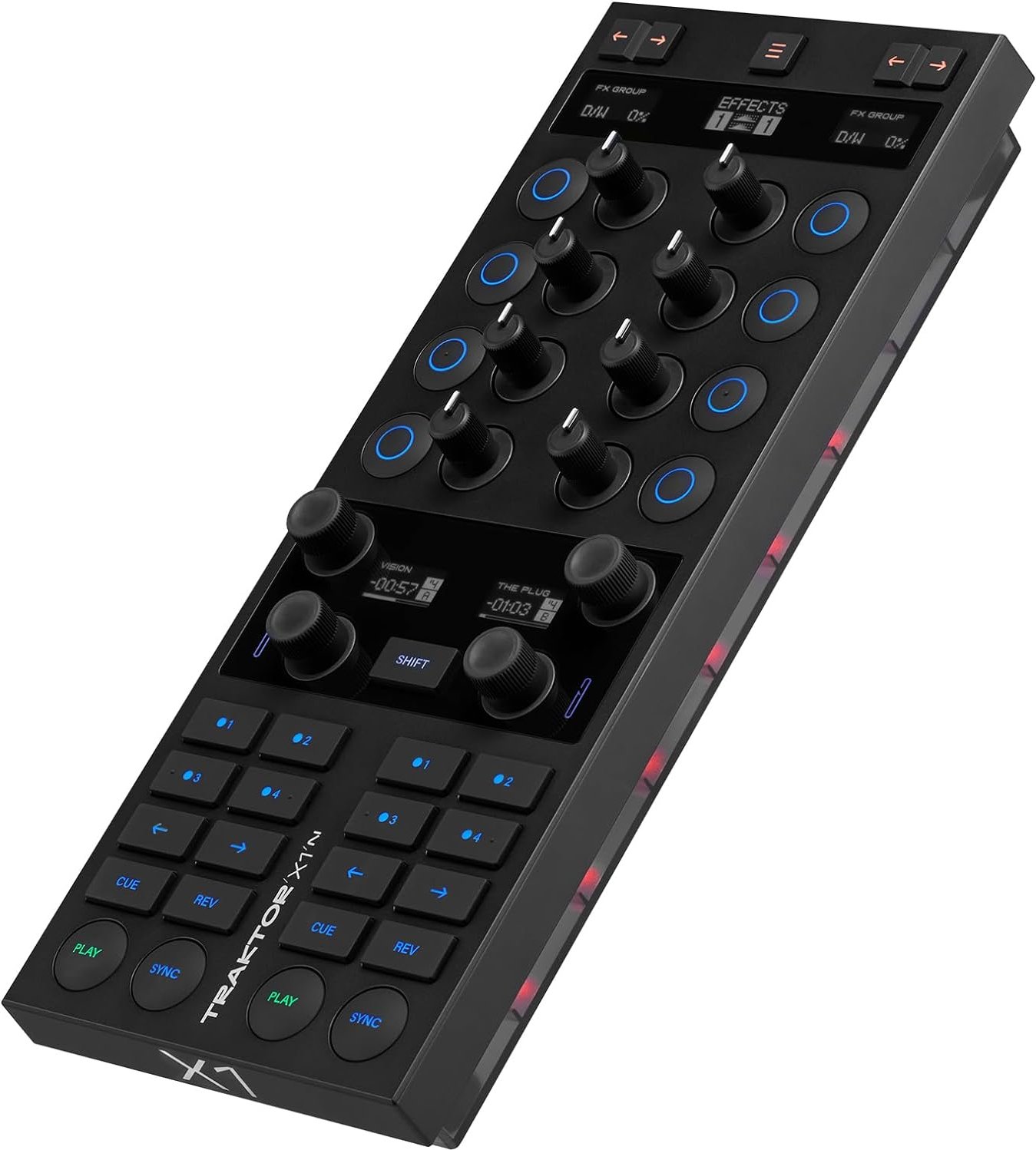
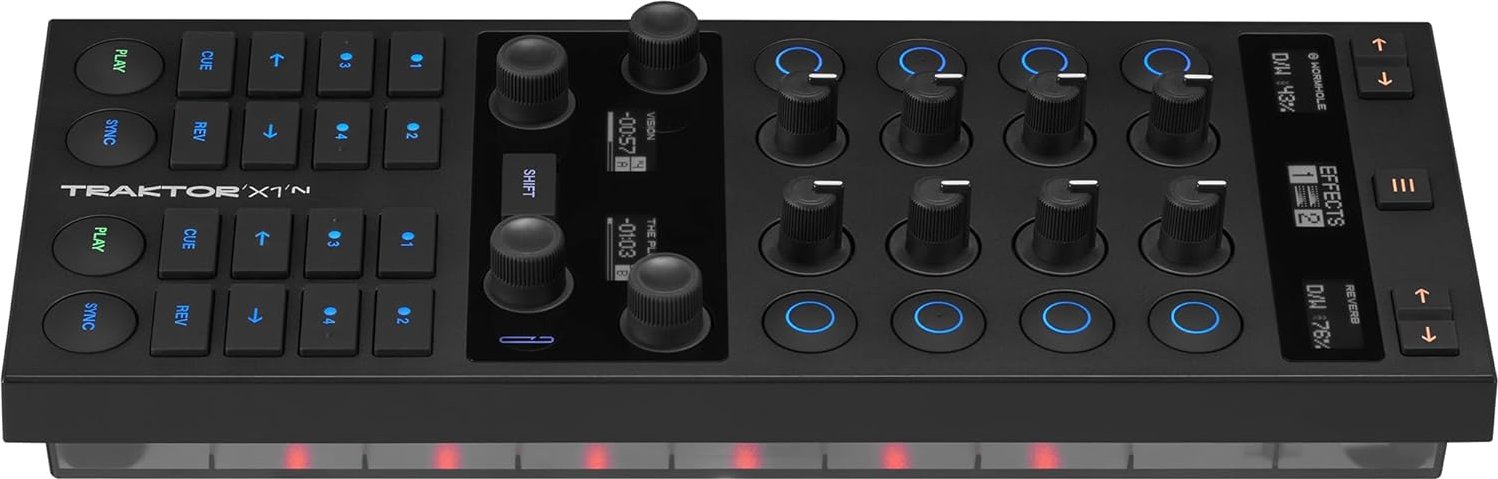
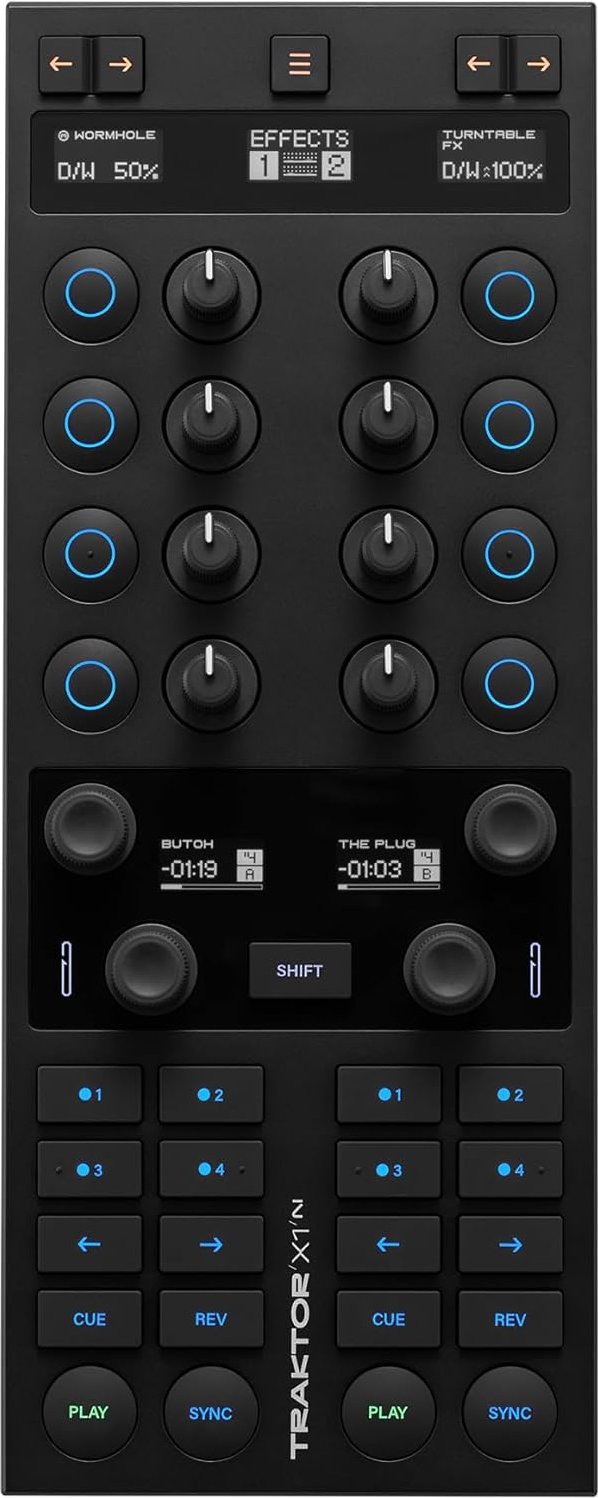
The Native Instruments Traktor X1 MK3 is a compact, modular DJ controller built to give tactile, immediate control over effects, looping, mixing, and browsing in Traktor Pro. With five OLED displays, color-coded buttons, and dedicated section layouts for FX, loops, hotcues, and transport, the X1 MK3 puts essential performance tools at your fingertips while remaining space-efficient for both club rigs and mobile setups. A powered USB hub and independent bottom LEDs expand connectivity and visual feedback, making it ideal for layered live performance and studio use.
This controller’s top panel is split into mirrored left and right sections so you can control two decks or FX units simultaneously. Each side features an FX display, four knobs and buttons for effect manipulation, and assign buttons to route FX to decks. Mode switching toggles the FX banks or converts the same controls into a dedicated mixer with three-band EQ, cueing, and channel volume control. The loop and browse area provides fast loop length adjustments, track browsing with an encoder, and clear deck displays showing track time, position, and loop status.
Effects are a core strength: the X1 MK3 supports single effects, grouped effect chains (up to three effects), and — for Traktor Pro Plus users — direct control of the Pattern Player. Knobs include Dry/Wet control as standard, and displays indicate parameter differences when a hardware knob needs to be turned to pick up software values. The Pattern Player integration offers kit and sample selection, pattern selection, pitch and decay control, ducking, and independent volume control for rhythmic layering.
Transport controls are intuitive: play, cue, sync, nudge, reverse/flux, and sync-master functions are all available, with SHIFT-modified behaviors for expanded options. Hotcue buttons are multi-functional by default and fully customizable in Traktor Pro preferences. The rear-panel powered USB hub accepts additional devices, and using the included power supply brightens LEDs and ensures reliable hub operation.
Customization in Traktor Pro’s preferences is extensive: color assignments for buttons and bottom LEDs, remapping of number buttons, browse/loop encoder secondary behaviors, nudge button actions, display readouts, and global reset options. This makes the X1 MK3 flexible for many workflows, from minimalist two-deck setups to advanced hybrid rigs using Pattern Player or custom mappings.
Notes:
- Best paired with Traktor Pro 3 (software registration via Native Access required).
- Pattern Player features require Traktor Pro Plus subscription.
- Powered USB hub requires external power for full functionality.
Search for 166 Manuals online


Type-in Brand or Model