
StarTech Manuals
Manuals
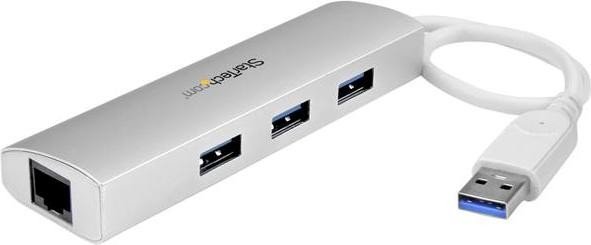
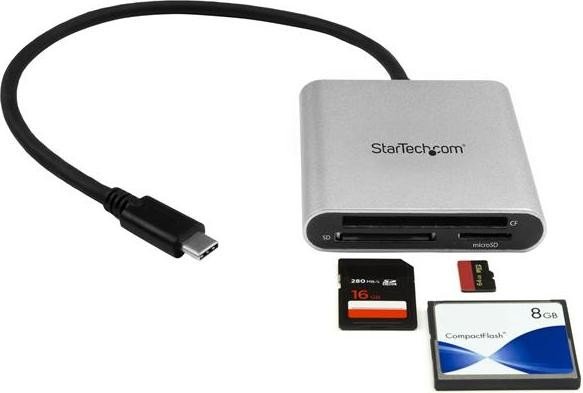
![StarTech Multi-Slot-Cardreader, USB-A 3.0 [Plug] Manual](https://files-manually-dev1.nbg1.your-objectstorage.com/products/1068-startech-multi-slot-cardreader-usb-a-30-plug/images/1.jpg)
Categories

StarTech Manuals
Overview
StarTech Manuals is a comprehensive collection of user guides, technical documents, installation instructions, and troubleshooting resources for StarTech.com products. StarTech is a global manufacturer and distributor of connectivity accessories and technology solutions, including docking stations, adapters, cables, converters, KVM switches, enclosures, and networking equipment. The manuals serve as the authoritative source of information for end users, IT professionals, integrators, and technicians who need clear, step-by-step guidance on product setup, configuration, maintenance, and problem resolution.
Purpose and Audience
Purpose
The primary purpose of StarTech Manuals is to provide accurate, accessible, and organized documentation that helps users quickly understand product features, ensure correct installation, and resolve common issues without unnecessary downtime. Manuals consolidate essential information such as safety guidelines, specifications, firmware and driver updates, warranty details, and compliance statements.
Audience
The manuals are written for a broad audience: novice users seeking simple plug-and-play instructions, experienced IT staff installing products in enterprise environments, integrators and system builders designing solutions, and service technicians performing repairs or diagnostics. Each manual balances plain-language instructions for basic tasks with technical detail for advanced configuration.
Structure and Common Sections
Most StarTech manuals follow a consistent structure that makes finding information straightforward. Common sections include:
- Product Overview: Describes the product purpose, key features, package contents, and intended use cases.
- Specifications: Lists technical parameters such as supported interfaces, speeds, power requirements, dimensional data, environmental operating ranges, and certifications.
- Safety and Compliance: Includes electrical safety warnings, handling precautions, disposal and recycling information, and regulatory compliance statements (e.g., FCC, CE, RoHS).
- Installation: Step-by-step instructions for physical installation, mounting options, cabling, and connector orientation. This section often contains diagrams and labeled illustrations.
- Configuration: Detailed guidance on device configuration, driver installation, firmware upgrades, and software utilities. It may include example command lines or GUI walkthroughs.
- Operation: Describes normal operation, status indicators (LED meanings), and recommended practices for optimal performance.
- Troubleshooting: Common problems and suggested corrective actions, diagnostic checks, and how to interpret indicator lights or error codes.
- Maintenance and Support: Regular maintenance recommendations, cleaning instructions, replacement parts, and how to contact technical support or access online resources.
- Warranty and RMA: Terms of the product warranty, limitations, and the return material authorization (RMA) process.
Key Features of StarTech Manuals
Clarity and Accessibility
StarTech manuals emphasize clear, concise language and logical sequencing. Steps are broken into numbered lists, and important warnings or notes are highlighted using consistent phrasing to reduce the chance of user error.
Visual Aids
Wherever applicable, manuals include diagrams, photos, connector pinouts, and wiring schematics to complement textual instructions. Visuals help users identify parts and confirm correct connections during installation.
Cross-References and Appendices
Complex products often include appendices with detailed technical data, compatibility matrices, port mappings, and legacy support notes. Cross-references point readers to related documents, such as product datasheets or firmware release notes.
Multi-Language Support
StarTech often provides documentation in multiple languages to support a global customer base. While the primary English manual contains the most complete technical detail, translated manuals ensure essential information is accessible to non-English speakers.
Typical Product Categories Covered
StarTech Manuals span a wide range of product categories. Examples include:
- Adapters and Converters: Manuals explain supported resolutions and refresh rates for video adapters (HDMI, DisplayPort, DVI, VGA), power and data requirements for USB adapters, and any downstream device limitations.
- Docking Stations and Port Replicators: Documentation covers docking station setup, host compatibility, driver requirements, multi-monitor setups, and power delivery specifications.
- Cables and Extenders: Manuals for active cables and extenders detail maximum supported lengths, bandwidth constraints, and recommended installation practices to avoid signal degradation.
- Enclosures and Mounting Solutions: Instructions for installing drives into enclosures, hot-swap procedures, screw torque recommendations, and thermal considerations.
- KVM Switches and Console Solutions: Configuration steps for switching, OSD menus, hotkey sequences, keyboard/mouse emulation notes, and multi-system management features.
- Networking Hardware: Setup and configuration of network adapters, Ethernet extenders, PoE injectors, and switches; includes LED behavior, link speed negotiation guidance, and cabling standards.
How to Use StarTech Manuals Effectively
- Identify Your Exact Model: Product model numbers often include suffixes for regional variations or feature sets. Using the exact model ensures correct instructions and compatibility details.
- Read Safety and Compliance First: Important warnings about electrical safety, grounding, and environmental limits help prevent damage or injury.
- Follow the Installation Sequence: Skipping steps can lead to misconfiguration. Start with hardware setup, then install drivers or firmware, and finally configure software settings.
- Use Available Downloads: Manuals frequently reference driver packages, firmware files, or configuration utilities available on the StarTech website. Always use the latest recommended versions unless otherwise instructed.
- Keep Manual Handy for Troubleshooting: The troubleshooting section often provides simple checks that resolve most common issues, saving time before contacting support.
Troubleshooting and Diagnostics
StarTech Manuals provide staged troubleshooting approaches:
- Basic Checks: Verify power, cable connections, and LED indicators. Confirm compatibility with the host system and peripheral devices.
- Isolation Testing: Substitute known-good cables or ports to isolate a faulty component.
- Software Verification: Ensure correct drivers or firmware are installed and that the operating system recognizes the device. Check for driver conflicts and update the host OS if necessary.
- Advanced Diagnostics: Use tools or logs suggested in the manual to capture error codes, debug output, or status reports.
- Contact Support: If the manual’s steps don’t resolve the issue, follow the RMA or support contact instructions, providing requested diagnostic information to expedite resolution.
Digital Delivery and Updates
StarTech maintains an online documentation portal where manuals are hosted as downloadable PDFs. The online approach allows:
- Rapid updates to reflect firmware changes, new compatibility information, or corrected errata.
- Access to related assets such as quick start guides, datasheets, and firmware packages.
- Searchable content to quickly locate specific sections, keywords, or model numbers.
Users are encouraged to check the product support page regularly for revisions and supplementary materials.
Best Practices for IT and Integrators
- Inventory Documentation: Keep a repository of manuals for devices deployed across a network to streamline maintenance and onboarding.
- Version Control: Record firmware and driver versions used in deployments to facilitate rollback and troubleshooting.
- Standardized Procedures: Create internal standard operating procedures (SOPs) based on StarTech Manuals to ensure consistent installations.
- Training: Use manuals to train support staff and end users on device operation and basic troubleshooting.
Accessibility and Support Resources
StarTech Manuals are complemented by additional support channels:
- Knowledge Base Articles: Short articles addressing frequent issues or configuration tips.
- Video Tutorials: Step-by-step installation videos for common products and use cases.
- Community Forums and FAQs: Peer-to-peer discussion and curated frequently asked questions.
- Direct Technical Support: Email, chat, or phone support for complex issues, escalation, or RMA processing.
Conclusion
StarTech Manuals are a vital resource for anyone who purchases or supports StarTech hardware. They combine clear instructions, technical specifications, and troubleshooting guidance to enable correct installation, reliable operation, and efficient problem resolution. By following the manuals’ recommended procedures and keeping documentation and firmware up to date, users and IT professionals can maximize product performance and longevity while minimizing downtime.
Further Reading
For the most current manuals and supplemental materials, visit the official StarTech product support pages where PDFs, firmware, utilities, and knowledge base articles are maintained and updated.
Search for 166 Manuals online


Type-in Brand or Model