
StarTech Multi-Slot Card Reader, USB-C 3.0 (Plug) Manual
PDF manual · 2 Pages
English



Ask a Question
Frequently Asked Questions
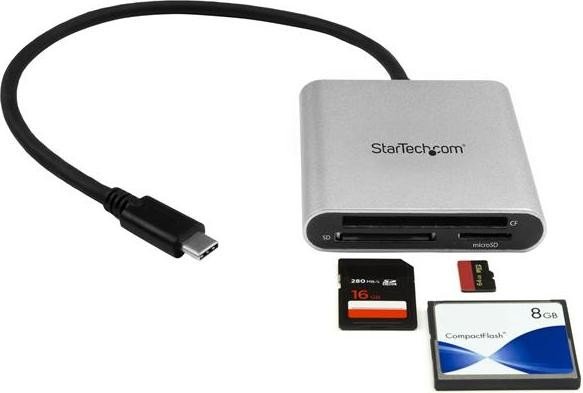
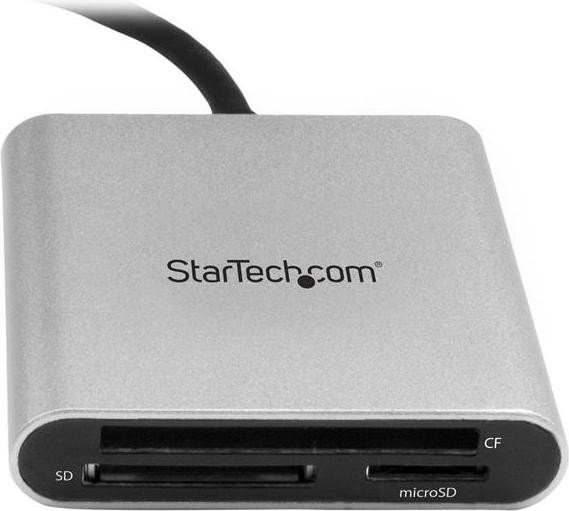
The reader supports microSD (microSD, microSDHC, microSDXC), Secure Digital formats (SDSC, SDHC, SDXC) and CompactFlash Type I and Type II cards.
Is this answer helpful?
No. The device is OS independent and designed for plug-and-play operation without additional drivers or software on modern operating systems that support the card file formats.
Is this answer helpful?
The 5Gbps figure is the USB 3.0/USB 3.1 Gen 1 maximum. Actual speeds depend on the performance class of your memory card and the USB port on your host device; slower cards or ports will reduce throughput.
Is this answer helpful?
No. The reader can only access one card at a time. It prioritizes the most recently inserted card, so insert the card you want to use last.
Is this answer helpful?
No. The reader is bus-powered via the host USB-C port and does not require an external power adapter under normal usage.
Is this answer helpful?
Ensure the host OS supports the card’s file system and format, confirm only one card is inserted, try a different card or port, and consult StarTech support or product documentation for further troubleshooting.
Is this answer helpful?
Yes. StarTech provides lifetime technical support resources online and a two-year limited warranty covering defects in materials and workmanship as specified by the manufacturer.
Is this answer helpful?
Advantages and Disadvantages
Advantages

- Plug-and-play USB-C connectivity requiring no additional drivers or power source
- Supports multiple card formats: microSD, SD (SDSC/SDHC/SDXC), and CompactFlash I/II
- USB 3.0 (Gen 1) support for data transfers up to 5Gbps when paired with capable cards and ports
- Compact, portable design ideal for mobile workflows and quick file offloads
- OS independent—works with any device that supports the card file formats and USB-C
Disadvantages

- Can only access one memory card at a time—do not insert multiple cards simultaneously
- Actual transfer speeds limited by memory card class and host USB port capabilities
- No external power option—may not support power-hungry legacy cards in rare cases
- Plug-style design may block adjacent ports on some devices when connected
- Limited warranty coverage and liability caps apply per manufacturer terms
Product Description
StarTech Multi-Slot Card Reader, USB-C 3.0 (Plug) Manual
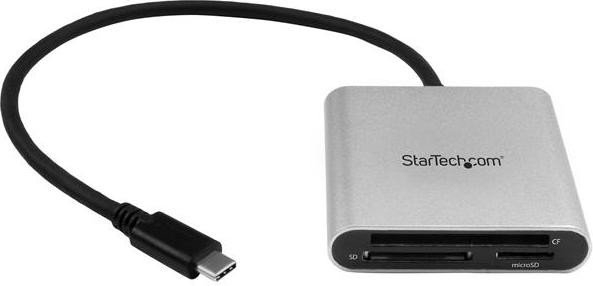
The StarTech Multi-Slot Card Reader, USB-C 3.0 (Plug) is a compact, bus-powered card reader designed for quick access to multiple memory card formats via a USB-C port. Supporting data transfer rates up to 5Gbps (USB 3.0 / USB 3.1 Gen 1), this plug-style reader connects directly to computers, tablets, and USB-C enabled devices without requiring drivers or external power. It accommodates microSD (microSDHC, microSDXC), SD variants (SDSC, SDHC, SDXC), and CompactFlash Type I/II cards, offering a single convenient solution for photographers, content creators, and mobile professionals who need fast offload and file access on the go.
The unit ships with the reader itself and a concise instruction manual. Usage is straightforward: insert one memory card into the appropriate slot, plug the USB-C connector into your device, and access files via your operating system’s native file manager. The reader prioritizes the most recently inserted card when multiple cards are present, and users are advised to avoid inserting more than one card at a time since only one card can be accessed at once.
Built to be OS-independent, the StarTech reader expects the host OS to support the specific card file formats in use. Transfer speeds depend on both the memory card’s performance class and the host device’s USB port capabilities. The design emphasizes portability and ease of use—no drivers, no power bricks, just plug-and-play convenience with a durable, practical form factor.
Notes:
- Data transfer rates depend on the memory card and host USB port capabilities. Use high-speed cards for best performance.
- Only one card can be accessed at a time; insert the card you intend to use last to ensure it is prioritized.
- The device is bus-powered and does not need an external power source.
- For up-to-date specs, downloads, and support, visit StarTech’s product support pages.
Overall, the StarTech Multi-Slot Card Reader, USB-C 3.0 (Plug) provides a no-fuss, portable solution for accessing a wide range of memory cards, suitable for casual users and professionals needing fast, driverless file transfers.
Search for 166 Manuals online


Type-in Brand or Model