
Ubiquiti UFiber Nano G Manual
PDF manual · 24 Pages
English



Ask a Question
Frequently Asked Questions
The UFiber Nano G supports ITU G.984 GPON with up to 2.488 Gbps downstream and 1.244 Gbps upstream on the SC/APC PON port.
Is this answer helpful?
Power the Nano G using the included 24V, 0.3A Gigabit PoE adapter or a compatible 24V passive PoE switch. Ensure the PoE source matches the specified pins and voltage (20–28V) to avoid damage.
Is this answer helpful?
Connect a host to the LAN port, set the host IP to the 192.168.1.x subnet, then open http://192.168.1.1 in a browser and log in with the default ubnt/ubnt credentials. Change the password after initial setup.
Is this answer helpful?
A red GPON LED indicates no PON connection or a PON error. Check fiber connections, SC/APC connector cleanliness, OLT provisioning, and ensure the proper OLT compatibility profile is selected.
Is this answer helpful?
Yes. The Nano G supports three OLT compatibility profiles. Profile 1 is for Ubiquiti U Fiber OLTs; Profiles 2 and 3 enable compatibility with many third‑party OLTs. Profile selection is done via the digital display button during power-up.
Is this answer helpful?
Use CAT5 or above for Ethernet runs; shielded cable for outdoor installations. Follow grounding and local electrical regulations, avoid moisture and lightning exposure, and never look into live fiber ends due to CLASS 1 LASER risk.
Is this answer helpful?
The Nano G carries a one-year limited warranty. Returns require an RMA number from Ubiquiti and must be shipped freight prepaid. Warranty excludes damage from modification, misuse, third‑party firmware, improper cabling, or missing original labels.
Is this answer helpful?
Advantages and Disadvantages
Advantages

- High GPON throughput: up to 2.488 Gbps down / 1.244 Gbps up for robust FTTH performance.
- Compact, lightweight design (77 x 77 x 28 mm, 110 g) for easy wall or desktop installation.
- Digital display and LED indicators provide immediate PON, optical power, and network status.
- Three OLT compatibility profiles enable interoperability with Ubiquiti and many third‑party OLTs.
- Low power consumption (max 7W) and included 24V passive PoE adapter simplify deployments.
Disadvantages

- Passive 24V PoE requires compatible injectors or switches; not compatible with all active PoE standards.
- Single Gigabit LAN port limits local wired connectivity without an external switch.
- 128 MB RAM and a 240 MHz MIPS CPU may restrict advanced local processing or future firmware features.
- No integrated Wi‑Fi—requires separate AP for wireless coverage.
- Warranty exclusions and RMA requirements can limit coverage if altered, misused, or improperly cabled.
Product Description
Ubiquiti UFiber Nano G — Compact GPON CPE
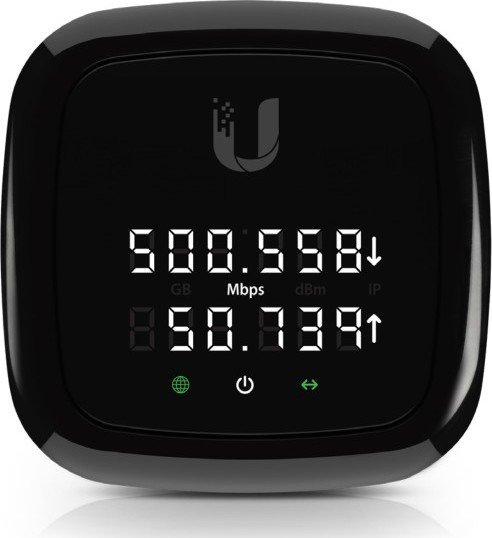
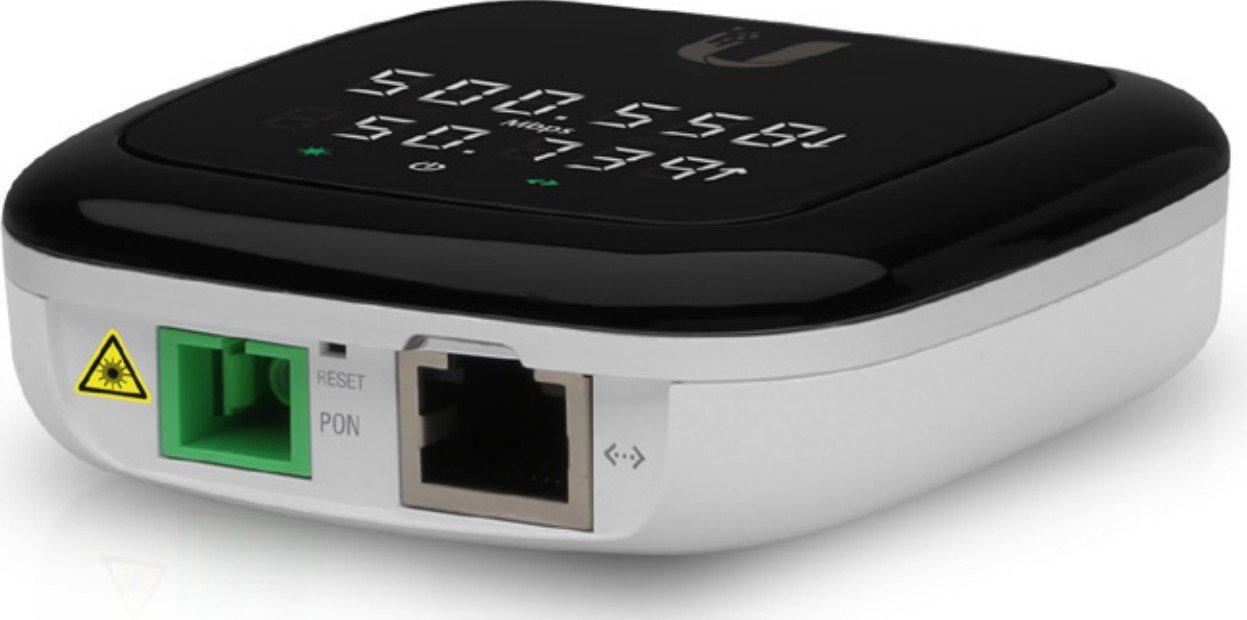
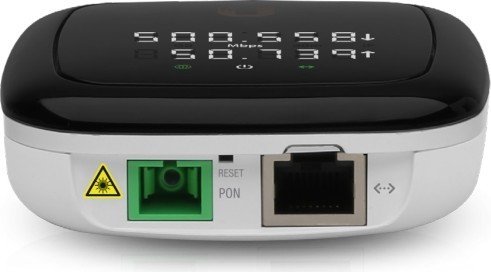
The Ubiquiti UFiber Nano G (UF-Nano) is a compact, high-performance GPON customer-premises unit designed for reliable fiber-to-the-home (FTTH) and small business deployments. With ITU G.984 GPON support, the Nano G delivers up to 2.488 Gbps downstream and 1.244 Gbps upstream over a single SC/APC PON port, while offering a gigabit RJ45 LAN port with passive 24V PoE power. Its small footprint (77 x 77 x 28 mm) and light weight (110 g) make it easy to mount on a wall or place on a desk, and an included wall-mount bracket and PoE adapter simplify installation.
Key features and user experience
The device includes a digital display that provides real-time PON statistics (RX/TX speeds, optical power in dBm, aggregate GB counters, IP address, and synced time). LEDs indicate GPON and Ethernet status, helping installers quickly verify connectivity and troubleshoot PON link issues. The Nano G supports three OLT compatibility profiles, selectable via the front display button during power-up, enabling interoperability with Ubiquiti and many third‑party OLTs.
Management is performed through the U Fiber Configuration Interface accessible at http://192.168.1.1 (default credentials ubnt/ubnt). The unit supports in-band Ethernet/PON management and is compatible with major operating systems and browsers (Google Chrome recommended). Hardware specs include a MIPS-32 240 MHz processor, 128 MB DDR3 RAM, and low power consumption (max 7W).
Installation & safety notes
Installation requires CAT5 (or above) Ethernet cabling; shielded cable is recommended for outdoor runs. The Nano G can be powered via the supplied 24V, 0.3A Gigabit PoE adapter or a compliant PoE switch (passive PoE pins +4,+5 / -7,-8). Follow grounding, local wiring regulations, and safety warnings: avoid moisture, lightning exposure, and never look into live fiber ends. The product carries CE, FCC, IC certifications and RoHS/WEEE disposal guidance.
Use cases
The UF-Nano is ideal for FTTH subscribers, small apartments, and SMBs needing a discreet, easy-to-deploy GPON CPE with reliable gigabit LAN access. Its compatibility profiles and low power draw make it suitable for operators migrating customers to fiber while maintaining interoperability with existing OLT ecosystems.
Notes
- Default login: ubnt / ubnt. Change credentials after setup.
- If GPON LED is red, test fiber and connector integrity and verify OLT provisioning.
- Aggregate counters and time display can be managed from the U Fiber Configuration Interface.
- Warranty: 1 year limited warranty with RMA process through Ubiquiti support.
Search for 166 Manuals online


Type-in Brand or Model