
Ubiquiti Manuals
Manuals

24 Pages

24 Pages
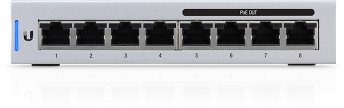
24 Pages
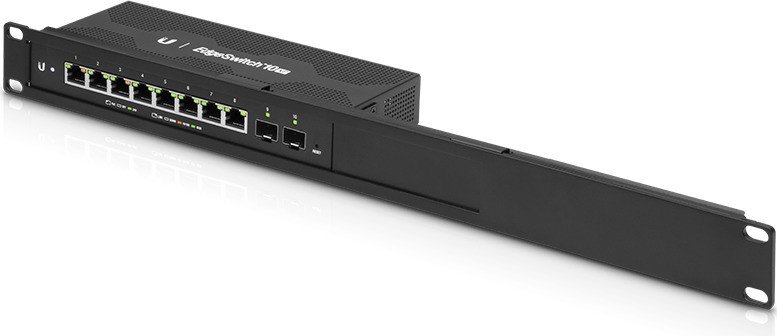
23 Pages

20 Pages
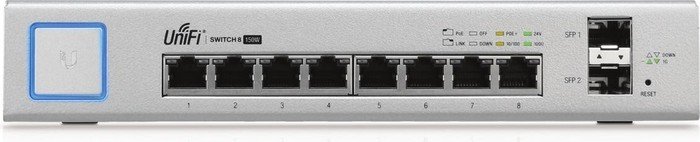
28 Pages
Categories

Ubiquiti Manuals
Overview
Ubiquiti manuals are comprehensive documents provided by Ubiquiti Inc. that guide users through the setup, configuration, maintenance, and troubleshooting of Ubiquiti networking products. These manuals cover a broad range of devices, including UniFi access points, UniFi switches, UniFi security gateways, UniFi Protect cameras, airMAX radios, EdgeMax routers and switches, and other wireless networking hardware. Designed for both beginners and experienced network administrators, Ubiquiti manuals combine step-by-step instructions, diagrams, specifications, best-practice recommendations, and firmware or software-related information.
Purpose and Audience
Target Audience
Ubiquiti manuals target a varied audience: home users deploying a single device, small business owners managing a modest network, IT professionals responsible for enterprise-grade installations, system integrators, and resellers. Manuals are written to be accessible to non-experts while containing advanced sections for professional use.
Primary Purposes
- Provide installation and physical mounting instructions.
- Explain hardware and accessory components.
- Detail software setup, including controller or management-platform onboarding.
- Describe configuration options for performance optimization, security, and network policies.
- Offer troubleshooting steps, diagnostic commands, and logs interpretation.
- List hardware specifications, regulatory information, and compliance notes.
Structure and Typical Contents
Ubiquiti manuals generally follow a consistent structure that helps readers navigate from unboxing to advanced configuration.
1. Introduction and Safety Information
Most manuals begin with an introduction to the product, intended use cases, and essential safety warnings. This section typically includes electrical safety guidelines, mounting precautions, and environmental considerations such as temperature and humidity ranges.
2. Package Contents and Hardware Overview
This section lists items included in the box (device, power adapter, mounting hardware, cabling) and provides labeled diagrams of the device’s ports, LEDs, buttons, and internal components. Photos or diagrams often show recommended orientations and physical clearance requirements.
3. Installation Instructions
Installation sections provide step-by-step guidance for mounting, powering, and connecting devices. For wireless devices, this includes recommended placement for optimal coverage and antenna orientation guidance. For rack-mounted hardware, instructions cover rack ears, grounding, and cable management.
4. Quick Start and Setup
Quick-start guides walk users through initial setup: powering on the device, connecting to a management interface (web UI, mobile app, or controller software), and basic configuration like setting admin credentials, network names (SSIDs), and passwords. This section often includes default IP addresses, usernames, and passwords (and instructions to change them).
5. Management and Configuration
Ubiquiti typically provides a central management platform (e.g., UniFi Network Controller, UniFi Protect, EdgeOS, or airOS). Manuals show how to adopt devices into controllers, update firmware, create and manage sites or zones, configure VLANs, SSIDs, firewall rules, QoS, and other advanced network features. This section explains configuration options and their implications for network behavior and performance.
6. Wireless and RF Considerations
For wireless-focused products, manuals include RF concepts, channel planning, power settings, antenna patterns, and coexistence strategies to minimize interference. They may also provide recommended settings for indoor vs. outdoor deployments, directional vs. omnidirectional antenna choices, and channel width recommendations for balancing throughput and reliability.
7. Monitoring, Logging, and Diagnostics
Manuals describe how to use built-in monitoring tools, view logs, run diagnostic tests (ping, traceroute), and interpret LED status indicators. They often include command-line references for advanced troubleshooting (e.g., SSH commands for EdgeOS or CLI snippets for UniFi devices) and guidance for collecting logs to send to Ubiquiti support.
8. Maintenance and Firmware Updates
This section covers recommended maintenance tasks, backup procedures, performing firmware or software updates, rollback procedures in case of failures, and scheduling updates to minimize service disruption. It may also cover compatibility notes between controller versions and device firmware.
9. Security Recommendations
Ubiquiti manuals emphasize securing administrative access and wireless networks. Recommendations typically include changing default credentials, enabling secure management protocols (HTTPS, SSH with key-based auth where applicable), using strong WPA2/WPA3 passphrases, setting up guest networks with client isolation, configuring firewall rules, and monitoring for firmware vulnerabilities.
10. Advanced Configurations and Use Cases
Advanced sections may provide examples for site-to-site VPN, load balancing, link aggregation (LACP), high-availability configurations, multi-site management, hotspot and captive portal setups, bandwidth shaping, and controllerless setups where applicable. These use-case examples help administrators model their network deployments.
11. Compliance, Regulatory, and Warranty Info
Manuals include regulatory statements (FCC, CE), safety certifications, disposal and recycling guidelines, and warranty terms. These notes ensure proper legal and environmental handling of hardware.
12. Appendices and Reference Materials
Appendices often include detailed technical specifications (power consumption, throughput ratings, supported standards), table of LED status codes, pinouts, AP mounting templates, glossary of terms, and firmware change logs.
Format and Accessibility
Ubiquiti publishes manuals in multiple formats: downloadable PDF files, web-based knowledgebase articles, in-product help menus, and community forum posts. PDFs are typically richly formatted with diagrams and tables, while web KB articles provide searchable, modular content. Some manuals include QR codes or links to video tutorials and step-by-step setup wizards to assist visual learners.
Best Practices for Using Ubiquiti Manuals
- Follow safety and environmental guidelines before physical installation.
- Start with the Quick Start section to achieve basic functionality, then return to advanced sections for optimization.
- Keep firmware and controller software versions compatible; consult the manual’s compatibility notes.
- Regularly back up configuration and controller settings before applying major updates.
- Use the manual’s troubleshooting flowchart before contacting support; include logs and diagnostic outputs when seeking help.
- Observe country-specific regulatory restrictions (power limits, allowed channels) described in the manual.
Common Challenges and How Manuals Help
Interpreting RF Behavior
Wireless environments vary widely; manuals provide RF fundamentals, antenna orientation guidance, and recommended settings to help users diagnose coverage or interference problems.
Controller Adoption and Management
New users sometimes struggle to adopt devices into a controller. Manuals explain the controller adoption workflow, firewall or network settings that may block adoption, and recovery methods when adoption fails.
Firmware Incompatibilities
Firmware and controller mismatches can cause issues. Manuals outline supported combinations, recommended upgrade paths, and rollback procedures.
Physical Installation Details
Mounting templates, grounding instructions, and environmental tolerances in manuals reduce installation errors and hardware damage.
Where to Find Ubiquiti Manuals
- Official Ubiquiti website product pages and download centers.
- Ubiquiti Help Center and Knowledge Base articles.
- Product packaging and included quick-start guides.
- Community forums, third-party tutorial sites, and video walk-throughs that supplement official manuals.
Conclusion
Ubiquiti manuals are essential resources for deploying and maintaining Ubiquiti networking equipment. They combine practical installation steps, in-depth configuration guidance, troubleshooting procedures, and safety and compliance information. Whether you are a home user setting up your first access point or an IT professional designing a complex network, Ubiquiti manuals provide the structured documentation needed to plan, deploy, secure, and maintain reliable network infrastructure.
Search for 166 Manuals online


Type-in Brand or Model