

Ubiquiti UniFi Security Gateway Pro Manual
PDF manual · 24 Pages
English



Ask a Question
Frequently Asked Questions
The USG‑PRO‑4 is an enterprise edge gateway providing routing, security, and traffic management for small to medium networks. It handles WAN/LAN connectivity, DPI, NAT, and integrates with UniFi Controller for centralized administration.
Is this answer helpful?
Open the UniFi Controller dashboard, go to Devices, locate the USG‑PRO‑4 under Model, and click Adopt. Once adopted, the System LED will turn blue indicating successful integration and management by the controller.
Is this answer helpful?
Yes. The device includes two hot‑swappable SFP/RJ45 combination ports that accept compatible fiber SFP modules. When an SFP module is inserted, the corresponding RJ45 WAN port is automatically deactivated.
Is this answer helpful?
The USG‑PRO‑4 features a dual‑core 1 GHz MIPS64 CPU, 2 GB DDR3 RAM, 4 GB flash, two Gigabit RJ45 ports plus two combo SFP/RJ45 ports, internal 60W AC/DC power supply, and max power consumption around 40W.
Is this answer helpful?
With the unit powered on and fully booted, press and hold the Reset button for about 10 seconds until the WAN2 right LED flashes then becomes solid; the device will reboot and return to factory defaults.
Is this answer helpful?
Use CAT5 or better UTP cabling for indoor runs and shielded CAT5+ for outdoor use. The gateway requires a standard 19" rack with at least 1U space and 20 mm clearance by ventilation holes for safe airflow.
Is this answer helpful?
Ubiquiti offers a one‑year limited warranty covering defects in materials and workmanship. The device complies with FCC, CE, IC and regional directives; disposal follows WEEE/RoHS guidelines and local regulations.
Is this answer helpful?
Advantages and Disadvantages
Advantages

- Dual SFP/RJ45 combination ports enable flexible fiber or copper uplinks.
- Centralized management via UniFi Controller for adoption, monitoring, and analytics.
- Hardware acceleration and dual‑core CPU provide high forwarding rates and DPI performance.
- Rackmount 1U form factor with active cooling suited for enterprise deployments.
- Comprehensive status LEDs and serial console facilitate troubleshooting and setup.
Disadvantages

- Limited to 1U rack installations—less suitable for desk or compact shelf deployments.
- One‑year warranty may be short for enterprise lifecycle expectations.
- No user‑accessible internal serviceable parts; repairs require authorized service.
- SFP insertion disables paired RJ45 port which can complicate some migration scenarios.
- Advanced features require UniFi Controller; standalone configuration options are limited.
Product Description
Ubiquiti UniFi Security Gateway Pro Overview
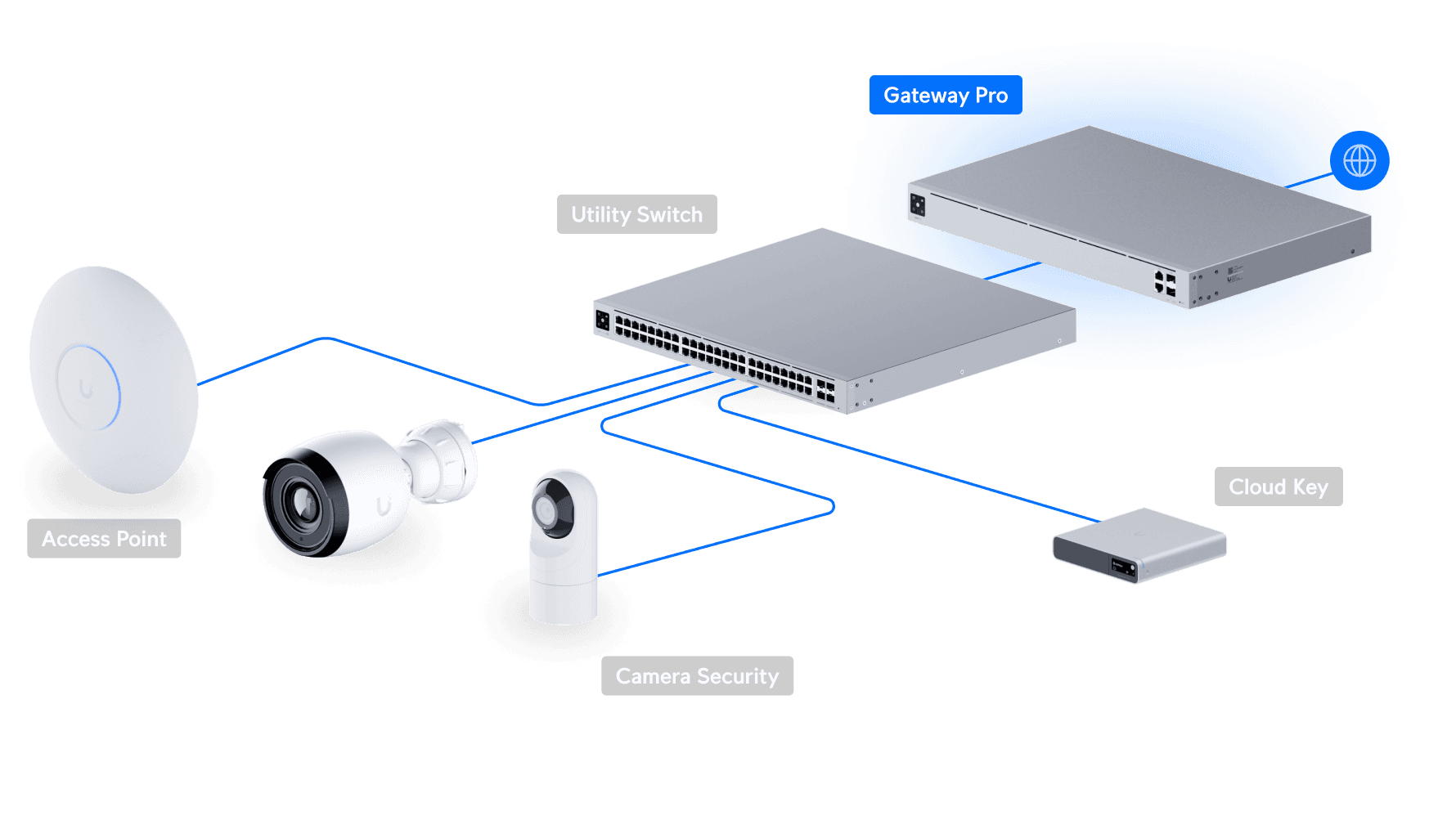
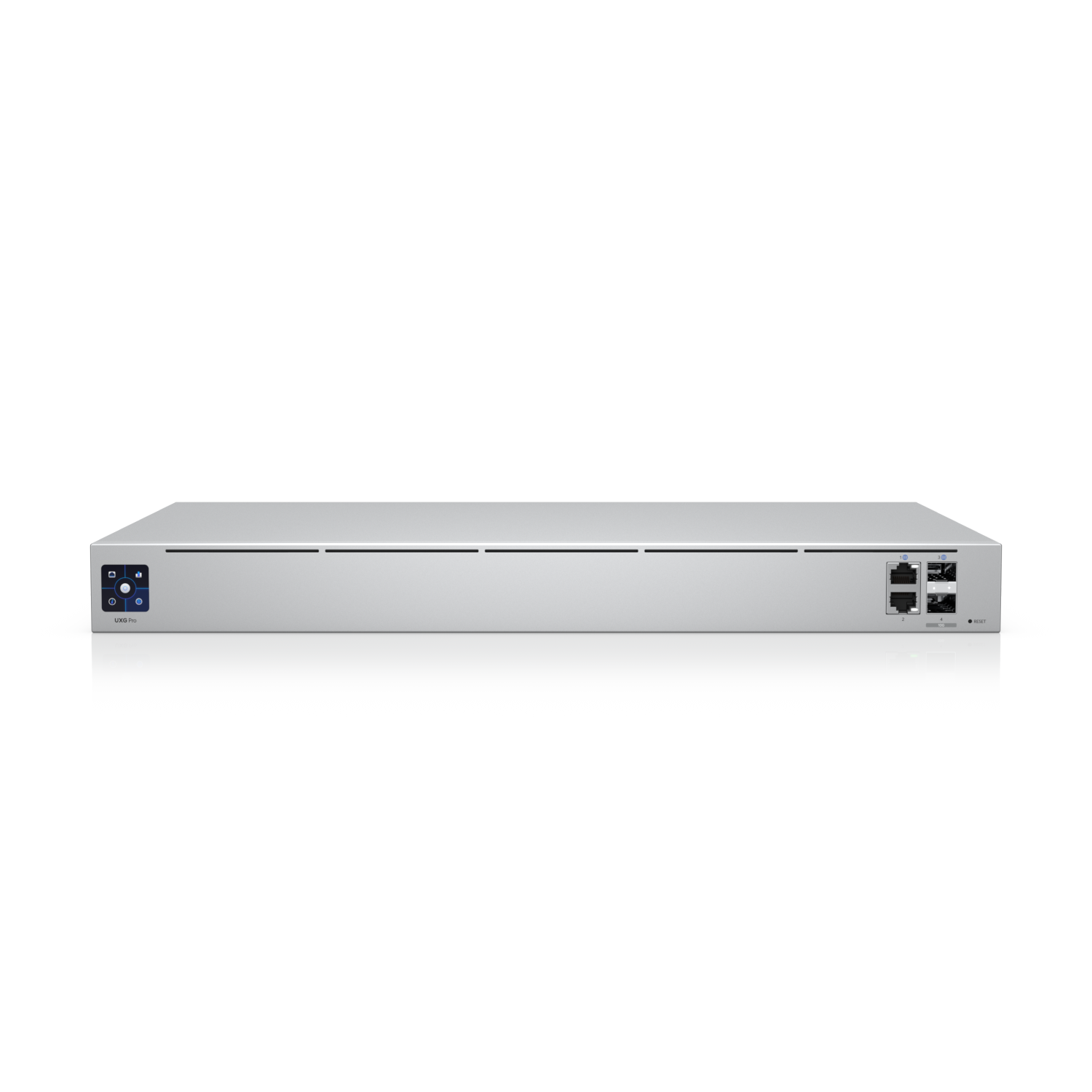
The Ubiquiti UniFi Security Gateway Pro (USG‑PRO‑4) is a compact, rack‑mountable enterprise gateway designed to deliver robust routing, security, and network management for small to medium deployments. With dual combination SFP/RJ45 ports, two additional RJ45 Gigabit ports, an RJ45 console, and internal AC/DC power, the USG‑PRO‑4 blends performance and flexibility for managed networks. It pairs natively with the UniFi Controller to provide centralized configuration, monitoring, deep packet inspection, and site analytics.
Key Capabilities and Use Cases
Built around a dual‑core 1 GHz MIPS64 processor, hardware packet acceleration, 2 GB DDR3 RAM and 4 GB flash, the gateway can handle line‑rate forwarding and multi‑tenant routing tasks. Use its hot‑swappable SFP slots for fiber uplinks where needed; when SFP modules are inserted, corresponding RJ45 WAN ports deactivate automatically. Default settings simplify initial setup (LAN1 as DHCP server, WAN ports as DHCP clients), while the UniFi Controller enables adoption, configuration, and firmware updates from on‑premises or cloud controllers.
Engineered for rack environments (19"/1U), the USG‑PRO‑4 includes mounting hardware and active cooling. It supports Layer‑3 forwarding with notable packet rates, offers comprehensive LED and port indicators for link speed and activity, and provides a serial console for CLI access. Typical deployments include enterprise edge routing, managed branch gateways, and ISP uplinks for environments that require granular traffic insight and centralized management.
Management and Software Integration
The device is intended to be managed via the UniFi Controller (v4.8+ recommended) running on Windows, macOS, or Linux, or via a UniFi Cloud Key. The controller exposes adoption workflows, topology maps, traffic statistics, DPI classifications, alerts, and device location features. For administrators, the setup wizard, web management at https://setup.ubnt.com, and on‑device LEDs make commissioning straightforward.
Safety, Installation, and Warranty Notes
Installation requires standard rack tools and CAT5/CAT5e+ cabling (shielded cable for outdoor runs). Maintain ventilation clearances and indoor housing for the unit; power range is 110–240 VAC with an internal 60W adapter. Ubiquiti provides a one‑year limited warranty with conditions around modifications, cabling, and firmware. Regulatory compliance includes FCC, CE, IC and regional directives; proper disposal follows WEEE/RoHS guidance.
Notes
- SFP ports are hot‑swappable; inserting a module disables the paired RJ45 WAN port.
- Factory reset via the Reset button restores defaults after a 10‑second hold.
- For full compatibility lists, firmware details, and advanced configuration, consult UniFi Controller documentation and community resources.
Search for 166 Manuals online


Type-in Brand or Model